Review and next steps
This module is the final verification step: confirm that hub services are healthy, review what you deployed across the stack, and decide how to replicate the pattern in your own environment.
What you deployed
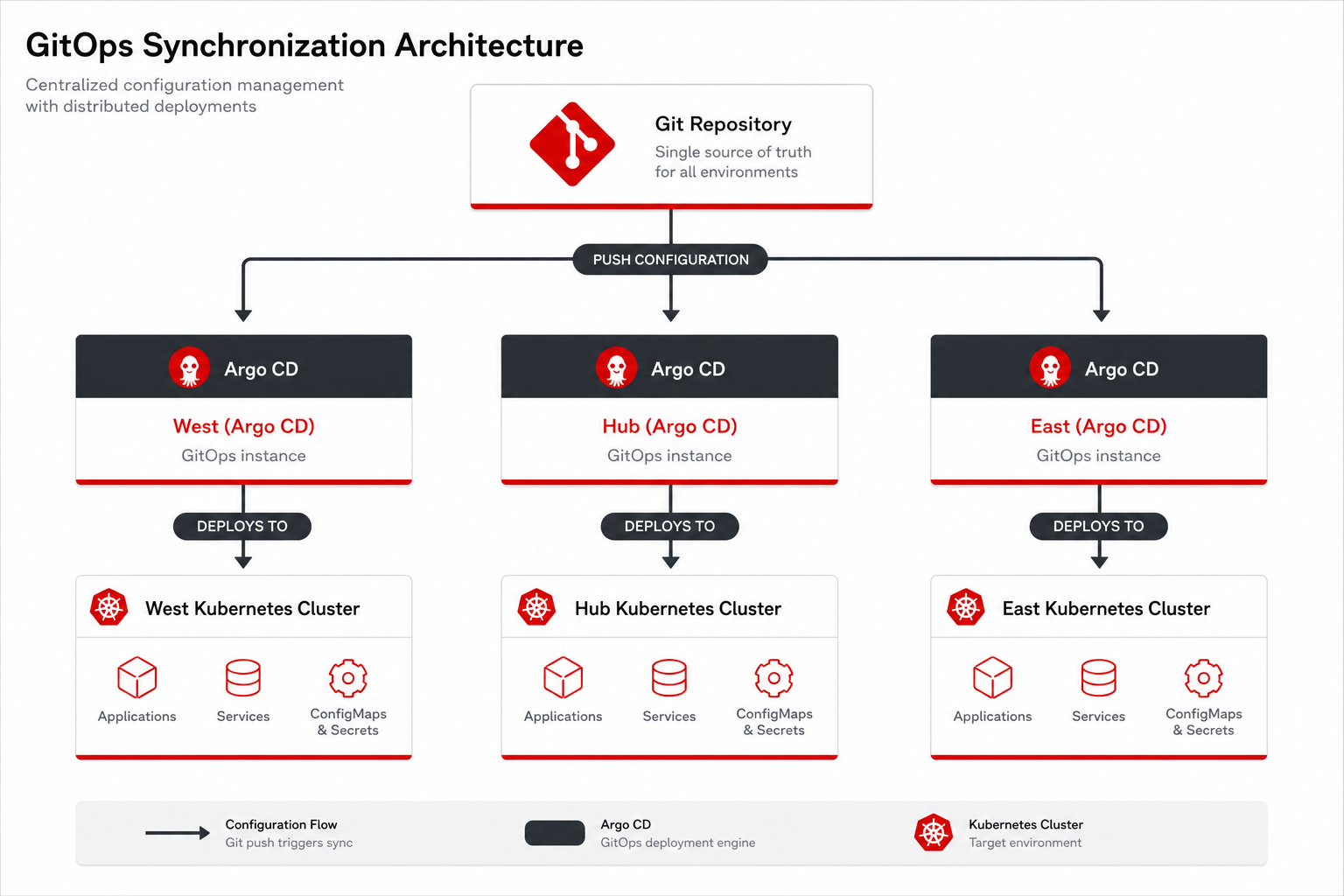
| Layer | Component | CRD / API |
|---|---|---|
GitOps |
ArgoCD Applications |
|
Fleet |
RHACM managed clusters |
|
Developer |
Developer Hub, GitLab |
Backstage templates |
AI / CV |
OpenShift AI, NeuroFace, native MaaS |
|
GitOps automation |
Argo CD MCP, Lightspeed |
|
Networking |
Skupper, RHCL Gateway |
|
Verify all services
hub-login guest (register first)
echo "=== Console Links Health Check ==="
for svc in \
  "console-openshift-console" \
  "developer-hub" \
  "gitlab" \
  "rhods-dashboard-redhat-ods-applications" \
  "grafana" \
  "vault-vault" \
  "vp-gitops-server-vp-gitops" \
  "showroom-showroom"; do
  CODE=$(curl -sk -o /dev/null -w '%{http_code}' --connect-timeout 3 --max-time 5 "https://${svc}.apps.cluster.example.com/" 2>/dev/null || echo "ERR")
  printf "%-45s %s\n" "$svc" "$CODE"
done=== Console Links Health Check ===
console-openshift-console 200
developer-hub 200
gitlab 200
rhods-dashboard-redhat-ods-applications 200
grafana 200
vault-vault 200
vp-gitops-server-vp-gitops 200
showroom-showroom 200Key design decisions
-
RHCL Gateway API instead of OCP Routes — weighted multi-spoke load balancing
-
Skupper instead of VPN — application-level cross-cluster connectivity
-
Ambient Service Mesh — lower resource overhead on spokes
-
Hub-centralized observability — Kiali, Thanos, OpenTelemetry on hub
Replicate this pattern
-
Fork https://github.com/maximilianoPizarro/ia-computer-vision
-
Configure
values-secret.yamland install spokes before hub -
Adjust
values-*.yamlfor your domains and sizing
# values-hub.yaml — managedClusterGroups (excerpt)
managedClusterGroups:
  east:
    name: east
    acmlabels:
      - name: clusterGroup
        value: east
  west:
    name: west
    acmlabels:
      - name: clusterGroup
        value: west
Pattern CR
# pattern.yaml — Pattern CR for operator-driven install
apiVersion: gitops.hybrid-cloud-patterns.io/v1alpha1
kind: Pattern
metadata:
  name: ia-computer-vision
  namespace: openshift-operators
spec:
  clusterGroupName: hub
  gitSpec:
    targetRepo: https://github.com/maximilianoPizarro/ia-computer-vision.git
    targetRevision: main
  multiSourceConfig:
    enabled: true
    clusterGroupChartVersion: "0.9.*"
    helmRepoUrl: https://charts.validatedpatterns.io
  extraParameters:
    - name: spokeCredentials.mode
      value: inline
    - name: spokeCredentials.clusters.east.token
      value: "<token>"
    - name: spokeCredentials.clusters.east.apiUrl
      value: "https://api.%EAST_DOMAIN%:6443"
    - name: spokeCredentials.clusters.west.token
      value: "<token>"
    - name: spokeCredentials.clusters.west.apiUrl
value: "https://api.%WEST_DOMAIN%:6443"Helper commands
hub-login guest (register first)
neuroface-cv-status guest (register first)
neuroface-cv-traffic
neuroface-spoke-status guest (register first)
What you learned
-
You deployed and verified a multi-cluster AI Computer Vision pattern end to end
-
Hub services, GitOps applications, and spoke workloads are reachable with workshop helper commands
-
The pattern can be forked and adapted using
values-*.yamland the Validated Patterns operator
Next
Optional reference: continue with Module 08 — CRD reference for a read-only map of Kubernetes custom resources used in this pattern.
Congratulations — you completed the AI Computer Vision workshop!