Deploy your NeuroFace from Developer Hub
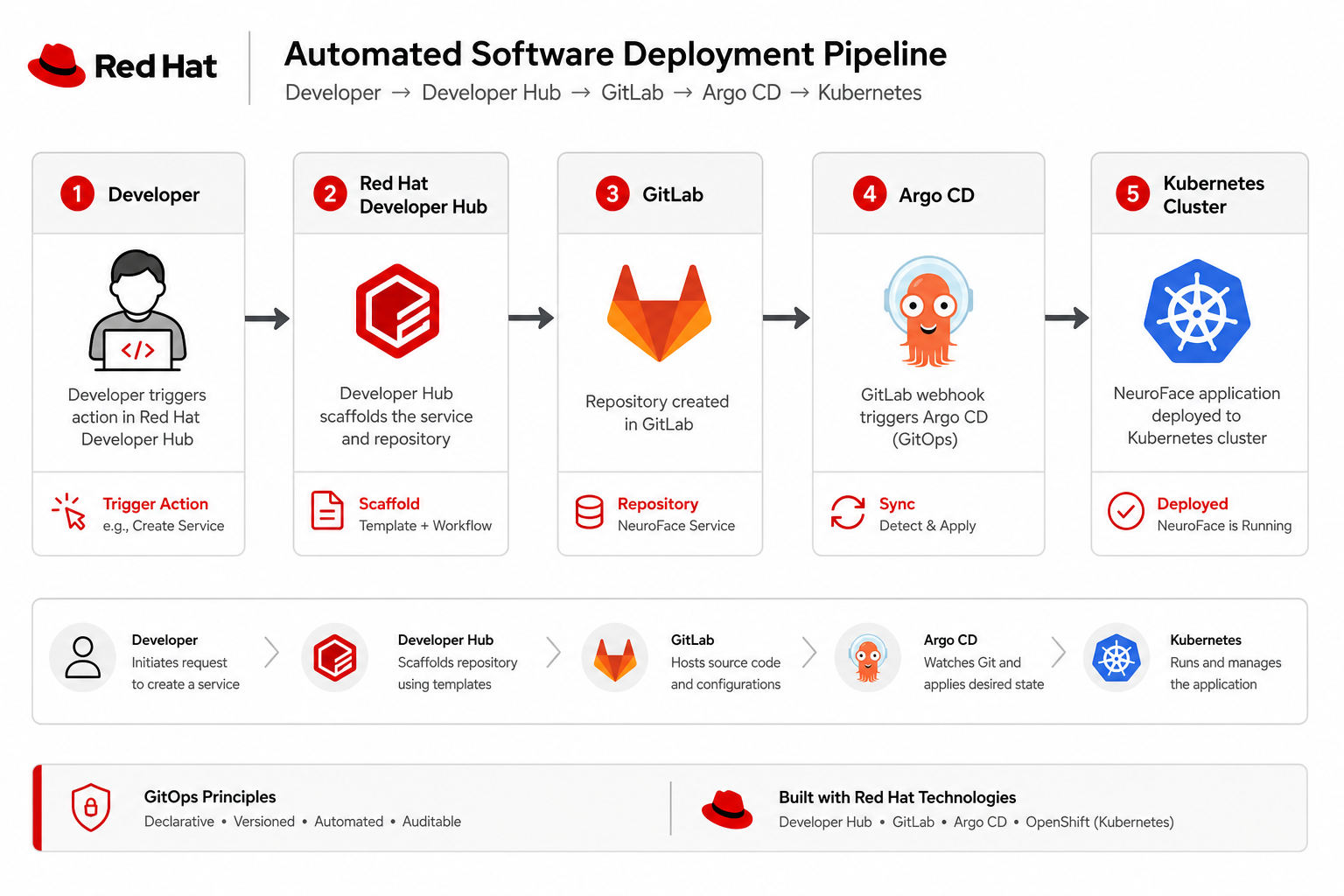
This is the core workshop activity. You scaffold a personal NeuroFace instance from Developer Hub, watch the pipeline deploy to a spoke, and test PPE detection — the first end-to-end proof that hub GitOps, spoke workloads, and gateway routing work together.
Open Developer Hub
-
Open the OCP Console on the hub cluster
-
Application menu (grid icon) → Red Hat Developer Hub
-
Or navigate directly:
https://developer-hub.apps.cluster.example.com-
Log in with your workshop credentials (
guest (register first)/Welcome123!)
Browse the AI Computer Vision template
-
Click Create… in the left navigation
-
Select the AI Computer Vision at the Edge template
-
Review the parameters — the template is defined in the pattern Git repository:
# charts/all/developer-hub/files/software-templates/ai-computer-vision.yaml (excerpt)
metadata:
  name: ai-computer-vision
  title: AI Computer Vision at the Edge
spec:
  parameters:
    - required: [owner, spoke, hubClusterDomain]
      properties:
        owner:
          title: Owner
          ui:field: OwnerPicker
        spoke:
          title: Target spoke
          enum: [east, west]
        hubClusterDomain:
          title: Hub cluster domain
        maasEndpoint:
          default: https://ai-gateway.apps.__HUB_CLUSTER_DOMAIN__/v1
  steps:
    - id: fetch
      action: fetch:template
    - id: publish
      action: publish:gitlab
    - id: register
      action: catalog:register
Create your NeuroFace instance
| This step creates real resources. Use your assigned workshop user as owner. |
-
Select the AI Computer Vision at the Edge template
-
Fill in:
-
Owner:
guest (register first) -
Target spoke:
eastorwest -
Hub cluster domain: domain without
apps.prefix (pre-filled from pattern) -
MaaS chat endpoint:
https://ai-gateway.apps.cluster.example.com/v1(default)
-
-
Click Create and watch the scaffolder log
The scaffold creates namespace neuroface-guest (register first) and GitLab repo ws-workshop/neuroface-guest (register first).
What gets deployed on the spoke
# ai-cv-skeleton — namespace and MaaS wiring (excerpt)
metadata:
  name: neuroface-${{ values.owner }}
  namespace: neuroface-${{ values.owner }}
env:
  NEUROFACE_CHAT_API_KEY: from ExternalSecret neuroface-ai-gateway-key (platform key)
# charts/all/spoke-neuroface/templates/skupper-connector.yaml
apiVersion: skupper.io/v2alpha1
kind: Connector
metadata:
name: neuroface-app-east
namespace: service-interconnect
spec:
routingKey: neuroface-app-east
host: neuroface-spoke-gateway-istio.neuroface.svc.cluster.local
port: 8080Verify deployment on the spoke
east-login guest (register first)
oc get pods -n neuroface-guest (register first)
neuroface-spoke-status guest (register first)
Check pod readiness
oc get pods -n neuroface-guest (register first) -o custom-columns=NAME:.metadata.name,READY:.status.containerStatuses[0].ready,STATUS:.status.phaseNAME READY STATUS
neuroface-backend-xxx true Running
neuroface-frontend-xxx true RunningTest PPE detection in the UI
-
Open
https://neuroface.apps.cluster.example.com/user/guest (register first)/ -
Upload a photo and observe PPE bounding boxes
-
Try the chat panel (LLM via AI Gateway (Kuadrant, legacy))
-
Check the cluster badge in the UI header — EAST (green), WEST (yellow), or HUB (blue fallback when the spoke API is unreachable)
What you learned
-
Developer Hub scaffolds GitLab repos, DevSpaces workspaces, and catalog entries
-
Each user gets namespace
neuroface-userNon the chosen spoke -
NeuroFace chat uses AI Gateway; PPE uses shared YOLO inference on the spoke
-
Skupper Connectors on the spoke tunnel traffic back to hub Gateway API routes
Next
Continue with Module 03 — OpenShift AI step-by-step.