 Event-Driven Architecture & Industrial Edge
OpenShift Integration Operator
What this operator adds
OpenShift Integration Operator is the lifecycle and UX layer for Apache Camel on OpenShift. It does not replace Camel Quarkus. You design flows visually, try them ephemerally, then promote them to GitOps.
The operator is listed in the OperatorHub community catalog (community-operators, package openshift-integration-operator, channel candidate-v0). Current CSV on OperatorHub is 0.8.2. It is community software (Apache 2.0), not a Red Hat supported product.
This full lab installs it with the Validated Patterns clusterGroup.subscriptions entry in values-hub.yaml. OpenShift GitOps reconciles a Subscription in namespace openshift-integration (AllNamespaces). After the CSV is Succeeded, the OpenShift Console shows Integration Platform.
This module complements Kaoto in DevSpaces. DevSpaces edits YAML routes in a workspace. The console plugin edits IntegrationFlow custom resources on the cluster.
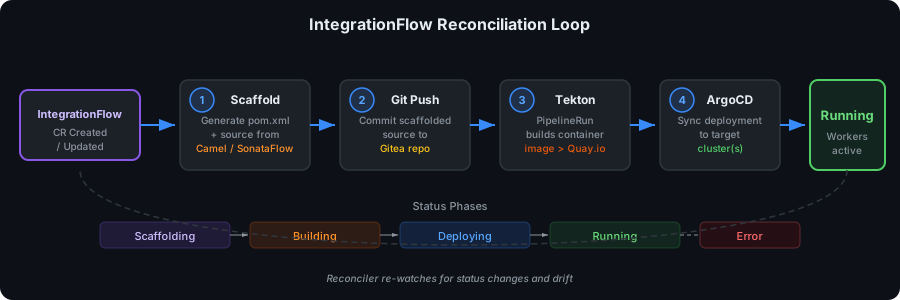
How this lab installs it
The Pattern creates namespace openshift-integration with a cluster-scoped OperatorGroup and this Subscription:
apiVersion: operators.coreos.com/v1alpha1
kind: Subscription
metadata:
  name: openshift-integration-operator
  namespace: openshift-integration
spec:
  channel: candidate-v0
  name: openshift-integration-operator
  source: community-operators
  sourceNamespace: openshift-marketplace
  installPlanApproval: Automatic
Lite (values-lite.yaml) leaves this Subscription enabled so you still get Kaoto in the console when DevSpaces is off.
Open the console plugin
-
Log in to the OpenShift Console.
-
Open Integration Platform → Integration Flows.
-
Search, filter by type or phase, and follow links to Pods and Tekton Pipelines.
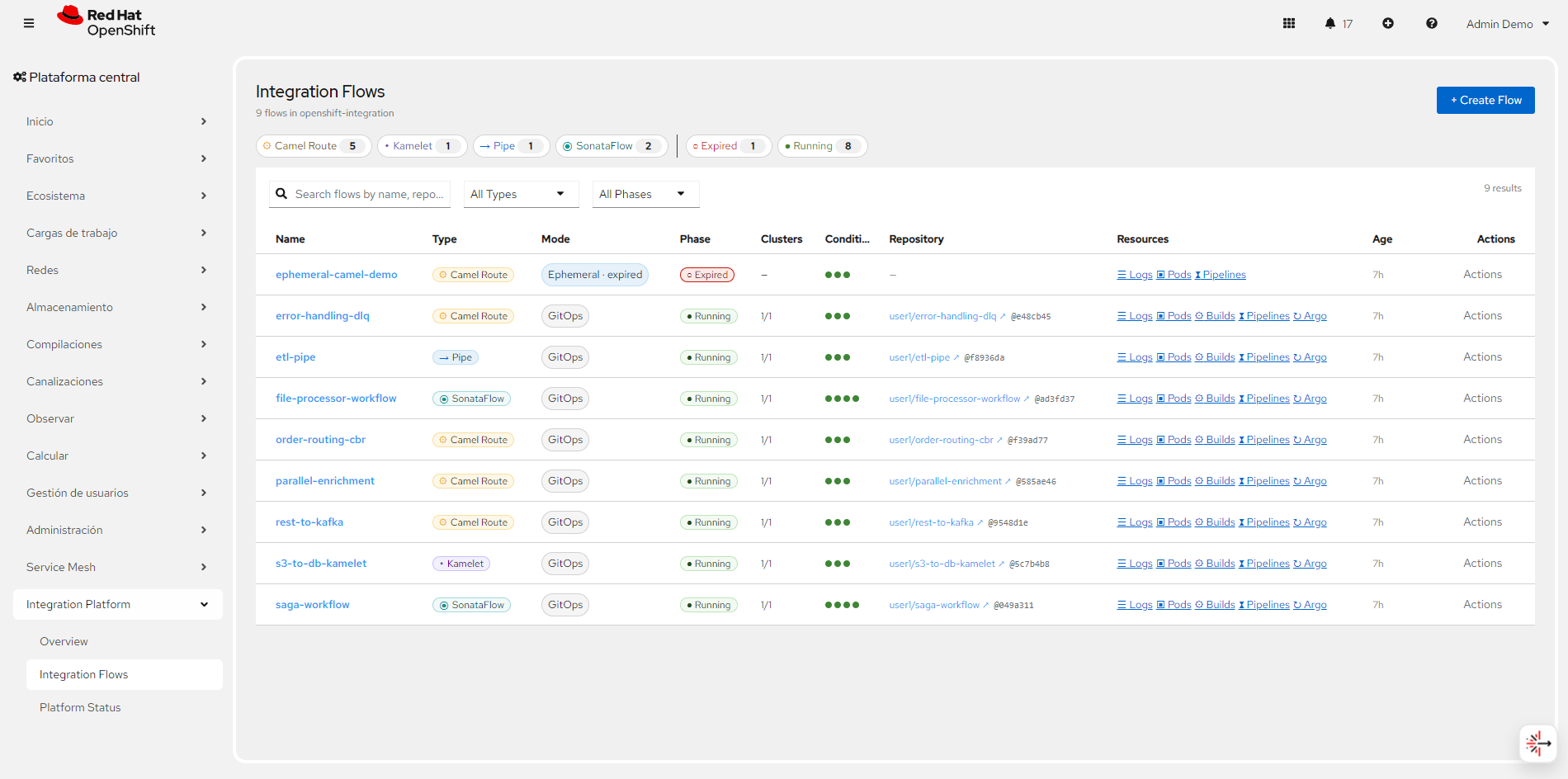
Console tour
Screenshots below come from the operator documentation site.
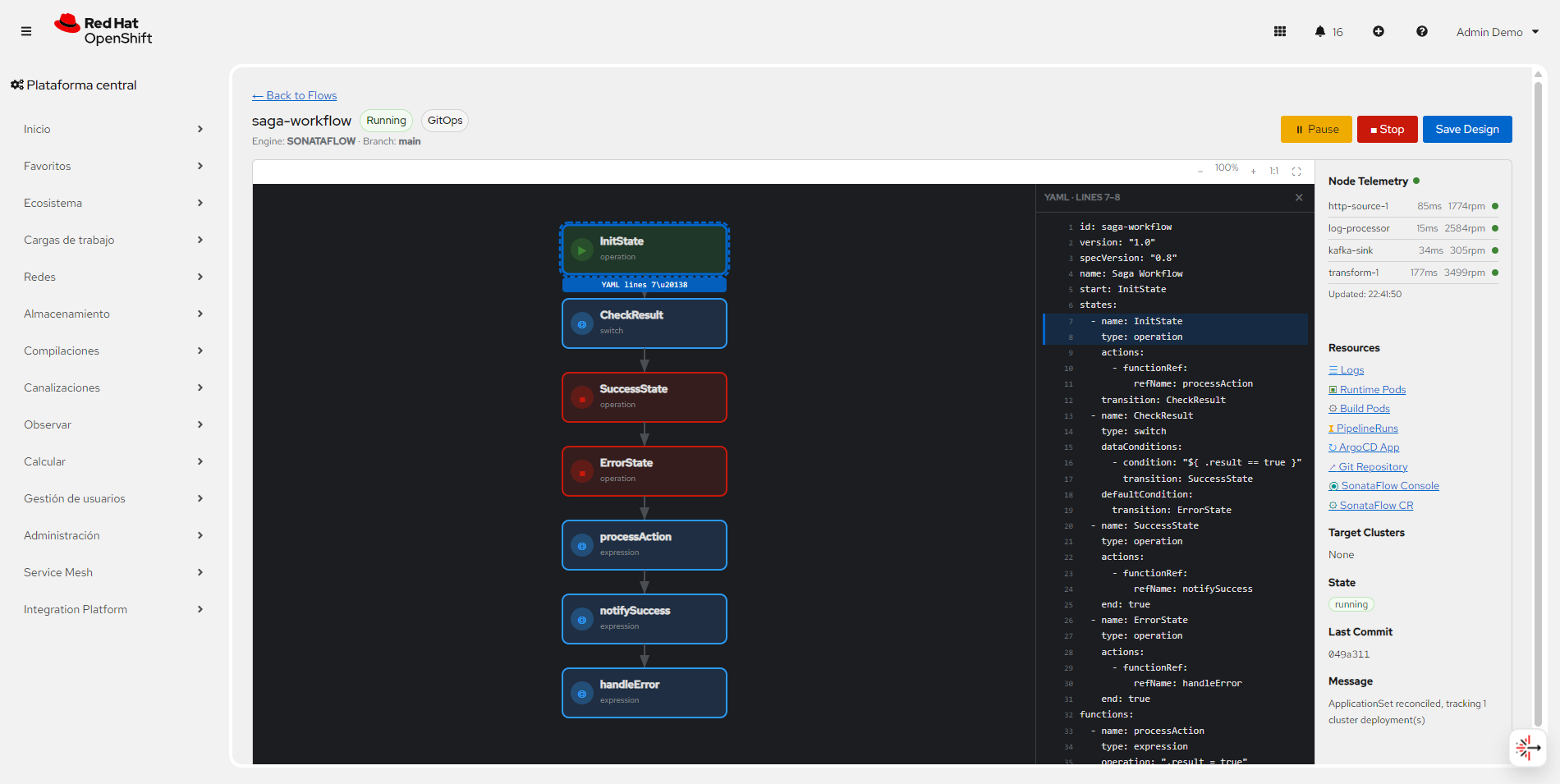
Inspect the visual diagram
The SVG diagram shows saga branching (choice, multicast). Click a node to highlight the matching YAML.
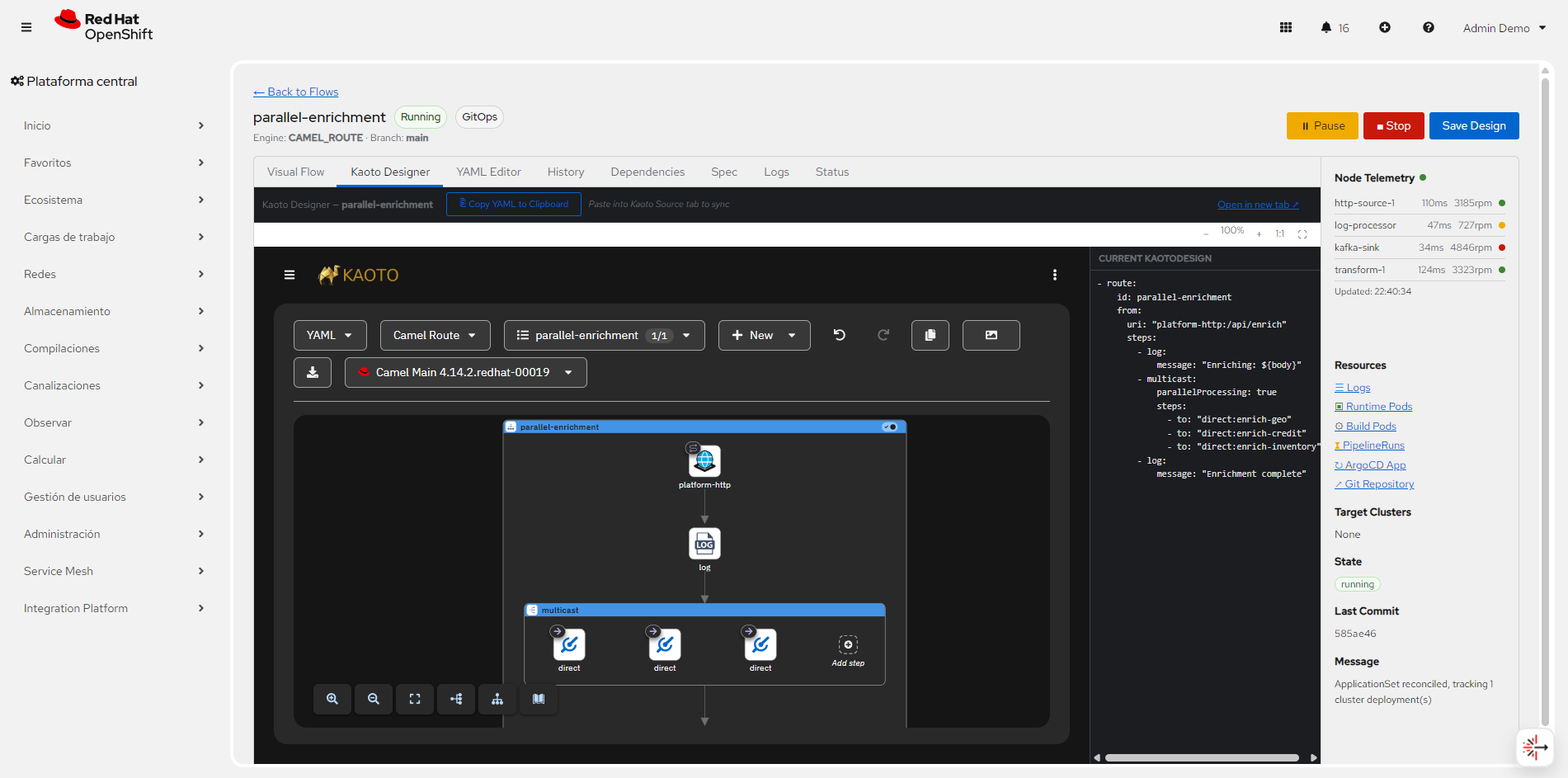
Edit in Kaoto
The plugin embeds the Kaoto canvas so you drag Camel components in the console — the same designer you use in DevSpaces, bound to spec.kaotoDesign.
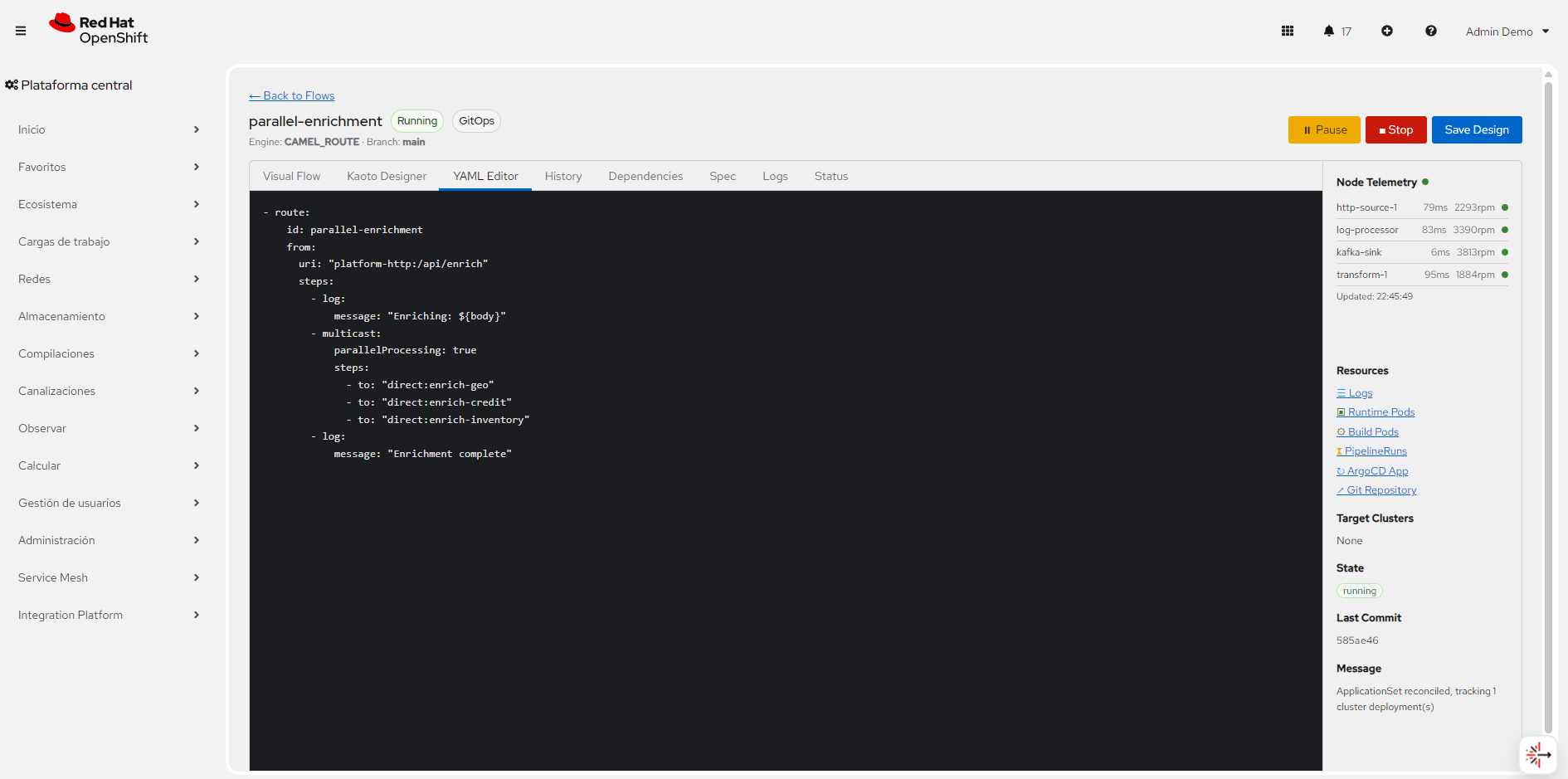
Sync YAML to Git
In GitOps mode the YAML editor keeps kaotoDesign in sync with the configured repository.
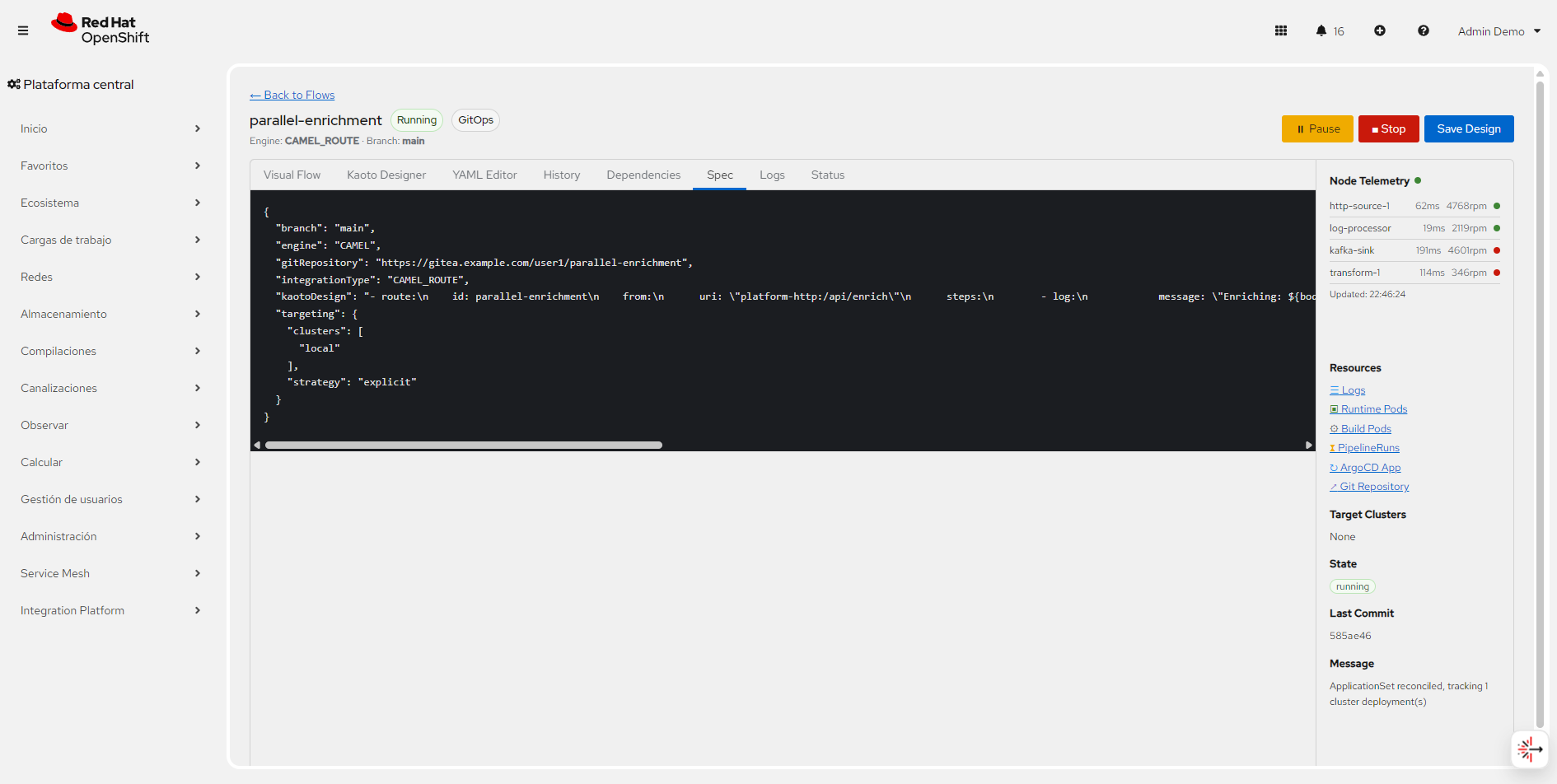
Configure spec and status
The spec panel exposes deployment mode, engine, targeting, resilience, and circuit-breaker state.
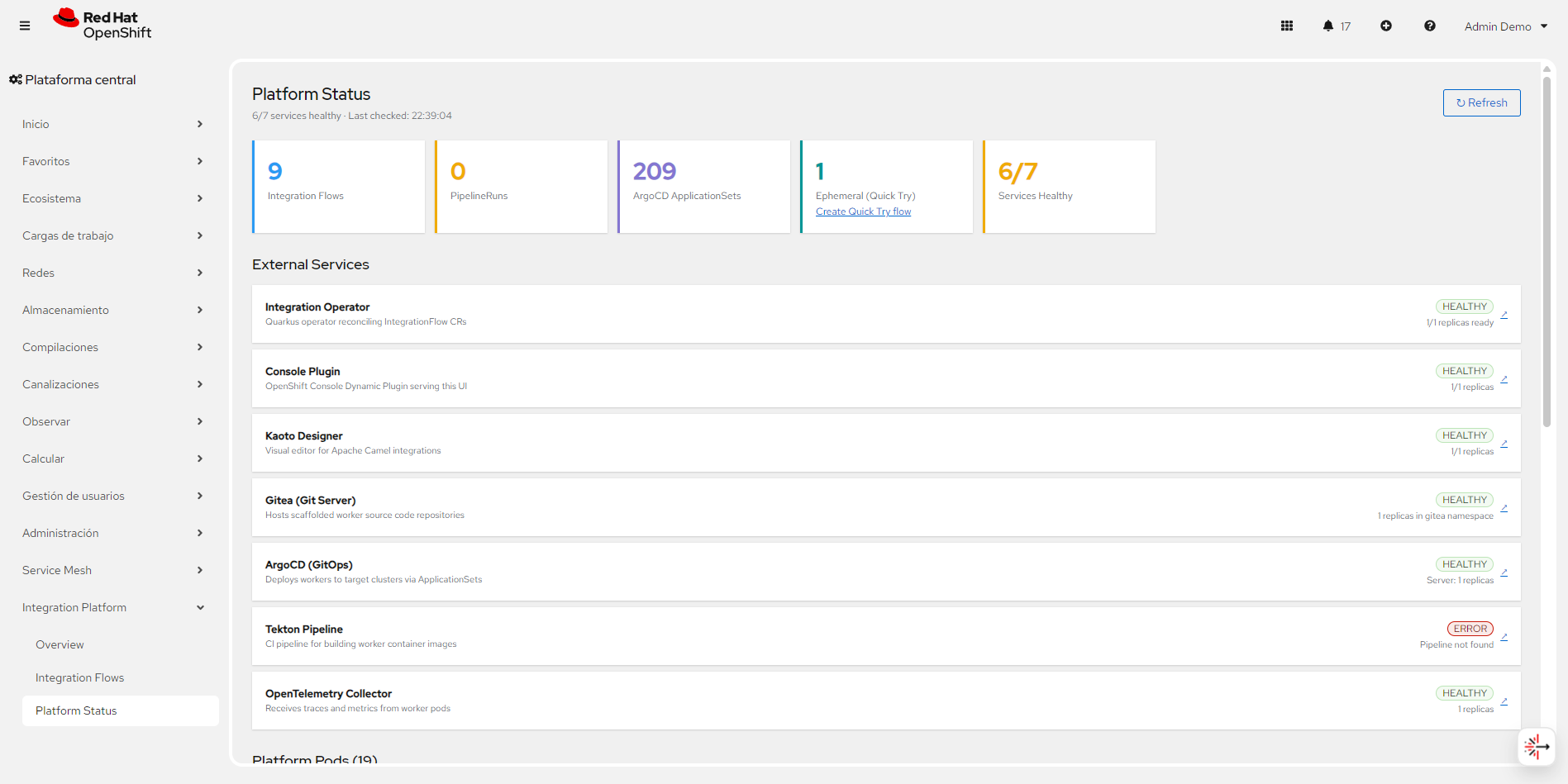
Check platform health
The status dashboard reports Operator API, Kaoto, Gitea, Argo CD, Tekton, and OpenTelemetry Collector.
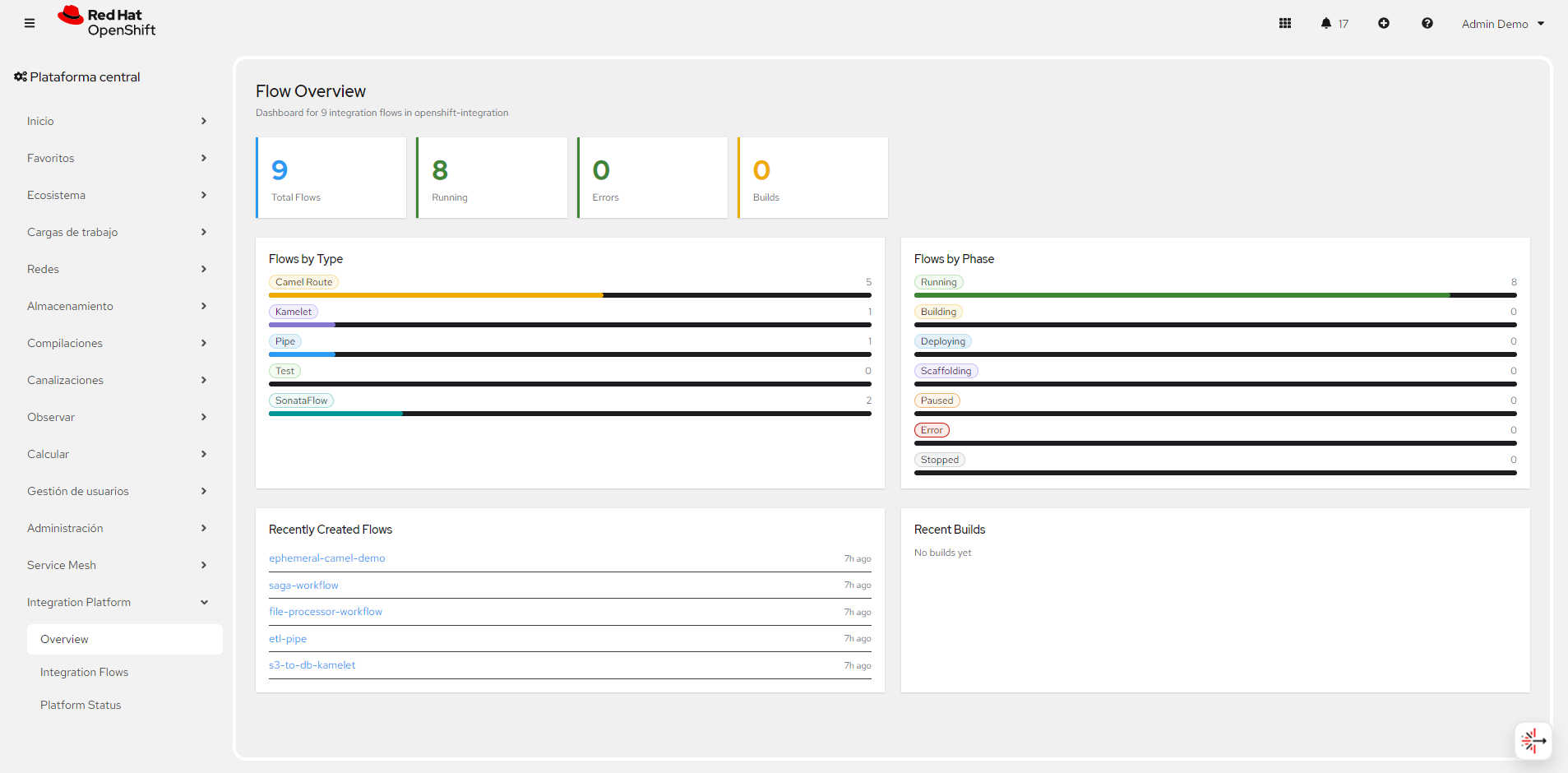
Monitor KPIs
Overview cards show total flows, running count, error rate, and distribution by type and mode.
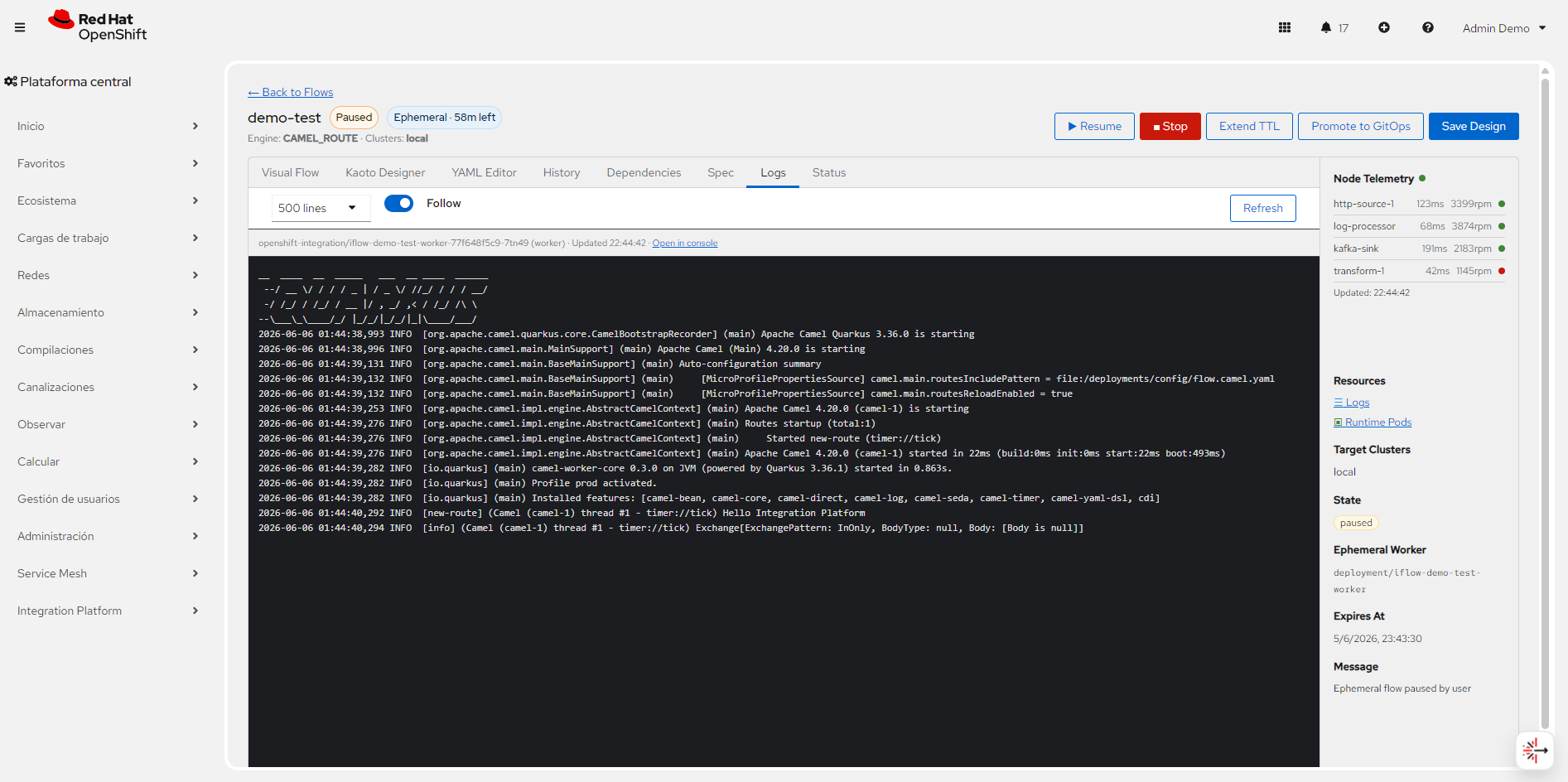
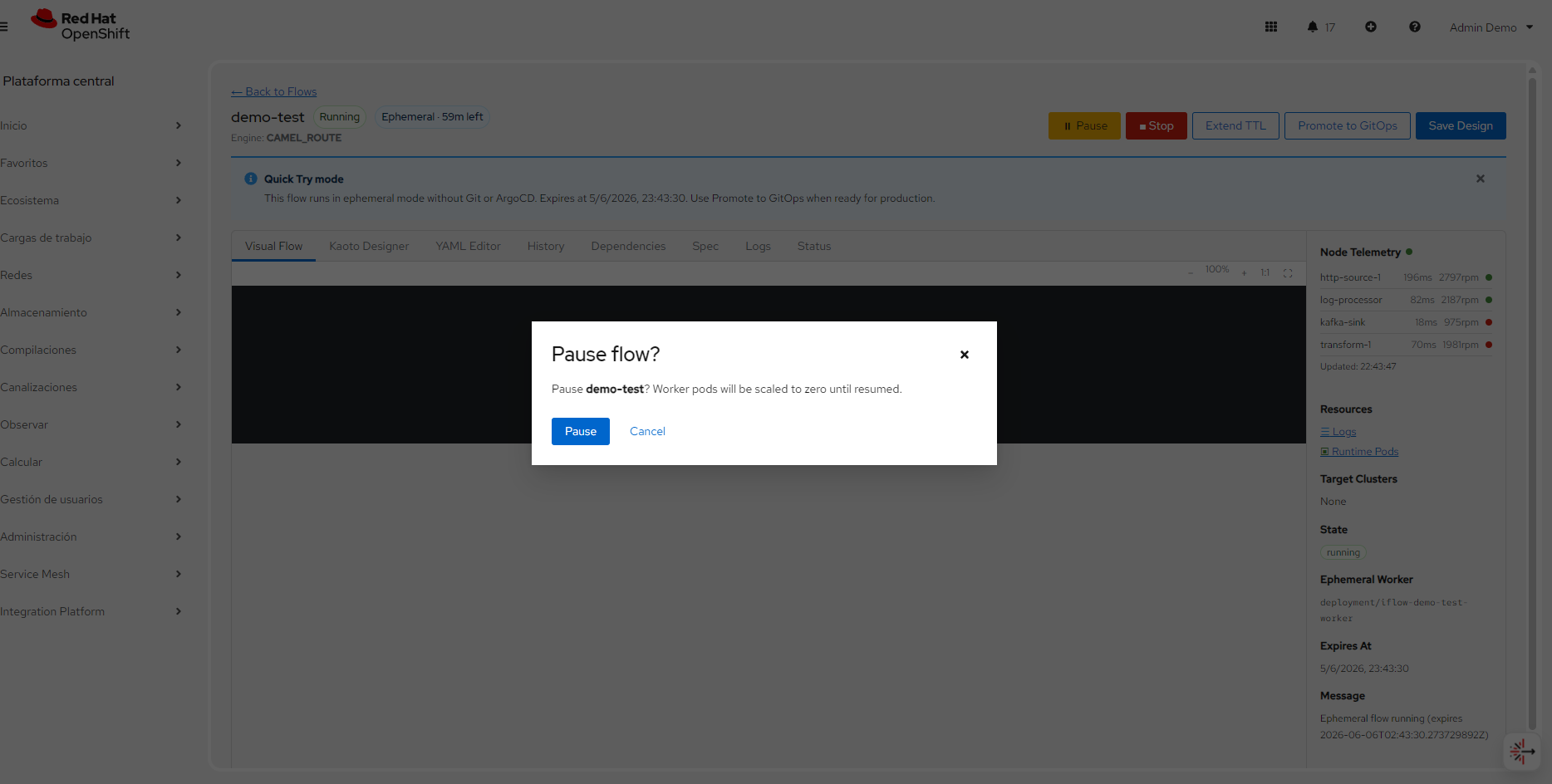
Quick Try (ephemeral)
Quick Try deploys a precompiled Camel Quarkus worker from kaotoDesign without Git, Tekton, or Argo CD. Set deploymentMode: EPHEMERAL and a TTL. Deleting the CR removes owned Deployments.
Apply this sample in openshift-integration (or any namespace the operator watches):
apiVersion: platform.io/v1alpha1
kind: IntegrationFlow
metadata:
  name: ephemeral-camel-demo
  namespace: openshift-integration
spec:
  engine: CAMEL
  integrationType: CAMEL_ROUTE
  deploymentMode: EPHEMERAL
  kaotoDesign: |
    - route:
        id: quick-try
        from:
          uri: "timer:tick"
          parameters:
            period: 10000
        steps:
          - log:
              message: "Ephemeral quick-try flow"
  ephemeral:
    ttlSeconds: 3600
oc apply -f ephemeral-camel-demo.yaml
oc get integrationflow ephemeral-camel-demo -n openshift-integration -wThe CDC processor in kafka-cdc stays a Camel Quarkus Deployment from the cdc-pipeline chart. Use IntegrationFlow for new routes you want to try in the console, then promote to GitOps when the route is ready.
Do not point a long-running workshop flow at production credentials from Quick Try. TTL expires the worker; extend it from the console if you need more time.
Workers, MCP, and telemetry
The operator selects a precompiled worker image from the route (or you pin spec.ephemeral.workerImage). Domain images cover core, messaging, HTTP, data, cloud, and AI extensions.
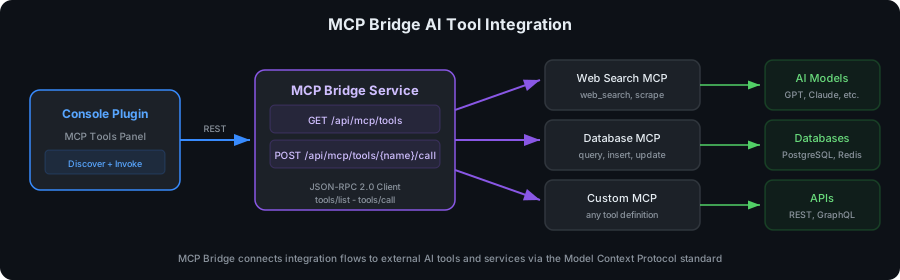
Camel routes can expose MCP tools, and flows can call models. That complements Lightspeed MCP and AI Playground + Kafka MCP already in this lab.
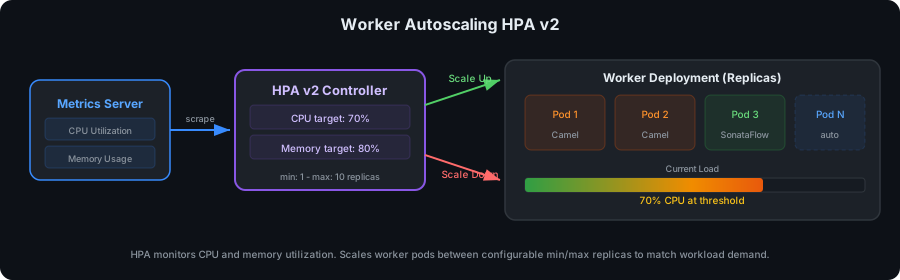
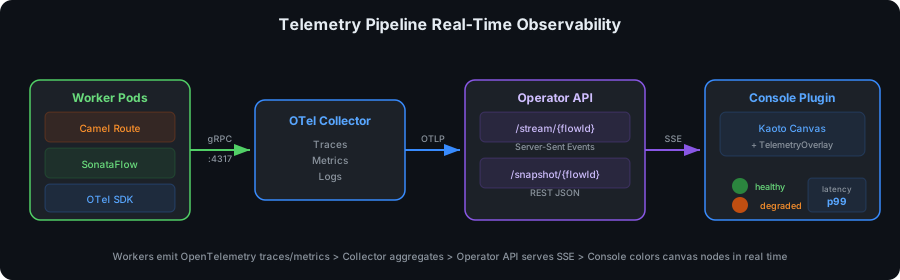
Workers emit OpenTelemetry. The console colors canvas nodes from an SSE telemetry stream.
Verify on the cluster
oc get csv -n openshift-integration
oc get subscription openshift-integration-operator -n openshift-integration
oc get consoleplugin
oc get crd integrationflows.platform.io
Expect CSV openshift-integration-operator.v0.8.2 (or newer on channel candidate-v0) in phase Succeeded, and ConsolePlugin integration-console-plugin. Then open Integration Platform in the console.
Official documentation
-
OpenShift Integration Operator (GitHub Pages) — product site used for the screenshots on this page
-
Quick Start — ephemeral Track A and GitOps Track B
-
Kaoto + Apache Camel — CDC route and DevSpaces designer