Showroom Docs MCP Server
Quarkus MCP Server that indexes Red Hat product documentation and the "IA Development From Zero To Hero" workshop for OpenShift Lightspeed.
Project maintained by maximilianoPizarro Hosted on GitHub Pages — Theme by mattgraham
Screenshots

English | Espanol
OpenShift Topology
Deployment with Helm Release Notes
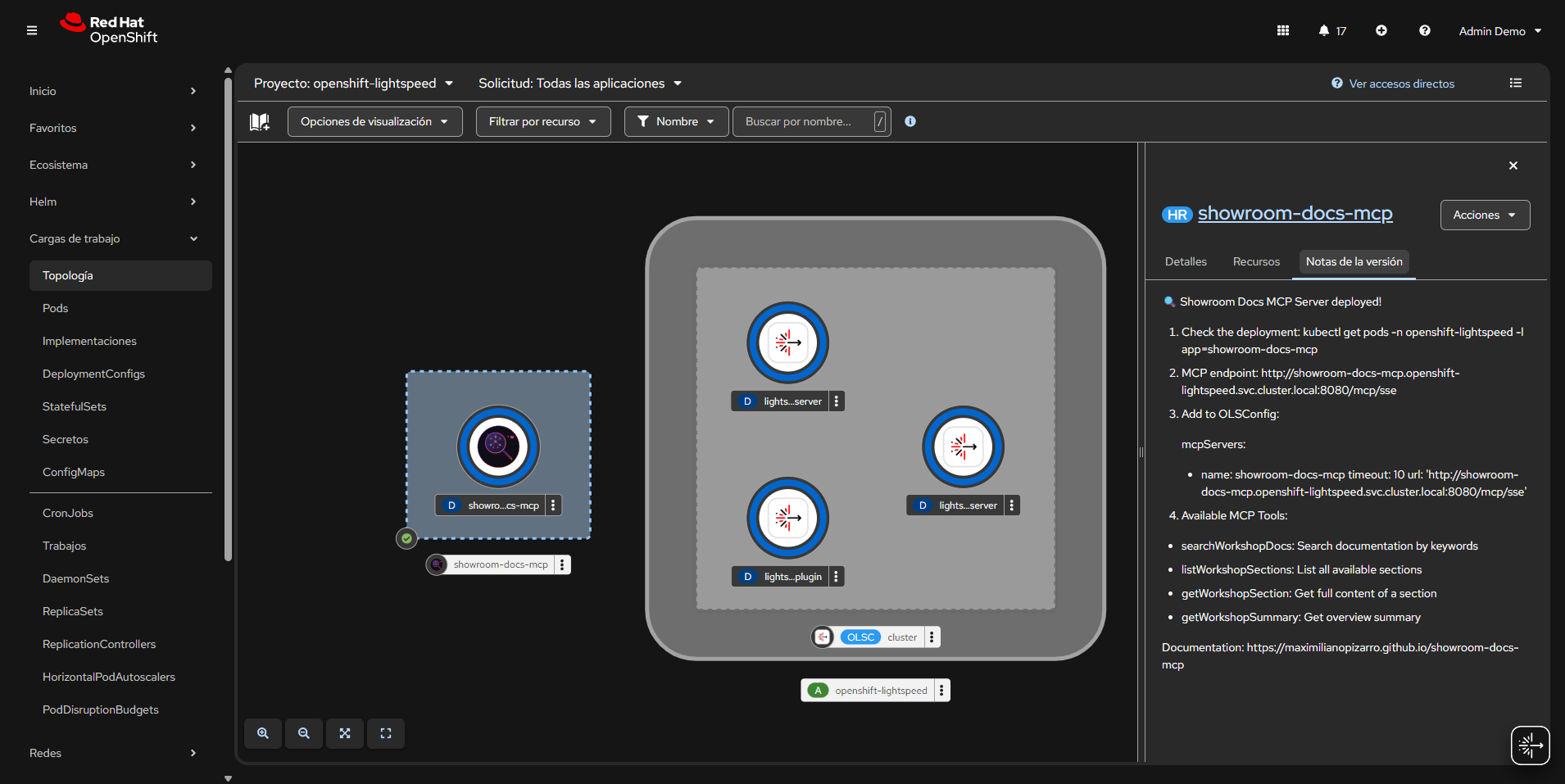
The OpenShift Topology view shows the Showroom Docs MCP Server deployed alongside OpenShift Lightspeed components in the openshift-lightspeed namespace. The Helm release notes panel displays post-install instructions including the MCP endpoint URL and available tools.
Lightspeed Chat from Topology View
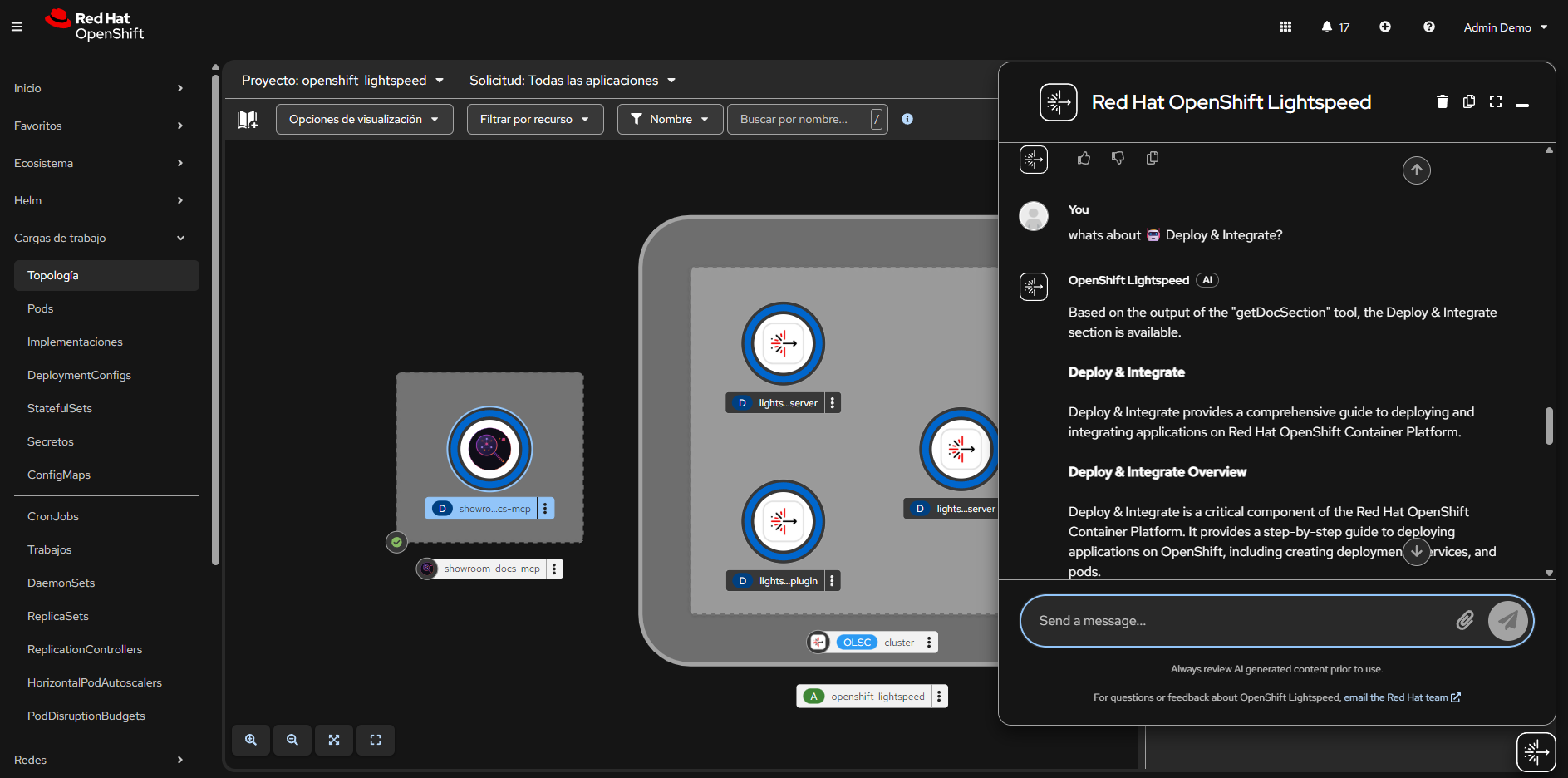
OpenShift Lightspeed chat integrated in the console, answering a question about “Deploy & Integrate” using the getDocSection MCP tool. The response is generated from the indexed workshop documentation.
OpenShift Lightspeed - MCP Tool Outputs
getDocSummary
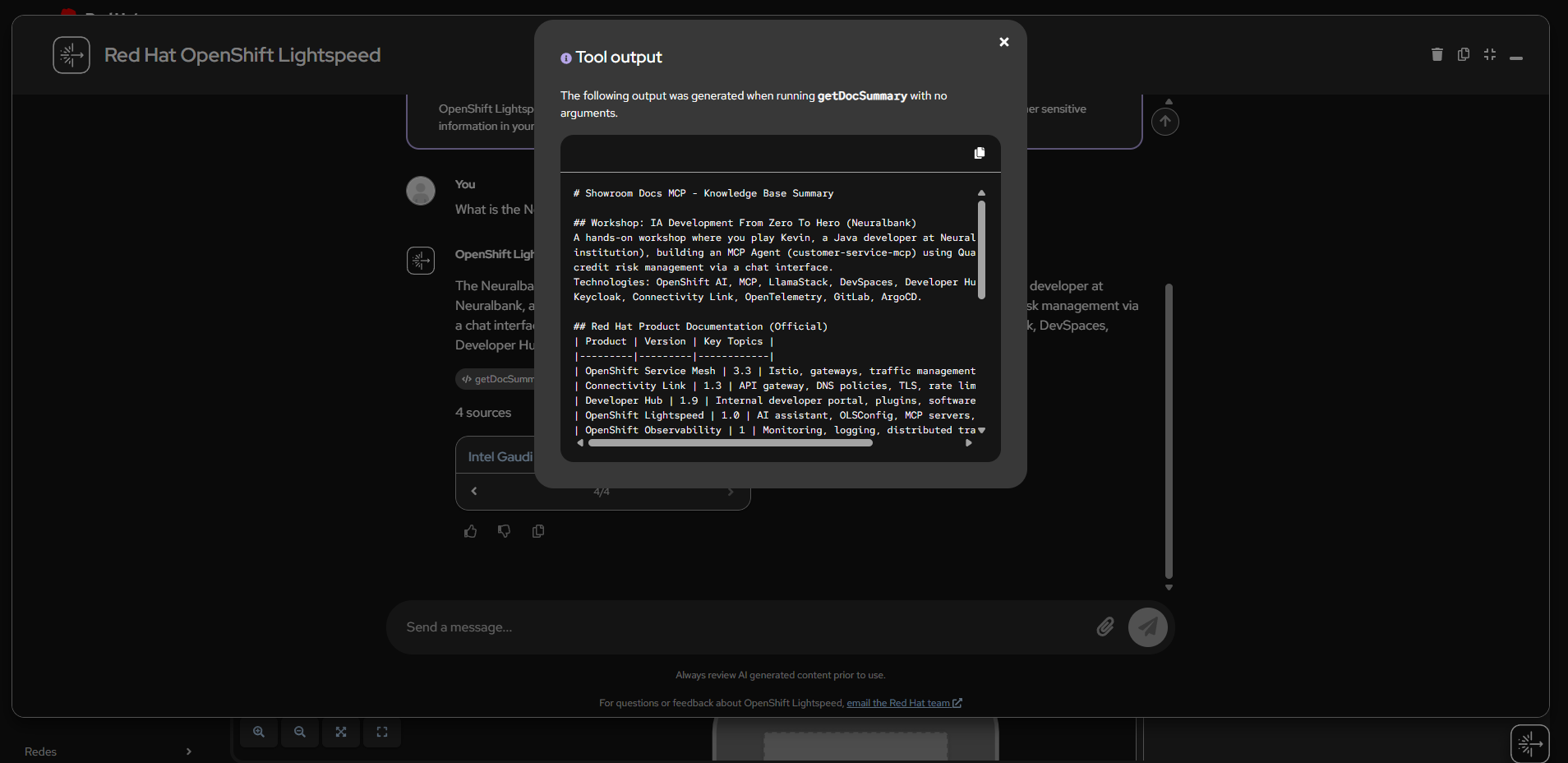
The getDocSummary tool returns a complete summary of the knowledge base, listing all indexed workshop modules and Red Hat product documentation with versions and key topics.
listDocSections
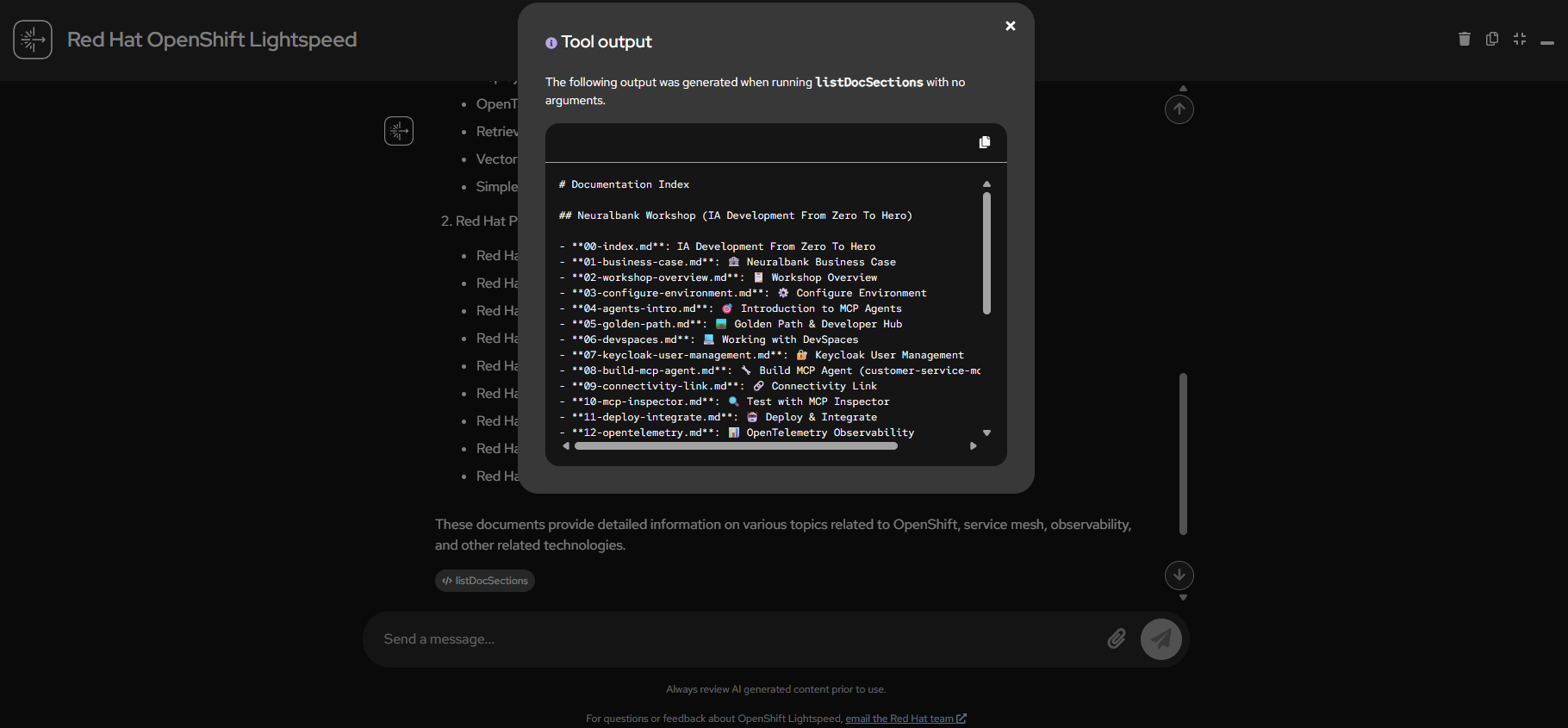
The listDocSections tool output shows the full documentation index with 46 files organized by workshop modules and Red Hat products.
listDocSections - Lightspeed Response
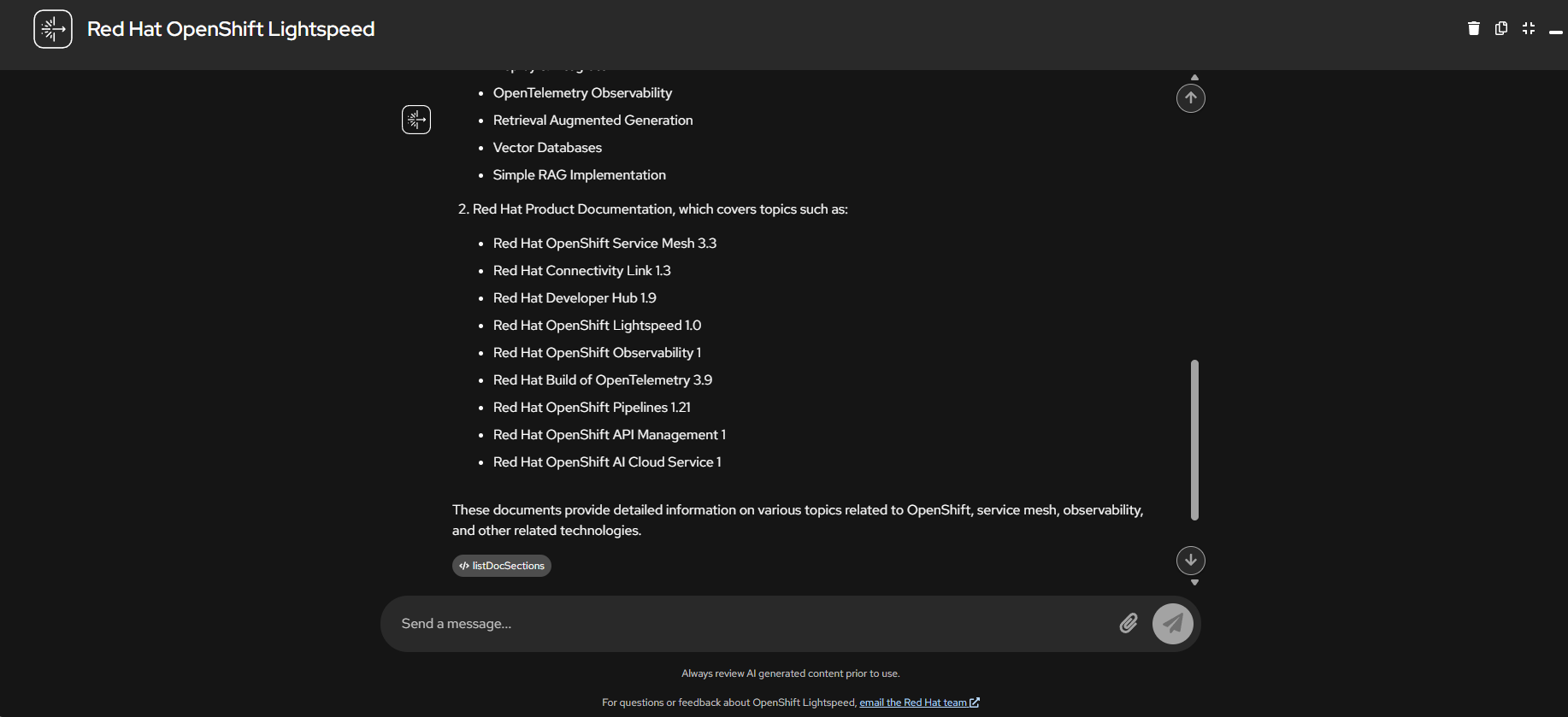
Lightspeed processes the listDocSections output and presents a formatted list of all available Red Hat product documentation with version numbers.
searchDocs - Connectivity Link
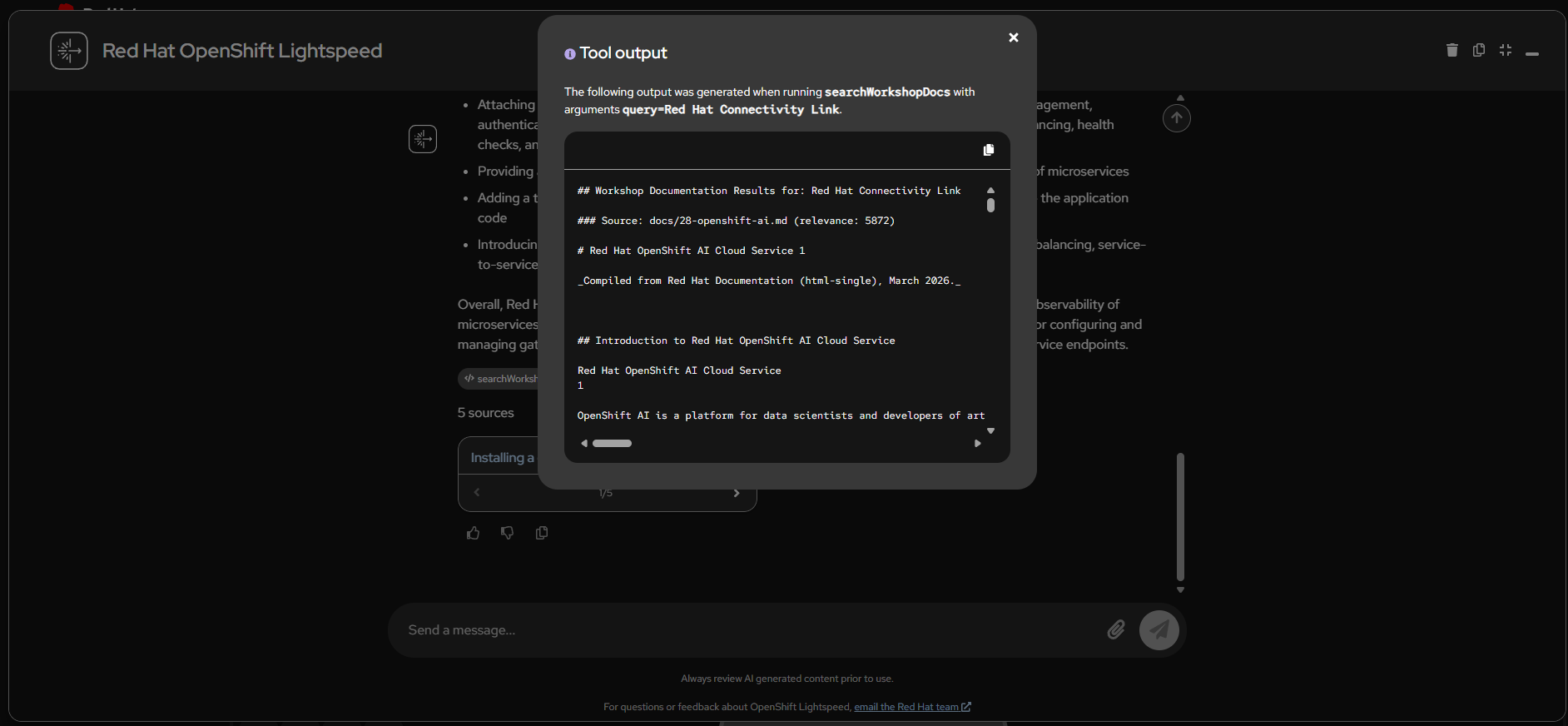
The searchDocs tool searching for “Red Hat Connectivity Link” returns relevant documentation from the indexed knowledge base with relevance scores.
searchDocs - NeuralBank MCP Agent
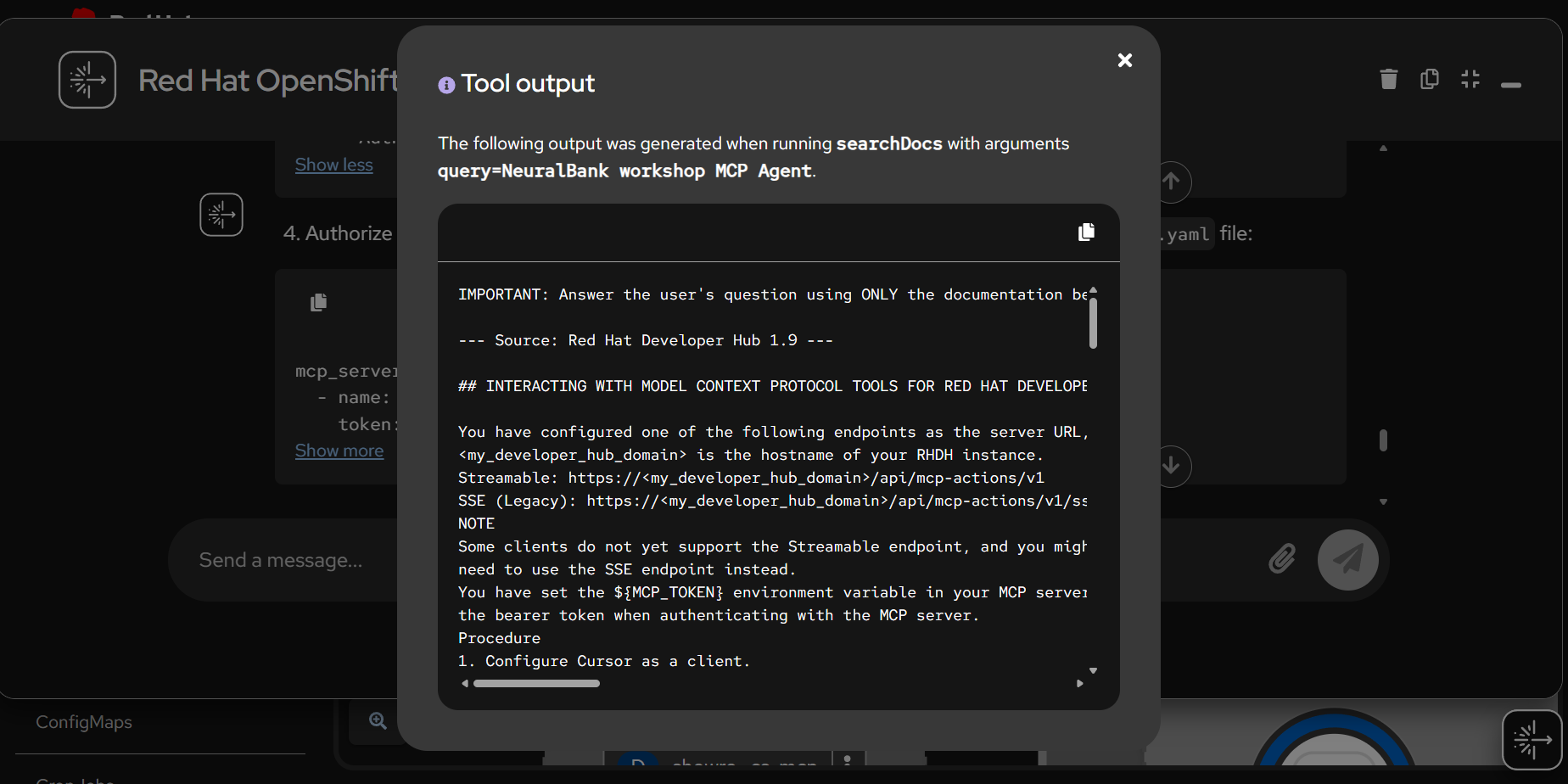
Search results for “NeuralBank workshop MCP Agent” showing how the tool finds Developer Hub documentation with MCP server configuration details.
getDocSection - OpenTelemetry Observability
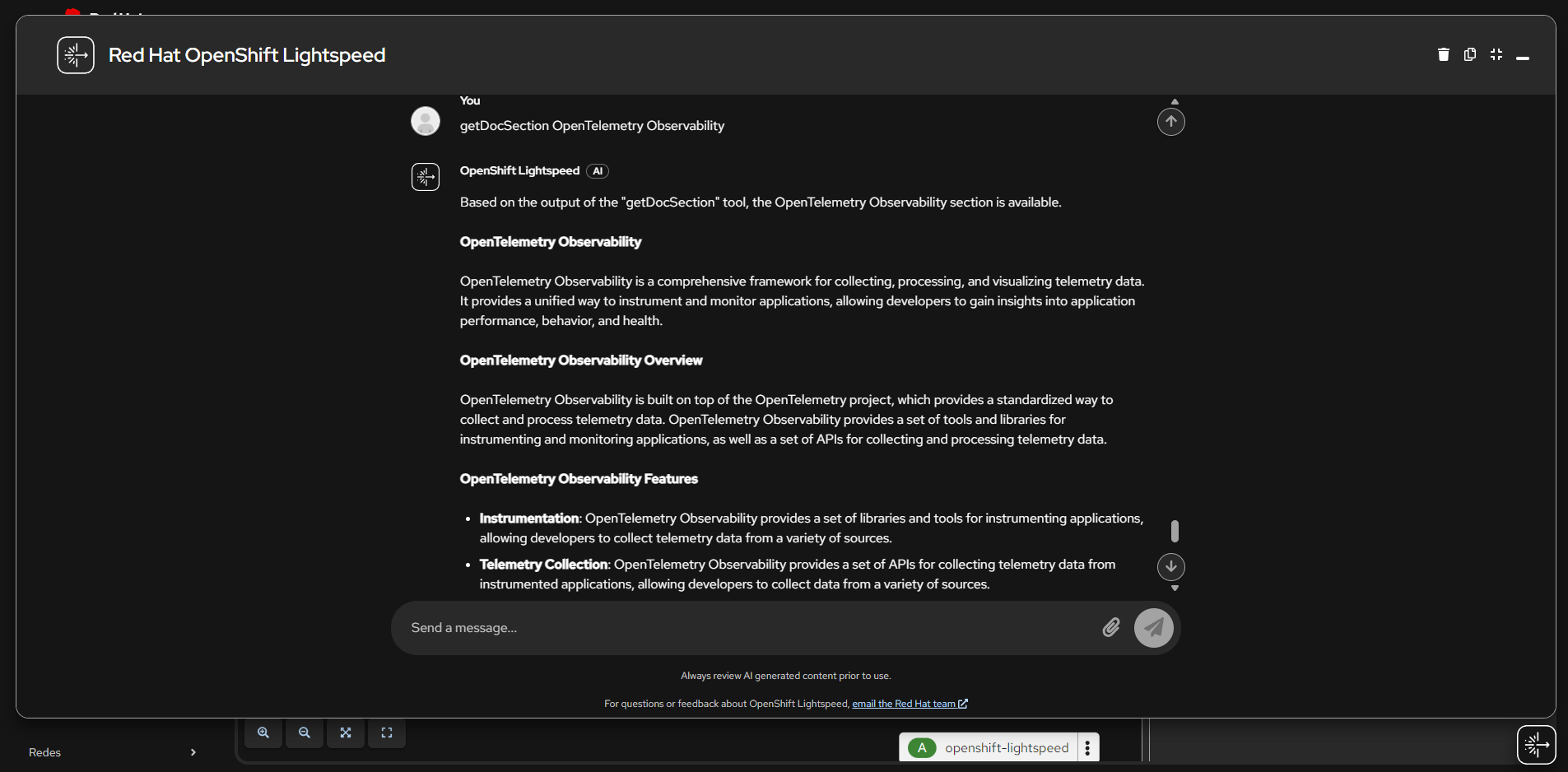
Lightspeed uses the getDocSection tool to retrieve and present detailed information about OpenTelemetry Observability, including features for instrumentation and telemetry collection.
NeuralBank Workshop MCP Agent
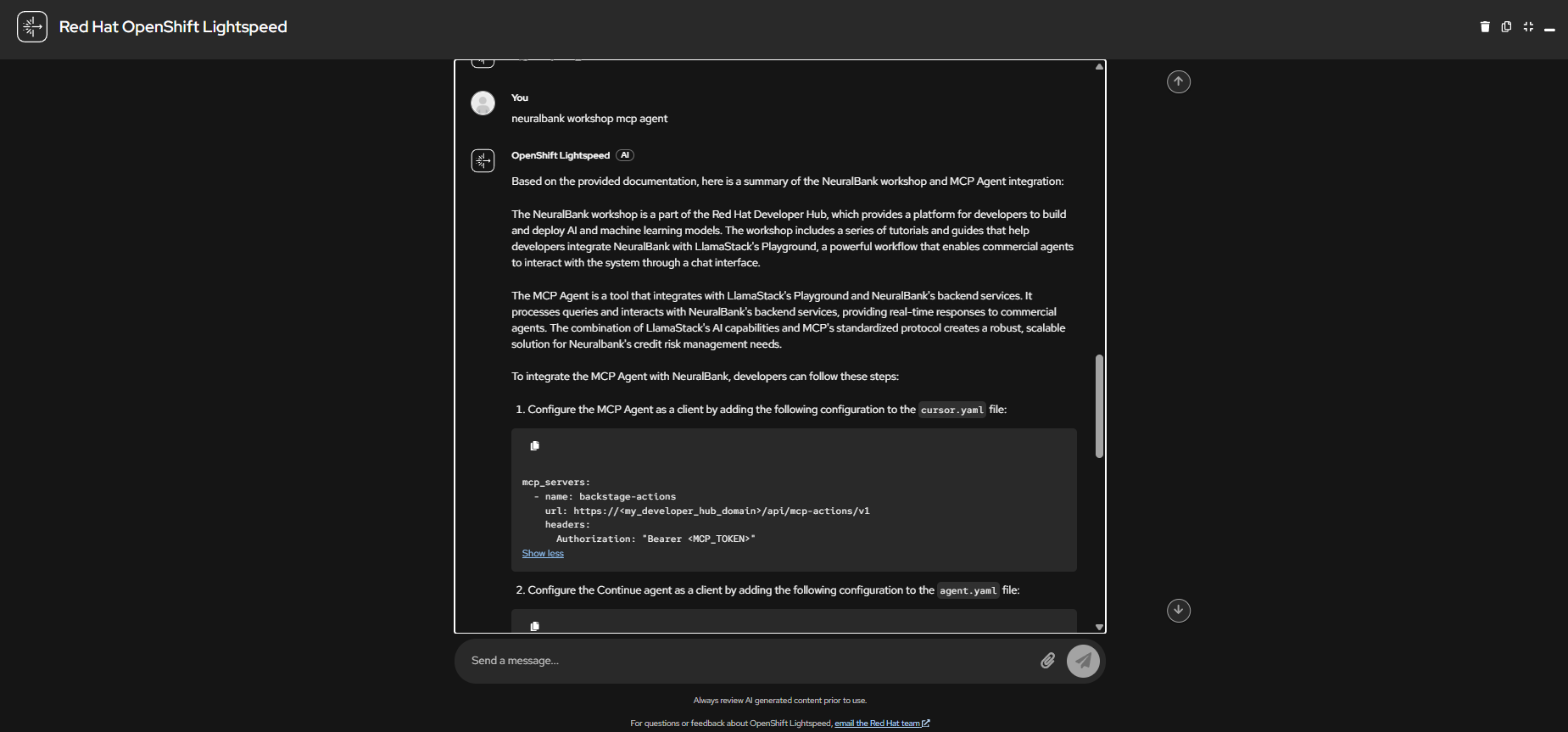
A conversation with Lightspeed about the NeuralBank workshop MCP Agent integration, showing how it explains LlamaStack Playground and backend services integration with step-by-step configuration.
MCP Inspector
The MCP Inspector is included as an optional deployment for testing and debugging the MCP server directly, without requiring OpenShift Lightspeed.
Connecting to the MCP Server
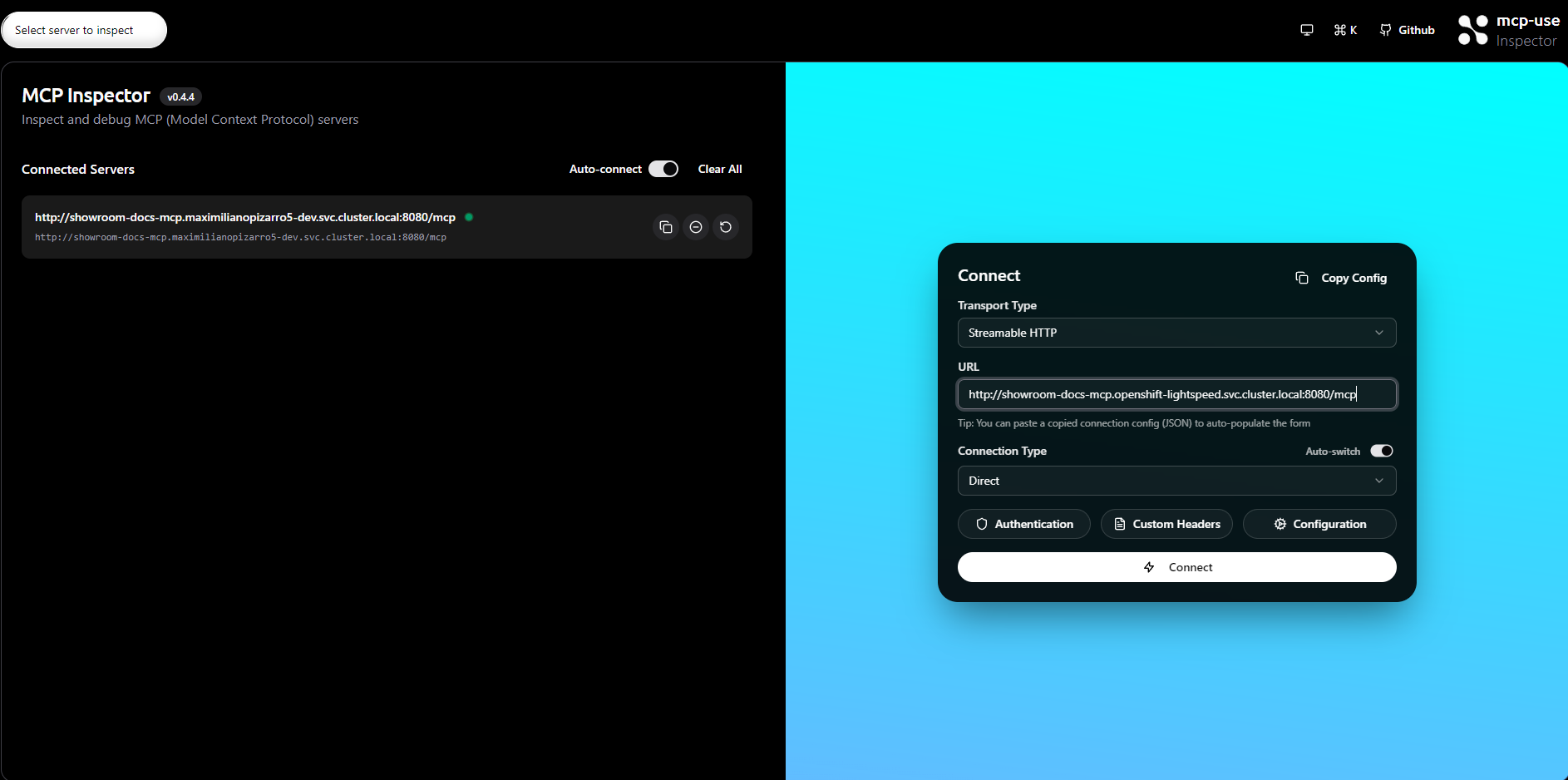
The Inspector connection dialog configured with Streamable HTTP transport type pointing to the internal MCP server service URL.
Available Tools
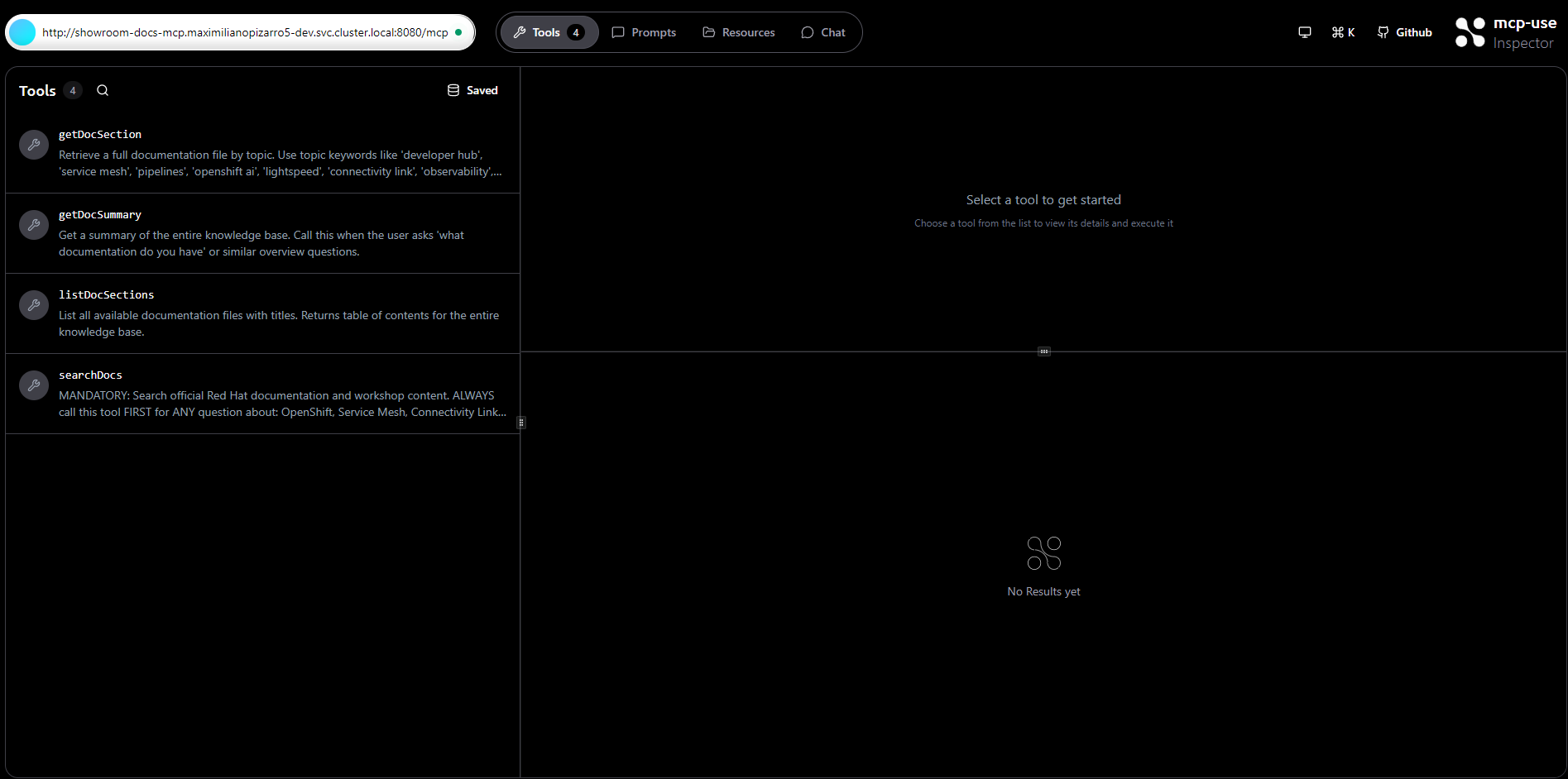
Once connected, the Inspector shows all 4 MCP tools with their descriptions: getDocSection, getDocSummary, listDocSections, and searchDocs.
Executing a Tool
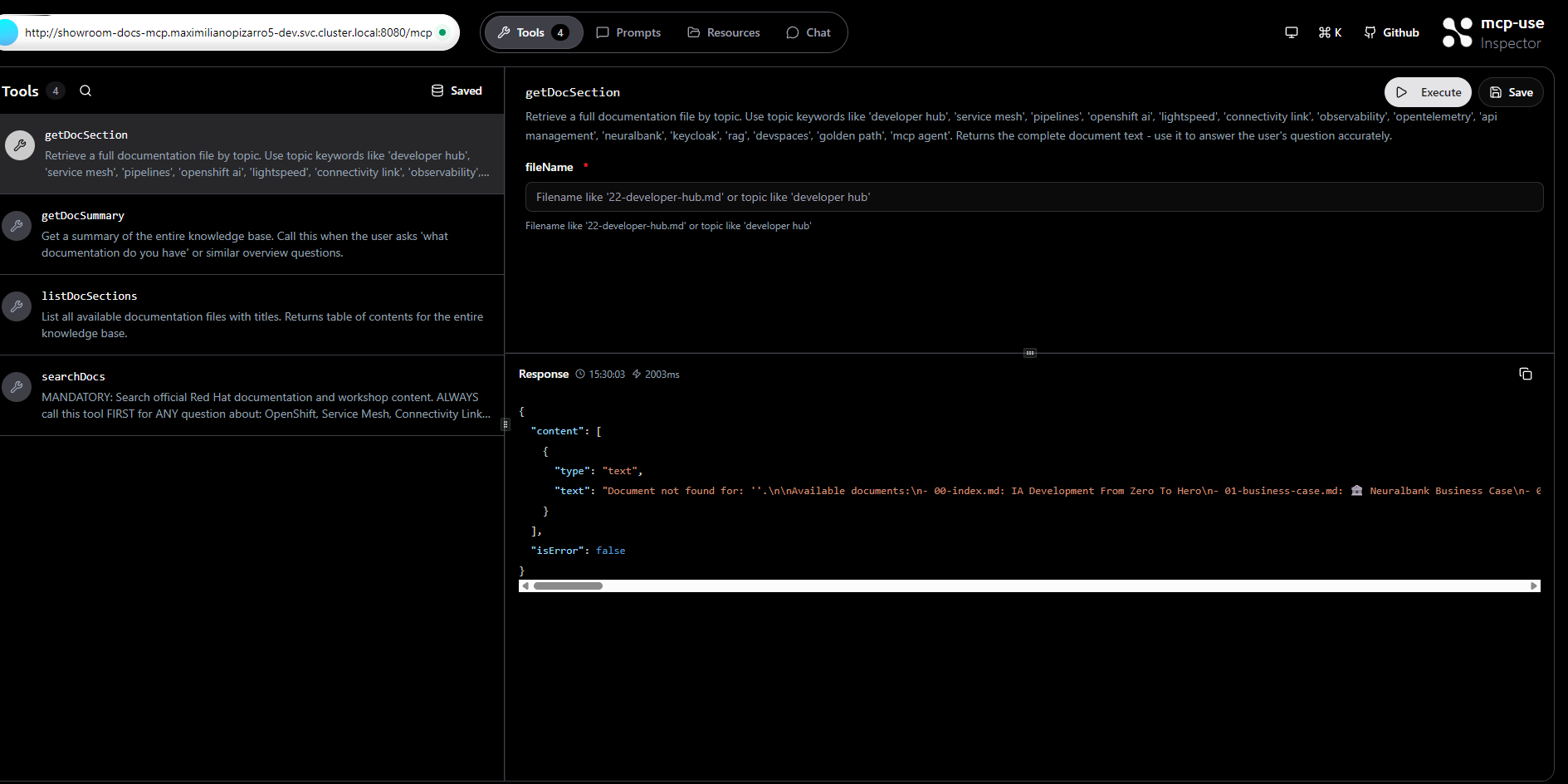
Executing the getDocSection tool from the Inspector UI, showing the tool parameters and JSON response with the documentation content.