
How It Works
OpenShift Lightspeed acts as an MCP Client that connects to two MCP Servers. When a user asks a question in natural language, the LLM (served by RHOAI vLLM through LiteLLM) reasons about which tool to call, Lightspeed executes the tool against the MCP Server, and the result is returned to the LLM for analysis and response.
Sequence: MCP Tool Calling Flow
Architecture
High-level topology showing how OpenShift Lightspeed connects to the dual MCP servers through LiteLLM, backed by RHOAI vLLM model serving. Each pod uses the OpenShift logo and runs in the same namespace.
Q Quarkus MCP Server
Custom Java server with 19 operational tools for monitoring, deployment, and performance testing. Built with Fabric8 Kubernetes Client.
- checkClusterHealth
- getPerformanceMetrics
- createDeployment
- deployDatabase
- runKubeBurner
- + 14 more tools
K Kubernetes MCP Server
Official Go-based server from openshift/openshift-mcp-server. Generic CRUD, pod management, Helm operations.
- resources_list / get / create / delete
- pods_exec / pods_log
- helm_install / helm_list
- events_list / namespaces_list
- nodes_top / pods_top
- + 10 more tools
+ Supporting Services
Included in the Helm chart for a complete AI-assisted operations stack.
- LiteLLM Proxy (OpenAI-compatible gateway)
- PostgreSQL (LiteLLM backend DB)
- MCP Inspector (testing & debug UI)
- RHOAI vLLM (model serving)
OpenShift AI Integration
The MCP Server integrates with Red Hat OpenShift AI (RHOAI) for model serving. vLLM serves Qwen3 8B or Granite models with native tool calling support via the hermes parser. The LiteLLM proxy provides an OpenAI-compatible API gateway that routes requests to the vLLM InferenceService.
vLLM InferenceService Configuration for Tool Calling
apiVersion: serving.kserve.io/v1beta1
kind: InferenceService
metadata:
  name: isvc-qwen3-8b
spec:
  predictor:
    model:
      modelFormat:
        name: vLLM
      runtime: vllm-runtime
      args:
        - --enable-auto-tool-choice
        - --tool-call-parser=hermes
        - --chat-template=/app/data/template_hermes_tool.jinja
The --tool-call-parser=hermes flag enables native function calling. The LLM receives tool definitions from the MCP servers and can autonomously decide which tool to invoke based on the user's natural language query.
Deployment Options
Choose the deployment mode that matches your environment and permissions. The Developer Sandbox edition provides a safe way to explore MCP capabilities with limited cluster access.
Sandbox Edition — Qwen3 8B
Perfect for evaluating MCP Server capabilities in the Red Hat Developer Sandbox. Uses namespace-scoped permissions and the Qwen3 8B model via RHOAI vLLM. Only tools compatible with ServiceAccount namespace-level permissions are available.
- Namespace-scoped ServiceAccount (no cluster-admin)
- Qwen3 8B model via OpenShift AI / vLLM
- Deployment tools (createDeployment, deployDatabase)
- Namespace monitoring (monitorDeployments, detectResourceIssues)
- Performance testing (runStorageBenchmark, runCpuStressTest)
- HPA, Services, NetworkPolicies
- Kubernetes MCP (pods, resources, helm — namespace only)
- Cluster-wide monitoring (checkClusterHealth, checkNodeConditions)
- Node-level tools (checkKubeletStatus, checkCrioStatus)
- Cluster density testing (runKubeBurner)
helm install openshift-mcp-server openshift-mcp/openshift-mcp-server \

            -n $NAMESPACE \

            -f values-developer-sandbox.yaml
Full Cluster — cluster-admin
Complete deployment with all 40+ tools enabled. Requires cluster-admin ClusterRoleBinding for full access to nodes, metrics API, cross-namespace monitoring, and cluster density testing.
- ClusterRoleBinding with cluster-admin
- All 19 custom Quarkus MCP tools
- All 21 Kubernetes MCP tools
- Full cluster health monitoring across all namespaces
- Node conditions, kubelet & CRI-O status
- Performance metrics API access
- KubeBurner cluster density testing
- OLSConfig integration for OpenShift Lightspeed
- LiteLLM proxy with configurable model backend
- MCP Inspector testing UI
helm install openshift-mcp-server openshift-mcp/openshift-mcp-server \

            -n openshift-lightspeed \

            --set namespace=openshift-lightspeed \

            --set serviceAccount.create=true
Helm Chart
| Version | App Version | Description |
|---|---|---|
0.1.0-alpha | 0.1.0-alpha | Dual MCP server + Inspector + LiteLLM (experimental) |
Add the Helm Repository
helm repo add openshift-mcp https://maximilianoPizarro.github.io/openshift-mcp-server
helm repo update
Full Install (cluster-admin required)
helm install openshift-mcp-server openshift-mcp/openshift-mcp-server \
  --namespace openshift-lightspeed \
  --set namespace=openshift-lightspeed \
  --set serviceAccount.create=true
Developer Sandbox Install (Qwen3 8B, namespace-scoped)
helm install openshift-mcp-server openshift-mcp/openshift-mcp-server \
  --namespace $NAMESPACE \
-f values-developer-sandbox.yamlConfigure with an existing RHOAI model
helm install openshift-mcp-server openshift-mcp/openshift-mcp-server \
  --namespace openshift-lightspeed \
  --set namespace=openshift-lightspeed \
  --set litellm.model.name=qwen3 \
  --set litellm.model.modelId=isvc-qwen3-8b \
  --set litellm.model.apiBase=http://isvc-qwen3-8b-predictor.qwen3-model.svc.cluster.local:8080/v1
Custom Tools (Quarkus Server)
Monitoring (9 tools)
| Tool | Description | Scope |
|---|---|---|
checkClusterHealth | Overall cluster health, node/pod status, critical issues | cluster-admin |
getPerformanceMetrics | Node and pod CPU/memory metrics | cluster-admin |
detectResourceIssues | Pods with high CPU/memory or excessive restarts | namespace |
analyzePodDisruptions | Evictions, OOM kills, restart patterns | namespace |
checkNodeConditions | Node conditions, taints, allocatable resources | cluster-admin |
monitorDeployments | Deployment rollout health and replica status | namespace |
checkKubeletStatus | Kubelet service status and journal logs | cluster-admin |
checkCrioStatus | CRI-O container runtime status | cluster-admin |
analyzeJournalctlPodErrors | Journal log analysis with filters | cluster-admin |
Deployment (5 tools)
| Tool | Description | Scope |
|---|---|---|
createDeployment | Create deployments with custom config | namespace |
deployDatabase | Deploy PostgreSQL/MySQL/MongoDB/Redis (RHEL images) | namespace |
createHpa | Configure horizontal pod autoscalers | namespace |
createService | Create ClusterIP/NodePort/LoadBalancer services | namespace |
createNetworkPolicy | Create network policies | namespace |
Performance Testing (5 tools)
| Tool | Description | Scope |
|---|---|---|
runKubeBurner | Cluster density testing | cluster-admin |
runStorageBenchmark | Storage I/O benchmarks with FIO | namespace |
runNetworkTest | Network throughput with iperf3 | namespace |
runCpuStressTest | CPU/memory stress testing | namespace |
runDatabaseBenchmark | Database benchmarks | namespace |
Kubernetes MCP Tools (Official Server)
| Toolset | Tools |
|---|---|
| Config | configuration_contexts_list, targets_list, configuration_view |
| Core | resources_list, resources_get, resources_create_or_update, resources_delete, resources_scale, pods_list, pods_get, pods_delete, pods_top, pods_exec, pods_log, pods_run, namespaces_list, projects_list, events_list, nodes_top, nodes_log |
| Helm | helm_install, helm_list, helm_uninstall |
Screenshots
OpenShift Topology View
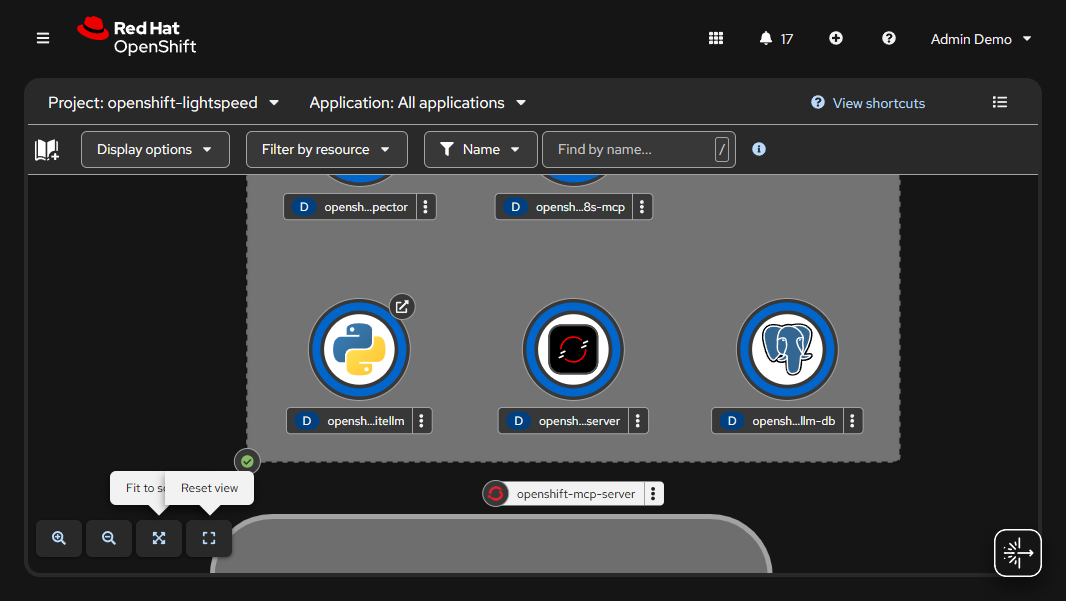
MCP Server pods running in the openshift-lightspeed namespace with OpenShift logos
Lightspeed Tool Calling
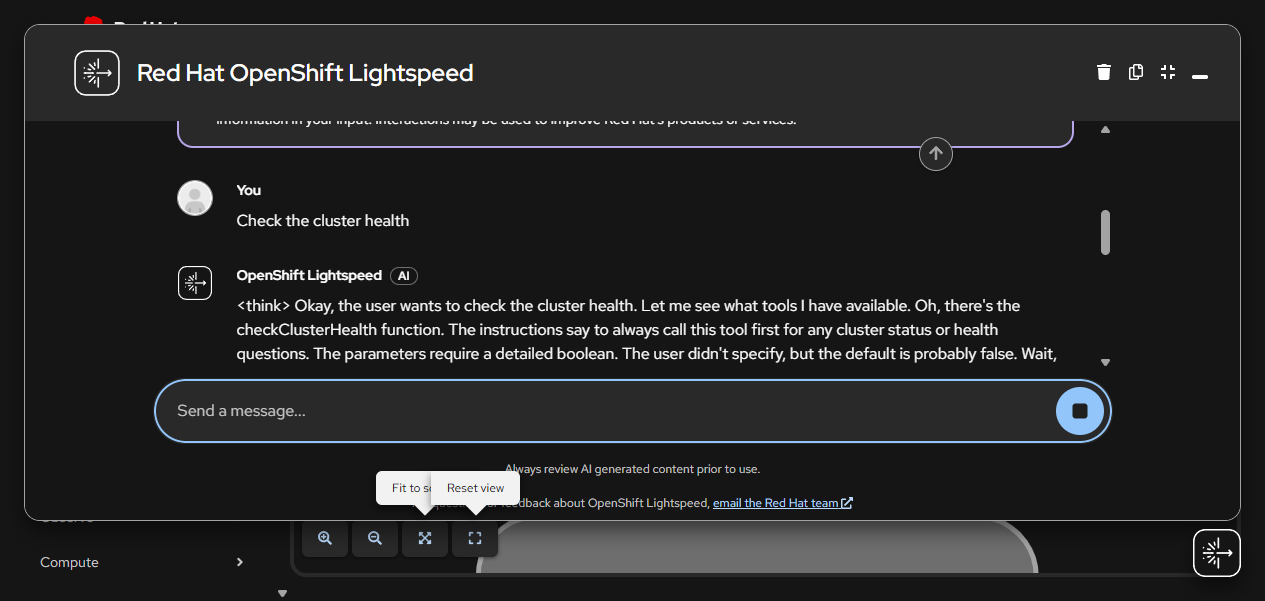
Qwen3 8B model reasoning about which MCP tool to call (checkClusterHealth)
Cluster Health Analysis
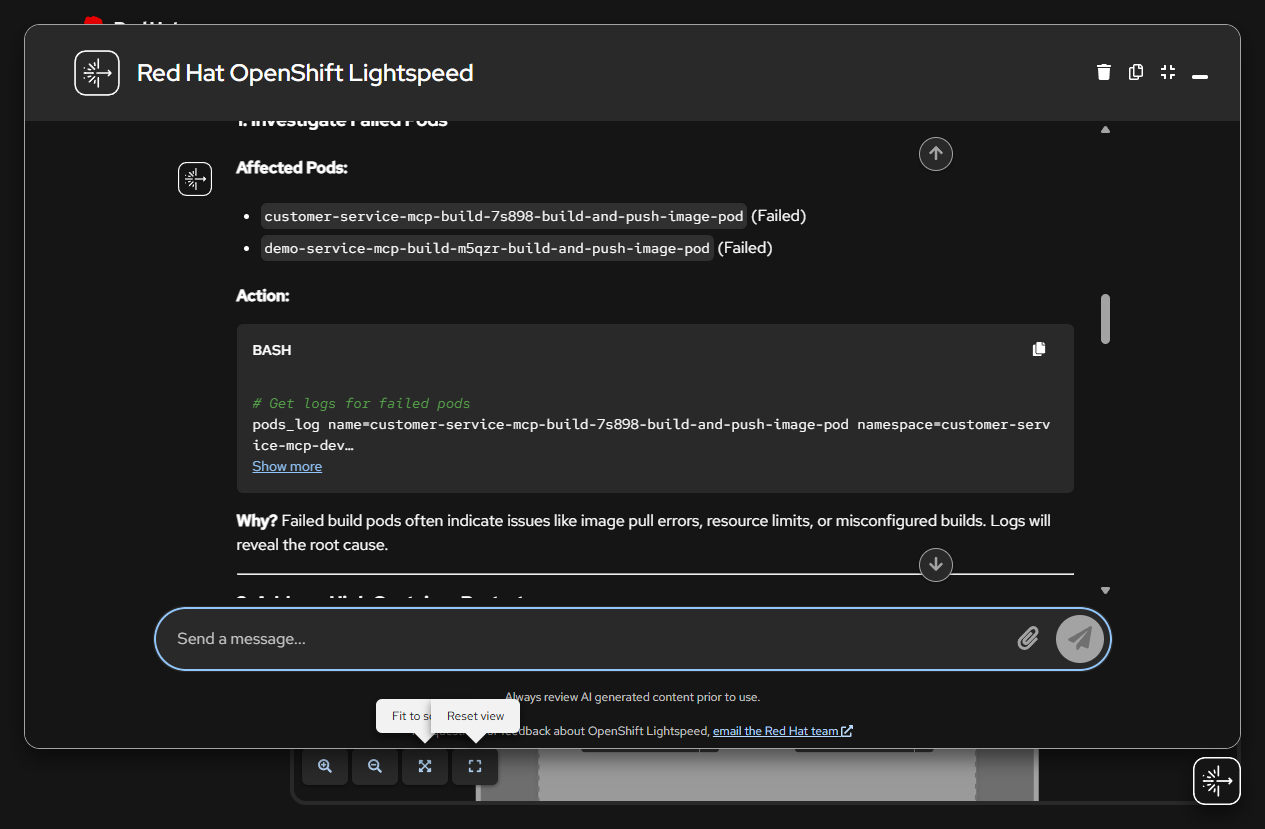
Lightspeed analyzing failed pods and high-restart containers using checkClusterHealth tool results
List Pods (pods_list)
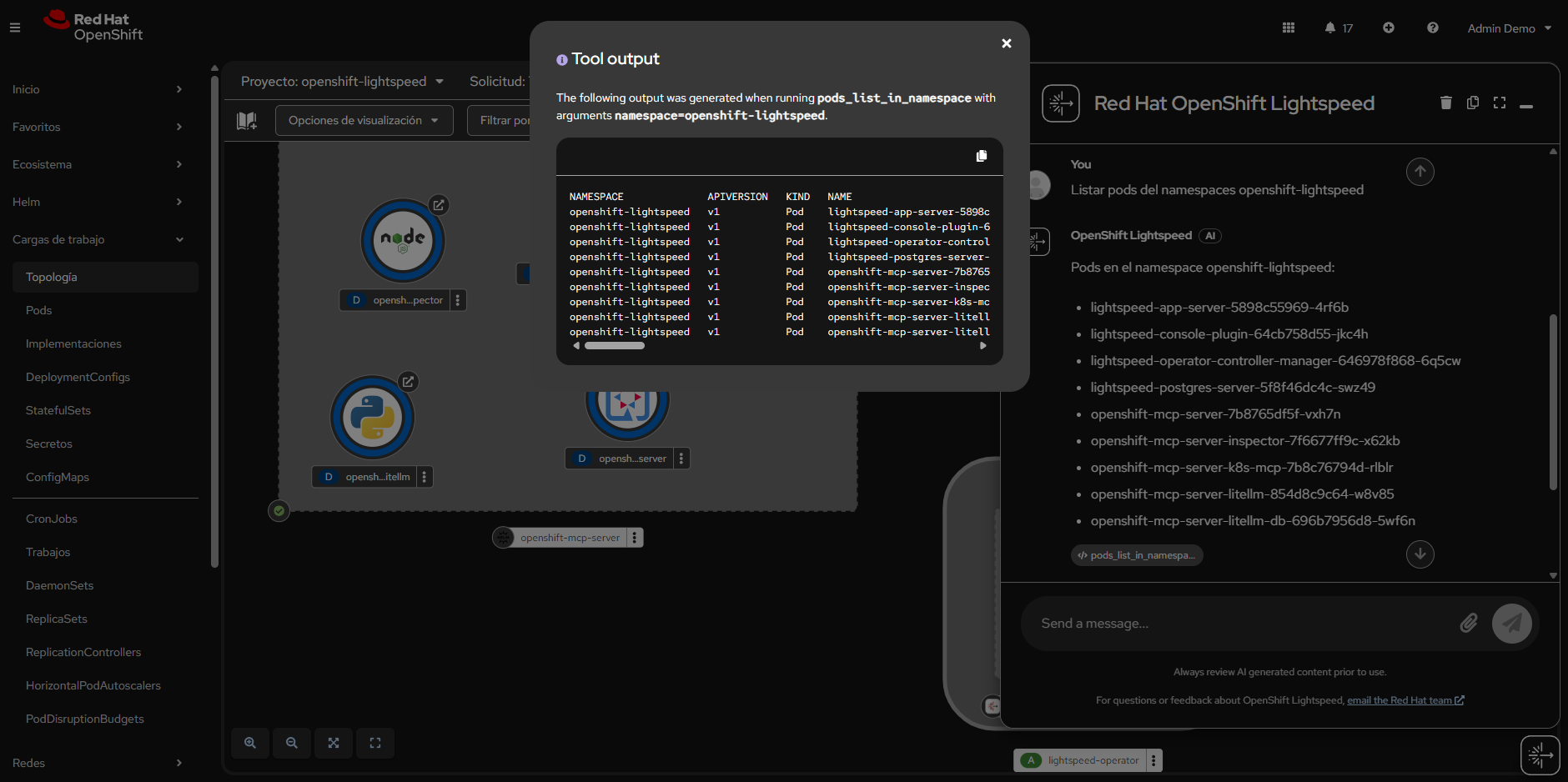
Listing pods in openshift-lightspeed namespace using the pods_list_in_namespace tool
Detect Resource Issues
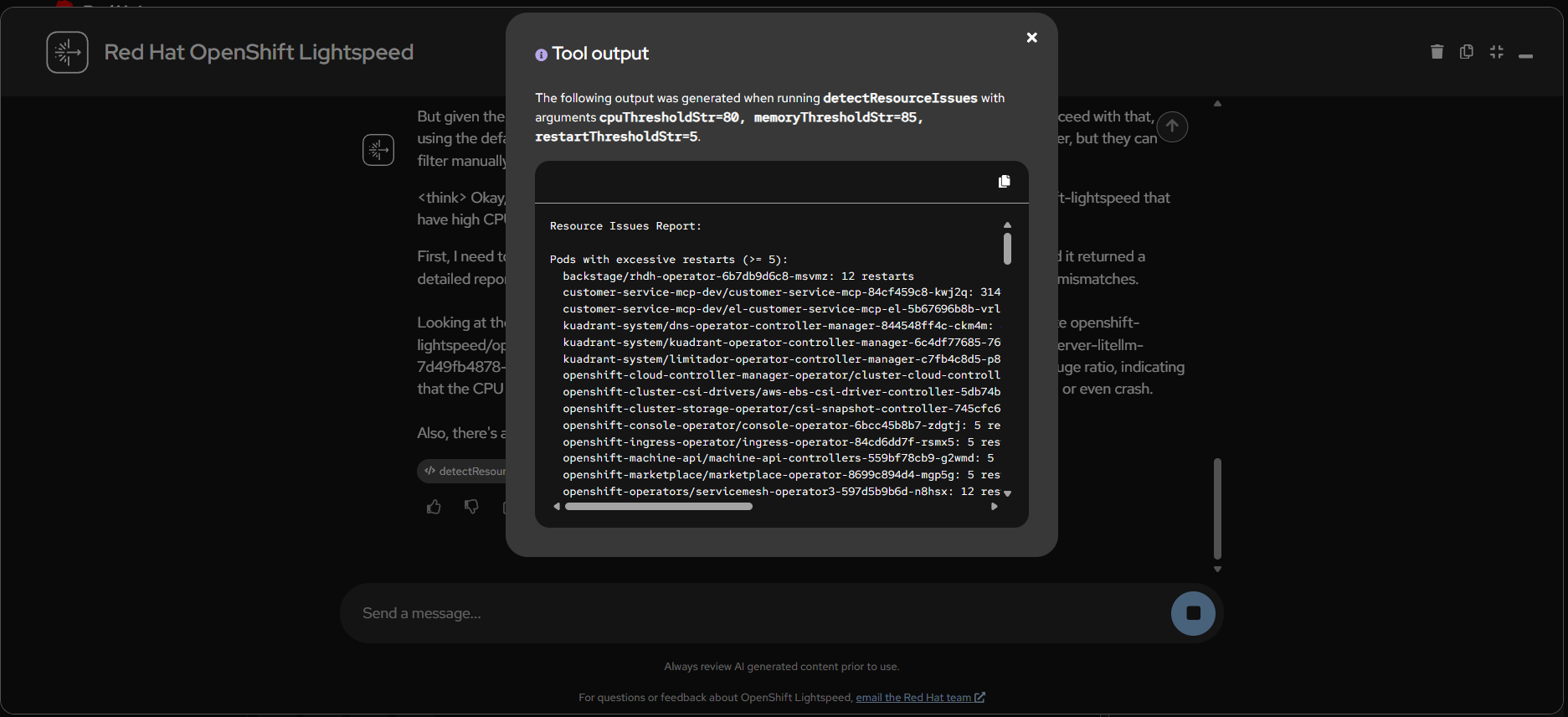
detectResourceIssues tool identifying pods with excessive restarts and high resource consumption
Deploy Redis Database
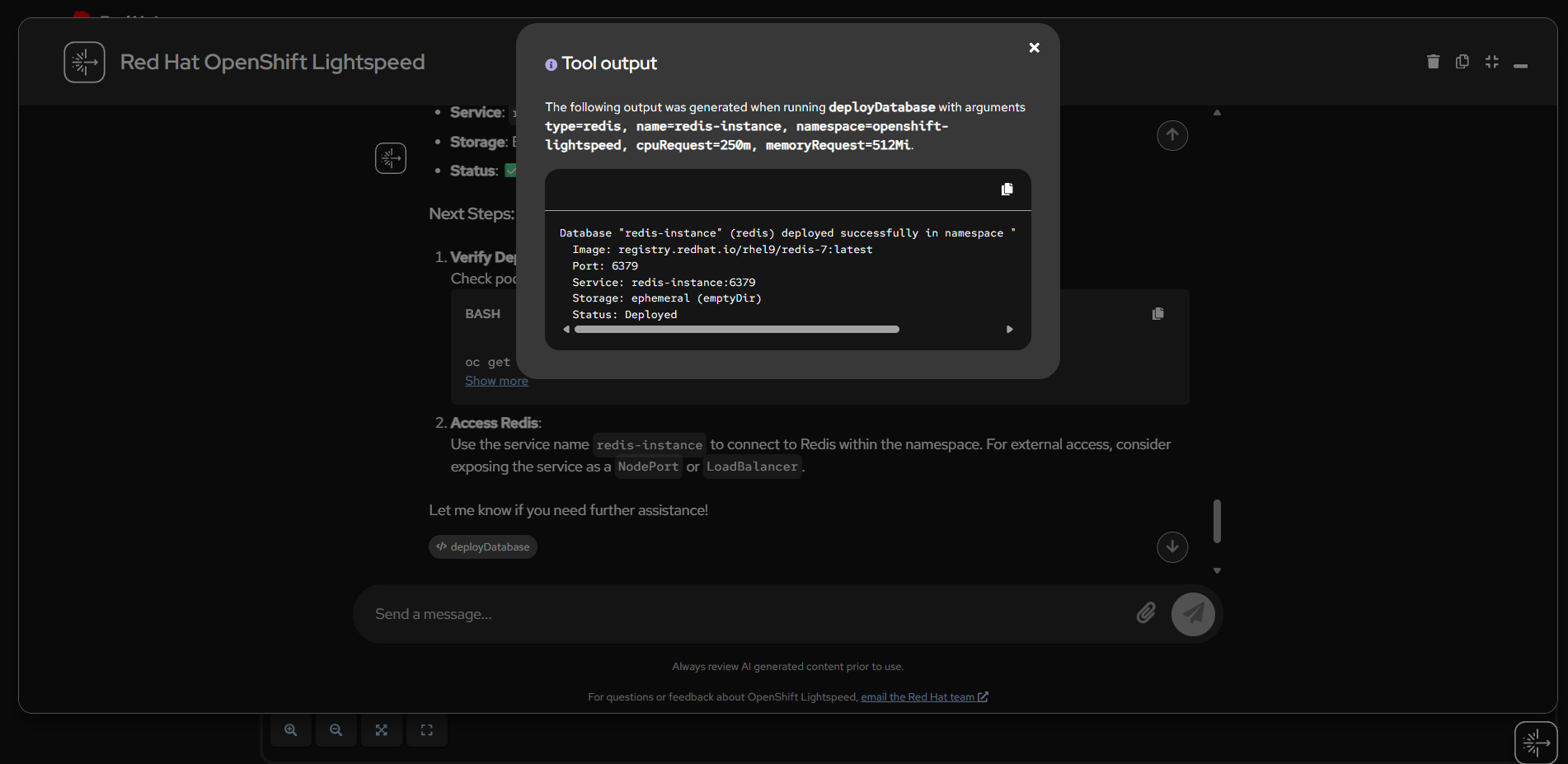
deployDatabase tool deploying a Redis instance using official RHEL catalog image
Create HPA (Horizontal Pod Autoscaler)
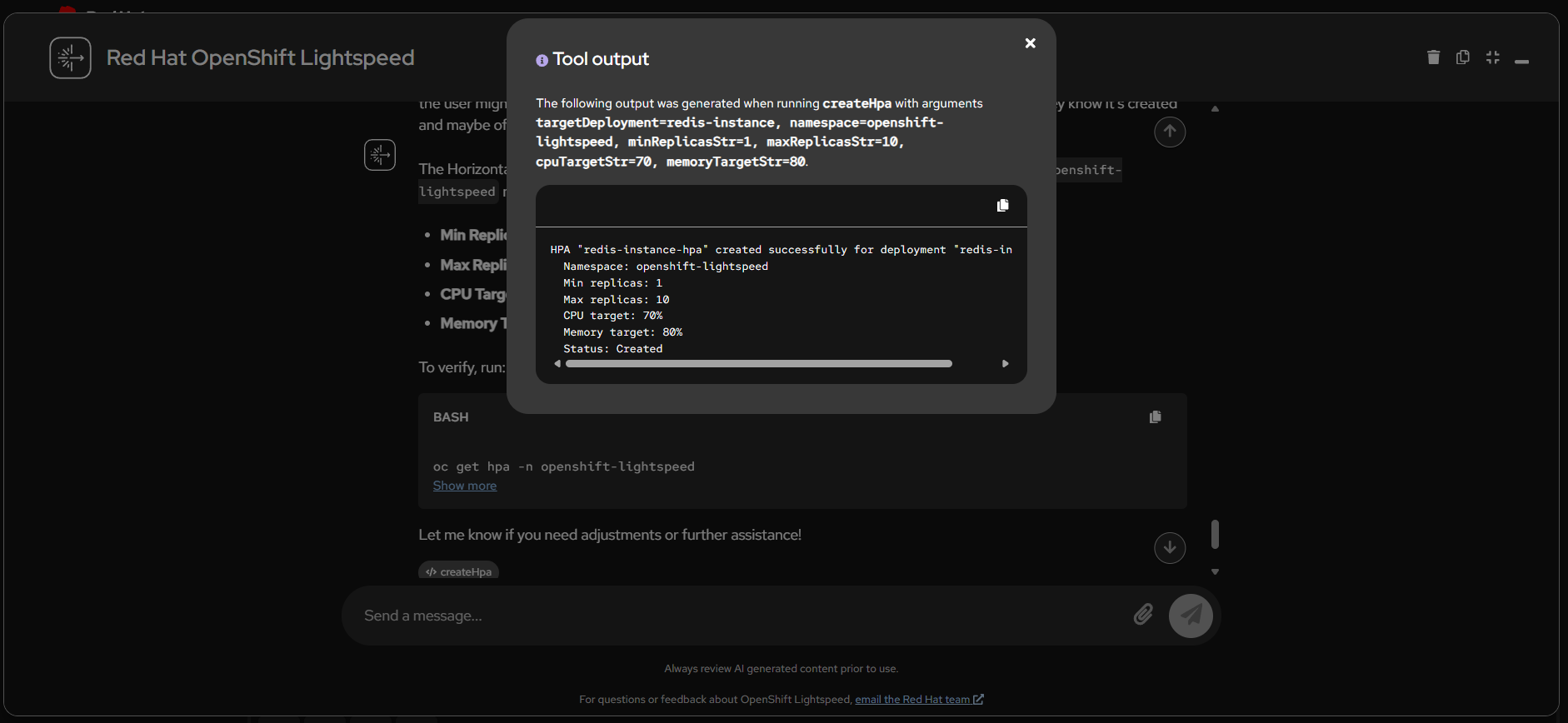
createHpa tool configuring auto-scaling with CPU/memory targets
Helm List Releases
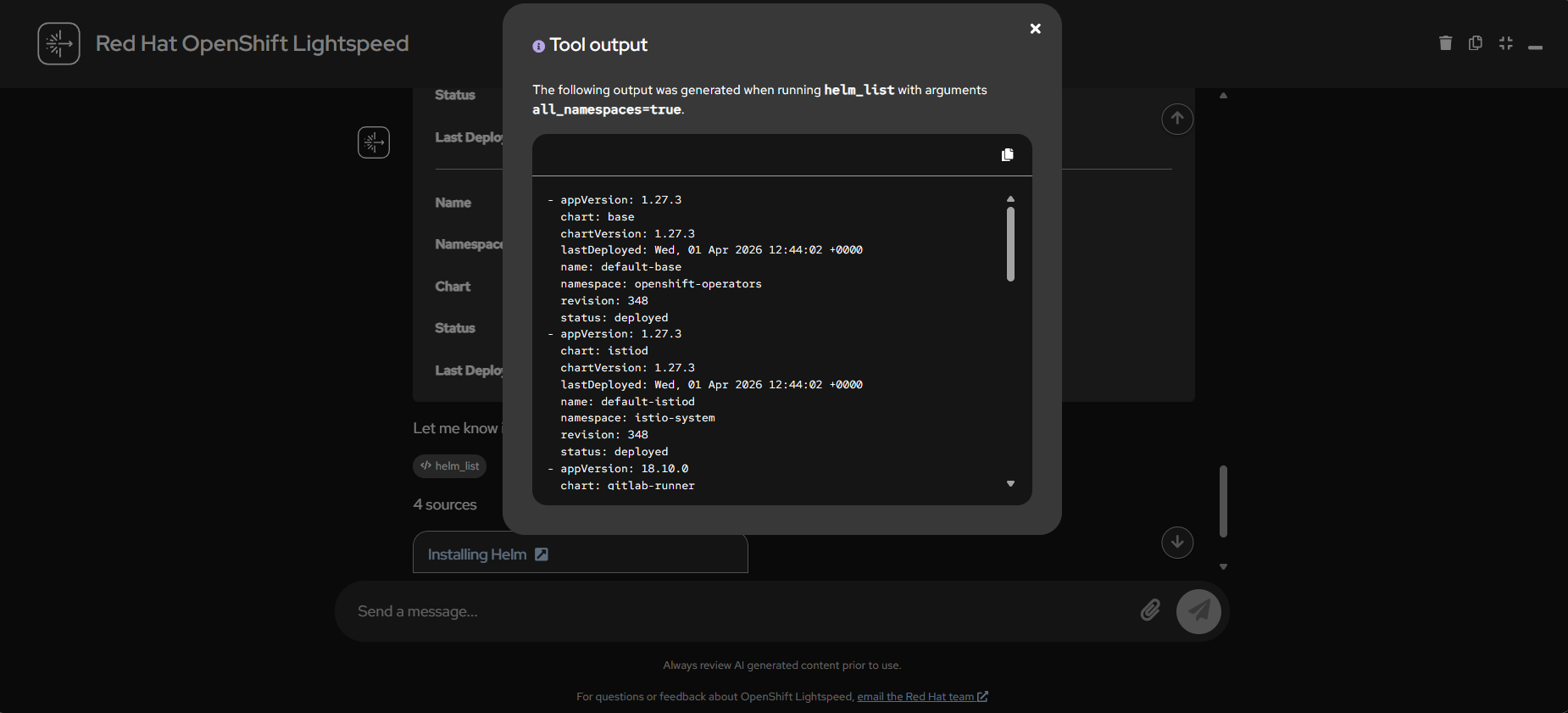
helm_list tool showing all Helm releases across namespaces
Helm Chart in OpenShift Catalog
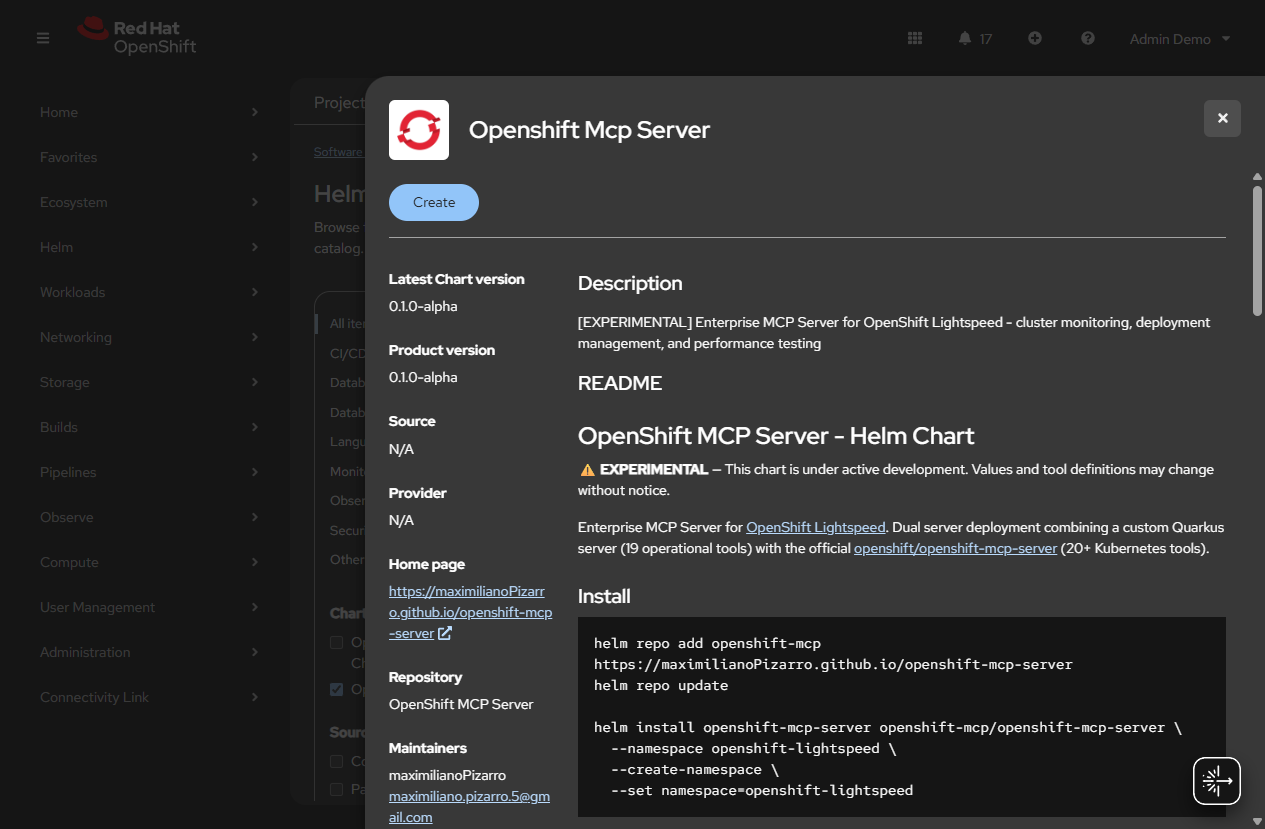
OpenShift MCP Server Helm Chart available in the OpenShift Developer Catalog via HelmChartRepository
MCP Inspector - 19 Tools Connected
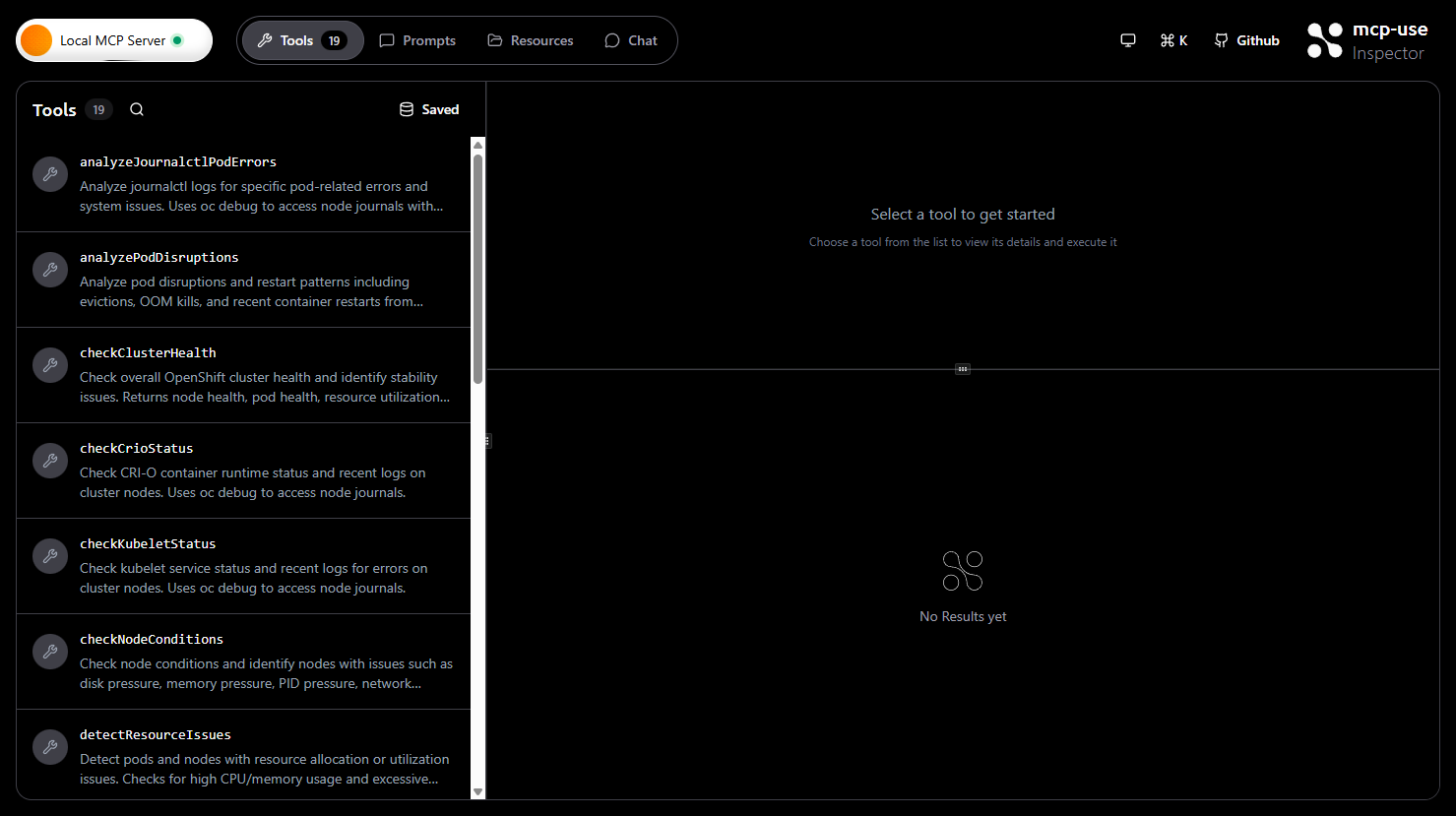
MCP Inspector connected to the OpenShift MCP Server showing all 19 available tools
LiteLLM - Model Management (Qwen3 8B)
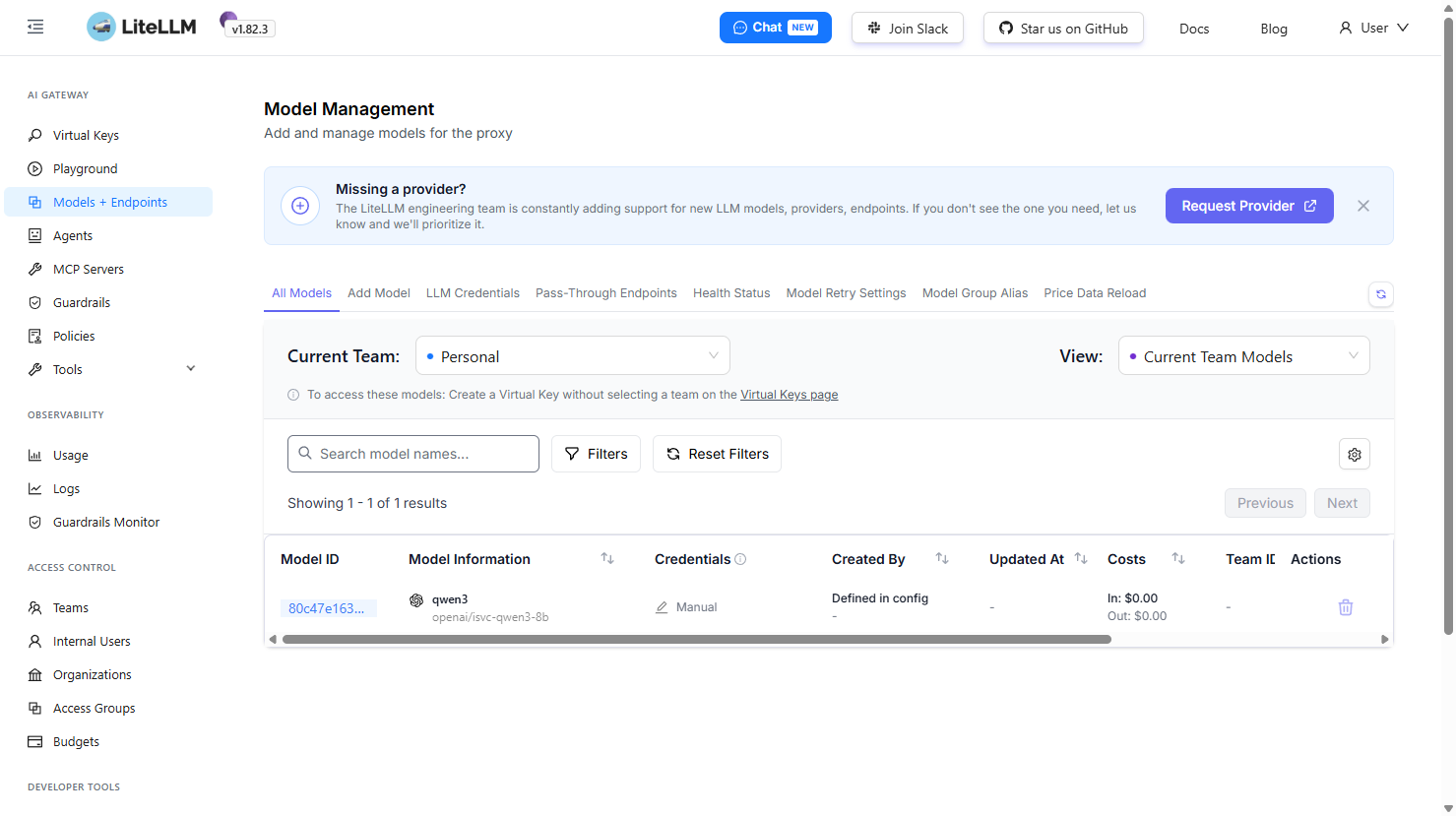
LiteLLM dashboard showing Qwen3 8B model configured as the AI backend
LiteLLM - MCP Servers Configuration
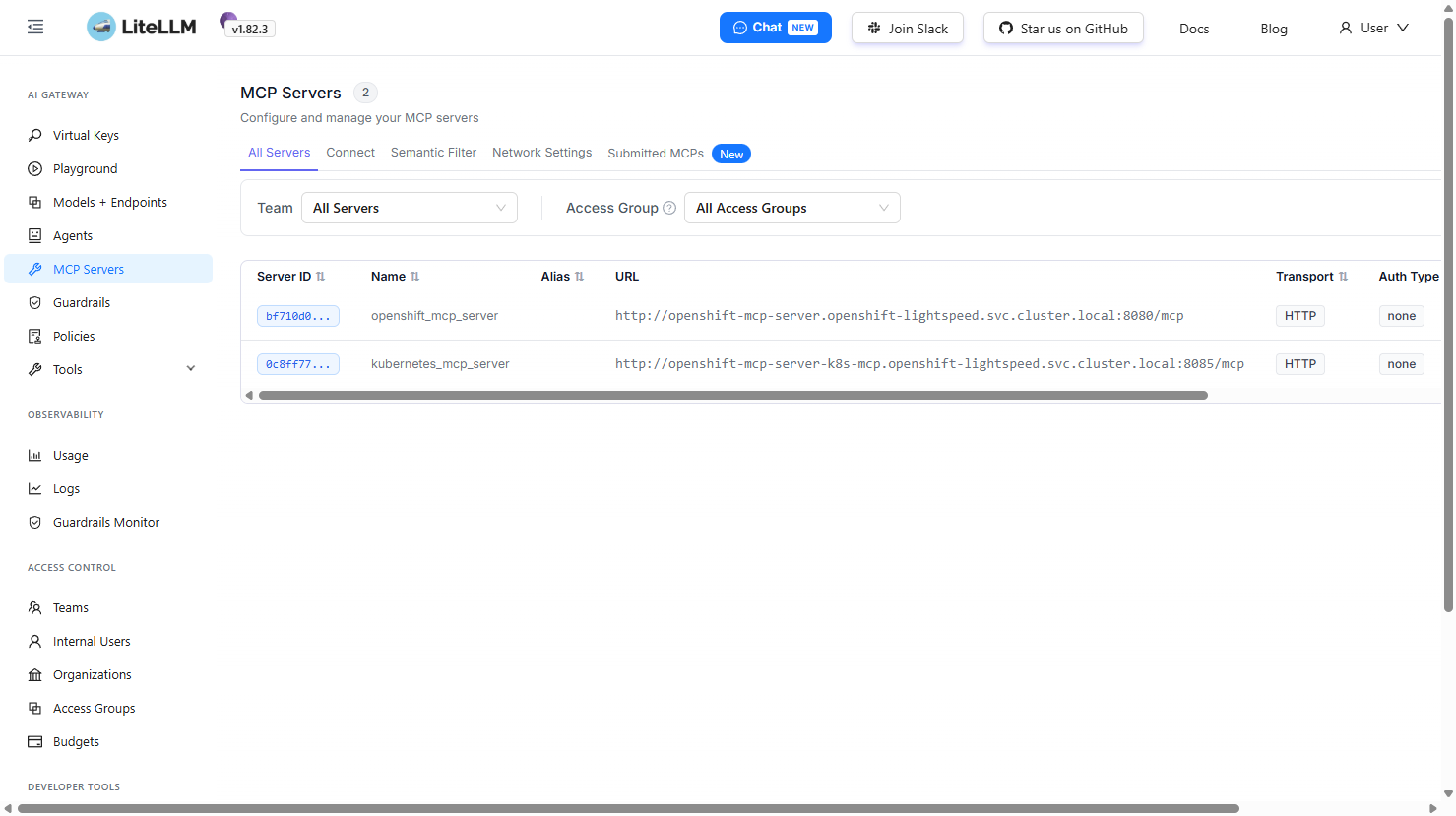
LiteLLM MCP Servers page showing both MCP servers connected via HTTP transport
OLSConfig Integration
Register MCP servers with OpenShift Lightspeed via the OLSConfig custom resource. Requires the MCPServer feature gate enabled.
apiVersion: ols.openshift.io/v1alpha1
kind: OLSConfig
metadata:
  name: cluster
spec:
  featureGates:
    - MCPServer
  mcpServers:
    - name: openshift-mcp-server
      timeout: 30
      url: 'http://openshift-mcp-server.openshift-lightspeed.svc.cluster.local:8080/mcp'
    - name: kubernetes-mcp-server
      timeout: 30
      url: 'http://openshift-mcp-server-k8s-mcp.openshift-lightspeed.svc.cluster.local:8085/mcp'
Technology Stack
| Component | Technology |
|---|---|
| Custom MCP Server | Quarkus 3.27.3 + Fabric8 Kubernetes Client |
| Official MCP Server | Go (openshift/openshift-mcp-server) |
| MCP Protocol | Streamable HTTP (POST /mcp) |
| Model Serving | OpenShift AI (RHOAI) + vLLM with hermes tool-call parser |
| LLM Models | Qwen3 8B, Granite 3 8B Instruct (configurable) |
| LLM Gateway | LiteLLM Proxy (OpenAI-compatible API) |
| Container Runtime | UBI9 OpenJDK 21 Runtime |
| Helm Chart | v2 with 5 deployments, namespace & cluster-admin modes |
Helm Chart Components
| Component | Image | Port | Description |
|---|---|---|---|
| openshift-mcp-server | quay.io/maximilianopizarro/openshift-mcp-server | 8080 | Custom Quarkus MCP |
| kubernetes-mcp-server | quay.io/redhat-user-workloads/.../openshift-mcp-server | 8085 | Official K8s MCP |
| mcp-inspector | mcpuse/inspector | 8080 | MCP testing UI |
| litellm | litellm/litellm-non_root | 4000 | OpenAI-compatible proxy |
| litellm-db | registry.redhat.io/rhel9/postgresql-15 | 5432 | PostgreSQL backend |