demo-up — Helm umbrella: Nexus + Lightwell proxy
(SA on the remote) + Tekton PipelineRun + JBoss deploy.
Or from a laptop: helm upgrade --install demo charts/demo-lightwell … with Lightwell SA in values.
analyze-cves — prepares Maven settings → Nexus and the workspace report path under .rhda/.
Then open app/pom.xml and run Red Hat Dependency Analytics Report
(Command Palette, pie-chart icon, or right-click). The terminal alone never opens the HTML report.
Passwords below are ephemeral chart defaults for Developer Sandbox reproducibility.
They rotate when the sandbox expires, are unsuitable for any shared or production cluster, and are a
bad pattern to copy into real supply-chain work. Prefer generating secrets at install time
(helm … --set / sealed secrets) outside this demo.
Example live Routes from a Developer Sandbox project (ephemeral; your namespace and cluster host will differ).
Pattern: https://<route>-<namespace>.apps.<cluster>/.
Discover yours with oc get route -n <namespace>.
Management user comes from Secret jboss-admin (see chart / add-user.sh).
Collapsed on purpose — bad practice to lead with secrets on a supply-chain page.
HAL / WildFly (jboss-admin): admin / Admin#123
Nexus UI (chart default): admin / admin123
Prefer reading from the cluster when possible:
oc get secret jboss-admin -o jsonpath='{.data.password}' | base64 -d.
For your own installs, override with generated secrets — do not copy these values into production.
HAL Console troubleshooting: 403 or "Authentication required"
Use the management Route host (not the app Route). Leave the Route path empty so both
/console and /management work on the same host — a /console-only path breaks Bootstrap (503).
If the browser console shows /management403 and "Authentication required" while Keycloak adapter is 404,
WildFly rejected the HAL Origin header. The chart sets MANAGEMENT_ALLOWED_ORIGINS to the management Route HTTPS URL
(http-interface allowed-origins). Keycloak 404 is expected — this demo uses local ManagementRealm digest auth, not Keycloak.
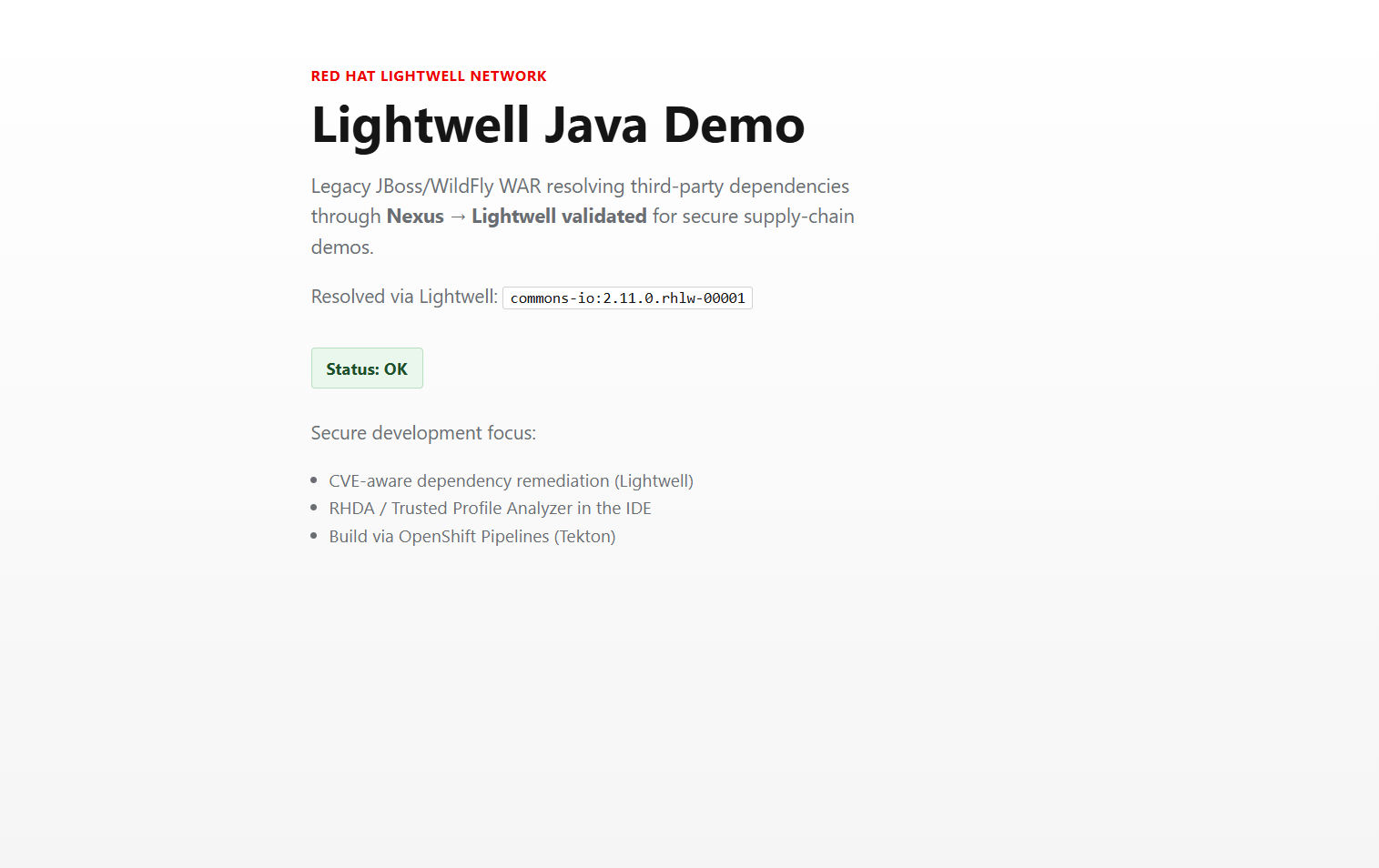
App home: Status OK and Lightwell-resolved commons-io:2.11.0.rhlw-00001.
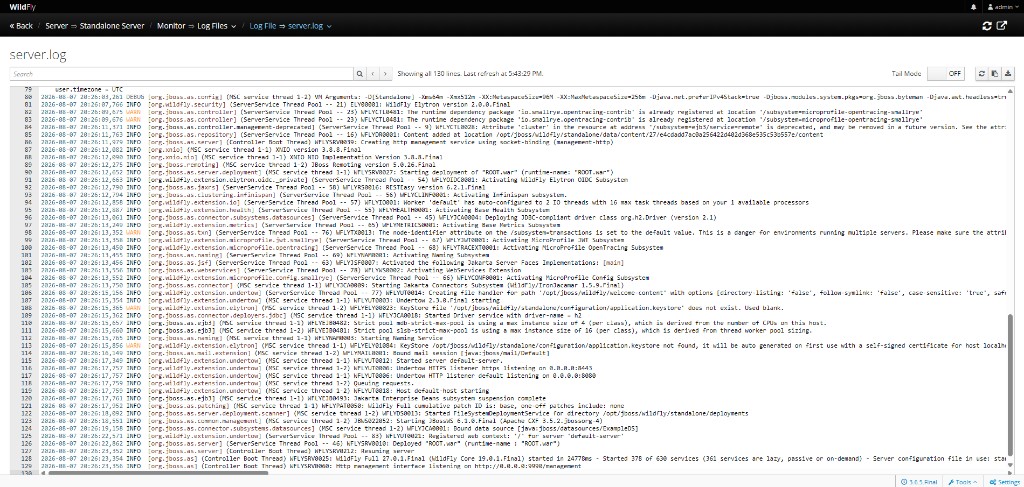
HAL → Runtime → Log Files → server.log:
Deployed "ROOT.war", web context /, WildFly started.
Use your own management Route after deploy (host and pod name vary per account).
TPA (RHDA) in the IDE
The IDE plugin is Red Hat Dependency Analytics
(redhat.fabric8-analytics) — the VS Code client for
Trusted Profile Analyzer.
It is listed in .vscode/extensions.json and .che/extensions.json
so Dev Spaces installs it at workspace startup.
Confirm the extension is enabled (Extensions view → redhat.fabric8-analytics).
Open app/pom.xml → Command Palette → Red Hat Dependency Analytics Report.
Settings live in .vscode/settings.json
(redHatDependencyAnalytics.reportFilePath, backend URL, Maven -s .m2/settings.xml).
Full RHDA report screenshot is in the journey carousel (single copy on the site).
Green banner = remediations available; table may still list
OSV Direct Vulnerabilities on .rhlw rows.
This is the enterprise-shaped piece of the demo: one service account on the proxy,
many Maven clients that never see that credential. Understanding this boundary is the main "effort"
the charts encode for you.
Boundary 1
SA lives on Nexus → Lightwell
Secret lightwell-sa (username + JWT) is wired only into the Nexus configure Job.
Nexus stores it as HTTP basic auth on the Maven proxy remote, not in every developer laptop.
Boundary 2
Clients talk only to Nexus
Tekton (and Dev Spaces) use a ConfigMap settings.xml that mirrors
* to http://nexus:8081/repository/maven-public/.
No Lightwell password in that file.
Boundary 3
Cache on the PVC
First resolve hits packages.redhat.com with the SA; later builds reuse blobs on the Nexus PVC
(contentMaxAge / metadataMaxAge = 1440 minutes).
What Helm actually builds (effort you would otherwise do by hand)
1. Capture Lightwell service account into a Secret
Umbrella values lightwell.username / lightwell.token → Secret
lightwell-sa (charts/demo-lightwell/templates/secrets.yaml).
That is the only credential the fork must fill for the Nexus path.
2. Configure Nexus as a Maven proxy (not a hosted Lightwell repo)
A post-deploy Job (charts/nexus/templates/configure-job.yaml) waits for the Nexus admin API,
then POST /service/rest/v1/repositories/maven/proxy for
maven-lightwell-validated with
remoteUrl = https://packages.redhat.com/api/pulp-content/public-lightwell-demo/java/validated/
and httpClient.authentication = the SA from lightwell-sa.
Layout policy is PERMISSIVE so S3-style redirects from the upstream work.
3. Fold the proxy into maven-public
Same Job PUTs the group so members are
maven-releases, maven-snapshots,
maven-lightwell-validated, maven-central.
One URL then covers Lightwell remediations and Central for plugins/transitive deps.
4. Render Maven settings as a ConfigMap (not a file in the git tree)charts/demo-lightwell/templates/maven-settings-configmap.yaml creates
ConfigMap maven-settings-lightwell with key settings.xml:
override the default HTTP blocker, mirrorOf * → Nexus group,
checksumPolicy: warn (Lightwell often omits .sha1/.md5).
Deliberately no<servers> block for Lightwell.
5. Mount that ConfigMap into Tekton as a workspace (not a Deployment volumeMount)
PipelineRun binds workspace maven-settings to the ConfigMap
(charts/demo-lightwell/templates/pipelinerun.yaml).
The Task sees $(workspaces.maven-settings.path)/settings.xml and runs
mvn -B -s "${SETTINGS}" package
(charts/demo-lightwell/templates/tekton-pipeline.yaml).
The step only injects LIGHTWELL_USERNAME for logs/readiness — Maven never receives the JWT.
Resolution path (what you should see in Tekton logs)
Maven (Tekton task)
  └─ -s /workspace/maven-settings/settings.xml
       mirrorOf * → http://nexus:8081/repository/maven-public/
         ├─ maven-lightwell-validated  → Lightwell (SA on remote) → cache on PVC
         │     e.g. commons-io:2.11.0.rhlw-00001
         └─ maven-central              → plugins / non-Lightwell deps

Contrast — GitHub Actions contingency path (no Nexus):
  renders app/settings-lightwell-direct.xml.template with SA in <servers>
  and calls packages.redhat.com directly.
Why this effort matters
Without the proxy + group + ConfigMap workspace pattern, every PipelineRun / Dev Spaces workspace would need the Lightwell JWT,
rotation would touch every client, and you would lose a shared on-cluster cache.
The charts encode the Red Hat–recommended shape: organization credential on Nexus,
anonymous in-cluster Maven clients, PVC-backed cache.
Proof in the journey: Tekton logs show
Downloaded from maven-lightwell-validated: … rhlw …
(see carousel steps 8b / 8c).
Terminology & Glossary
Key Red Hat ecosystem terms used in this demo.
RHDA / TPA
Trusted Profile Analyzer (product) exposed in the IDE as the Red Hat Dependency Analytics extension (redhat.fabric8-analytics). Scans your POM for CVEs and Red Hat remediations — a different plane from Artifact Hub image scans.
Lightwell (.rhlw)
Red Hat Lightwell Network. Provides rebuilt, remediated Java libraries appended with the .rhlw suffix to address CVEs without waiting for upstream.
OSV
Open Source Vulnerabilities database. The underlying data source that RHDA queries, which may still report upstream CVEs on validated builds.
GAV
Group, Artifact, Version. The standard Maven coordinates (e.g., commons-io:commons-io:2.11.0).
SA / JWT
Service Account / JSON Web Token. The credential used by Nexus to authenticate as an organization proxy against Lightwell's registry.
HAL
The WildFly management console interface used to inspect the running JBoss/WildFly server.