







Experimental — This is an experimental project for learning and demonstration purposes.
Overview
NeuroFace is a facial recognition and object detection web application built with FastAPI (Python) and Angular 17, containerized with Red Hat UBI9 certified images for OpenShift. It supports:
Face Detection Engines (switchable at runtime):
- OpenCV Haar Cascades (default) — Local CPU-based detection, no external dependencies
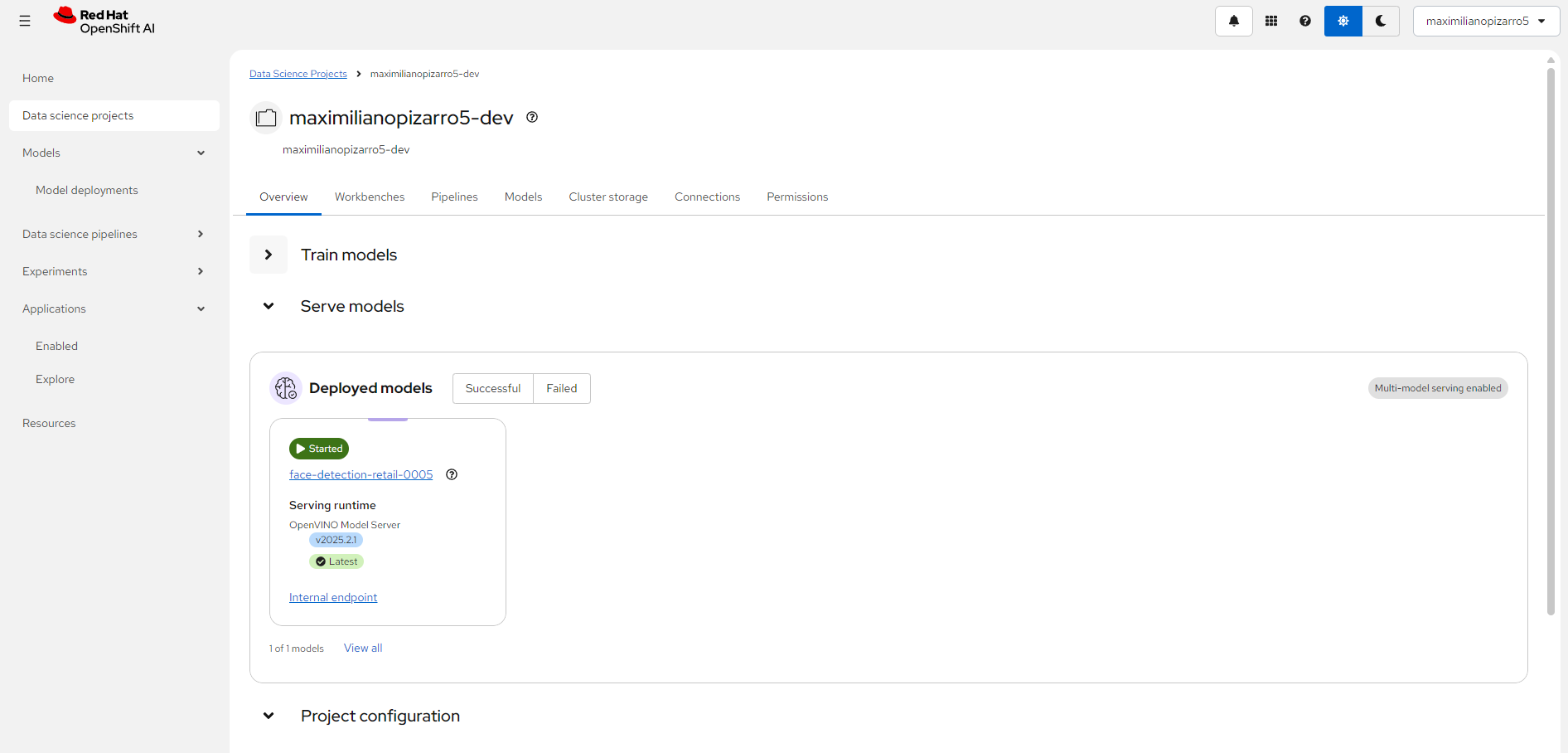
- OpenVINO Model Server — Remote AI inference via OpenShift AI / ModelMesh using
face-detection-retail-0005
Recognition Models (applied after detection):
- OpenCV LBPH (default) — Local Binary Patterns Histograms, fast and lightweight
- dlib (optional) — 128-dimensional face encodings via the face_recognition library
Object Detection:
- YOLOv4-tiny — 80 COCO classes pre-trained, via OpenCV DNN
What’s New in v1.4.1
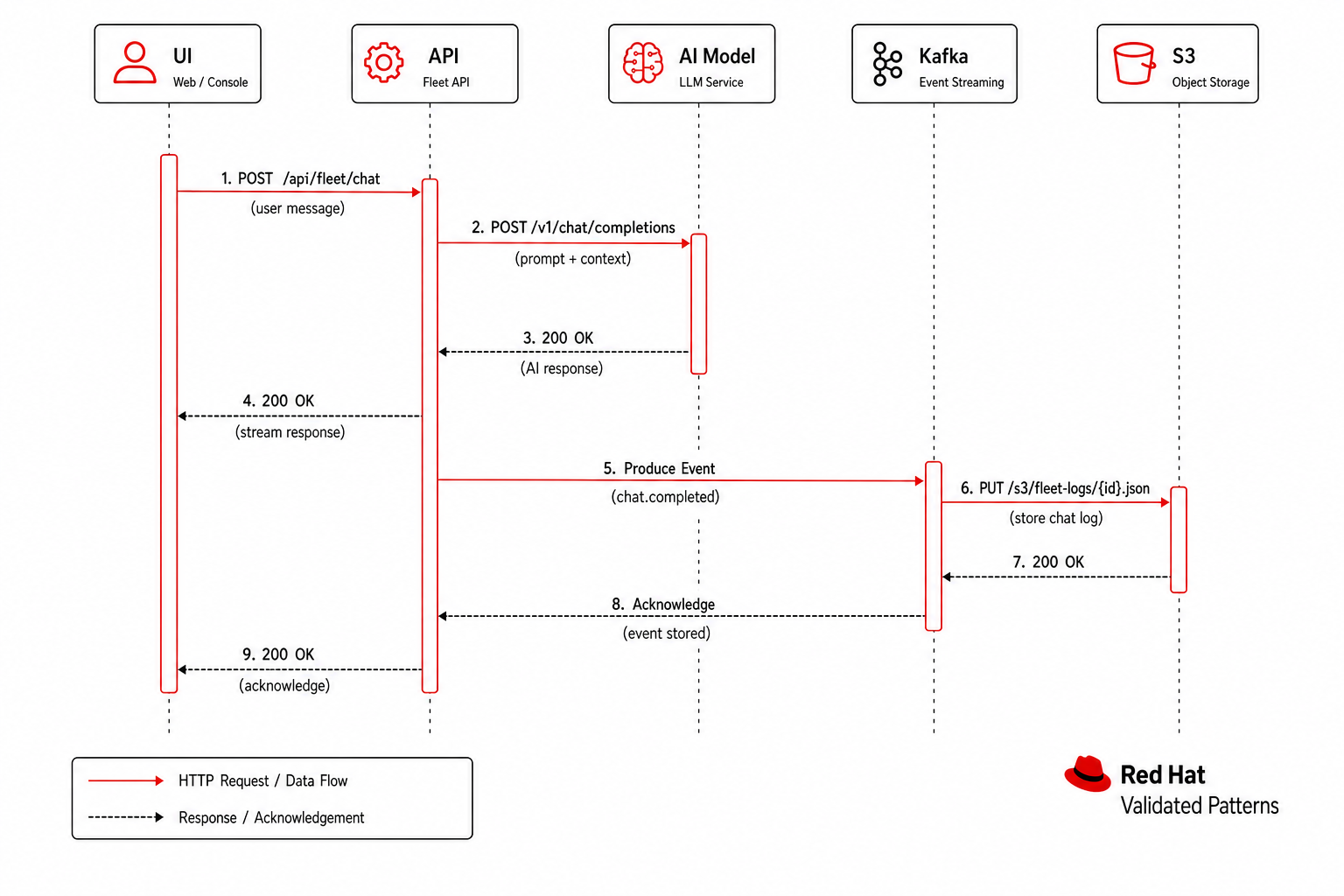
- Red Hat Validated Patterns documentation — Architecture and sequence diagrams on GitHub Pages
- Ecosystem journey — Visual flow across OpenShift, OpenShift AI, AMQ Streams, and S3/ODF
- Helm chart 1.4.1 — Updated default image tags for backend, frontend, and PPE serving
What’s New in v1.4.0
- PPE Serving container — Pre-built YOLOv8 PPE detection with KServe v1+v2 protocol
- Kafka integration — PPE detection events published to AMQ Streams
- Data persistence — S3/MinIO upload of frames and YOLO labels for retraining
What’s New in v1.2.0
- Object Detection module — YOLOv4-tiny with 80 COCO pre-trained classes (person, car, dog, chair, bottle, laptop, cell phone, and 73 more)
- Multi-person face grid — Simultaneous display for 3+ detected faces with individual face crops
- Enhanced AI Chat — Now includes object detection context and OpenVINO model info when analyzing images
- Experimental badge moved to footer only (removed from toolbar)
- New sidebar navigation includes Object Detection link
Video Demo
Screenshots
Dashboard
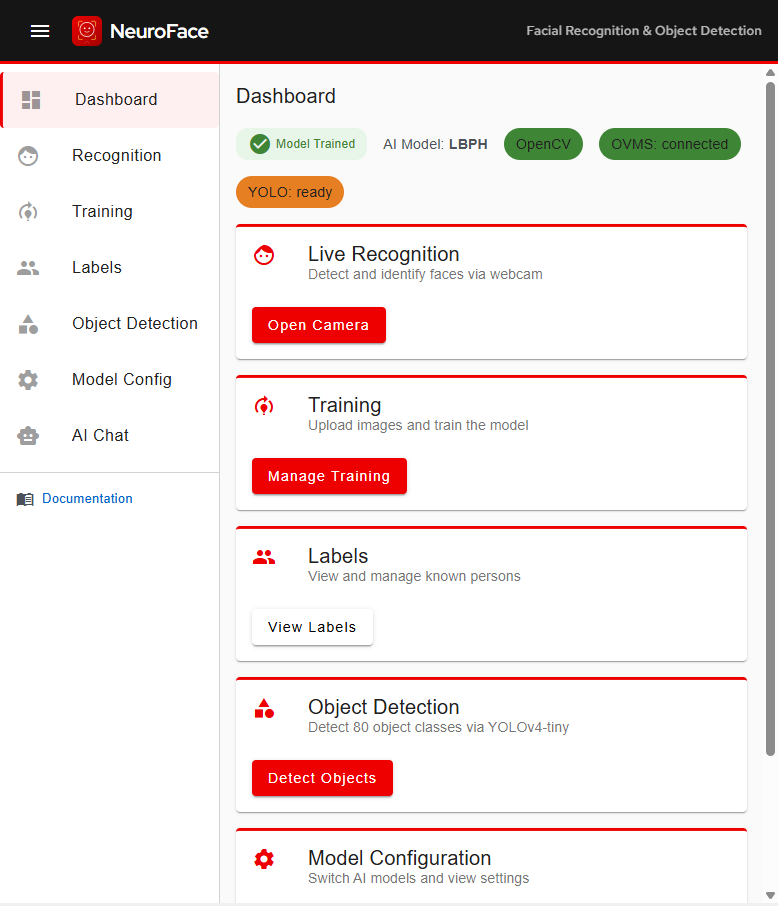
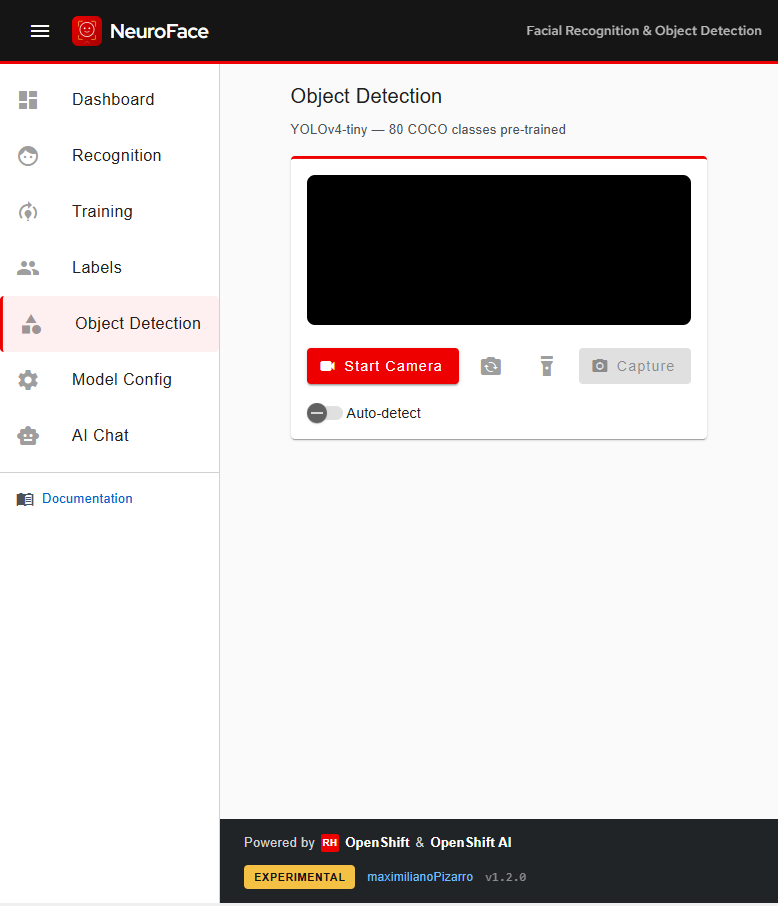
Object Detection (YOLOv4-tiny - 80 COCO Classes)
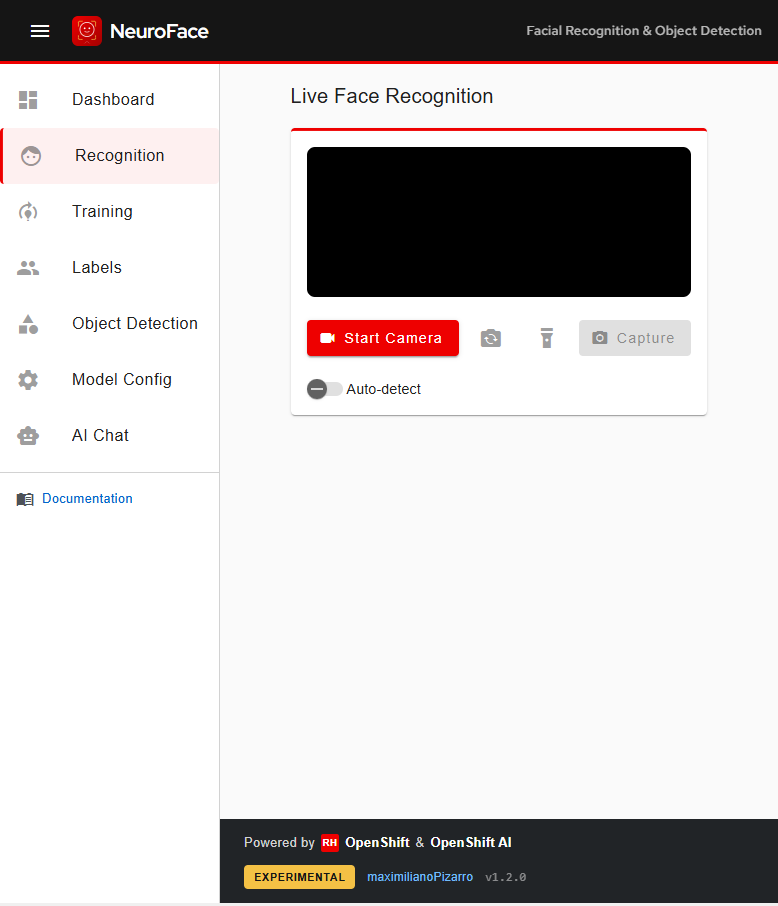
Live Face Recognition
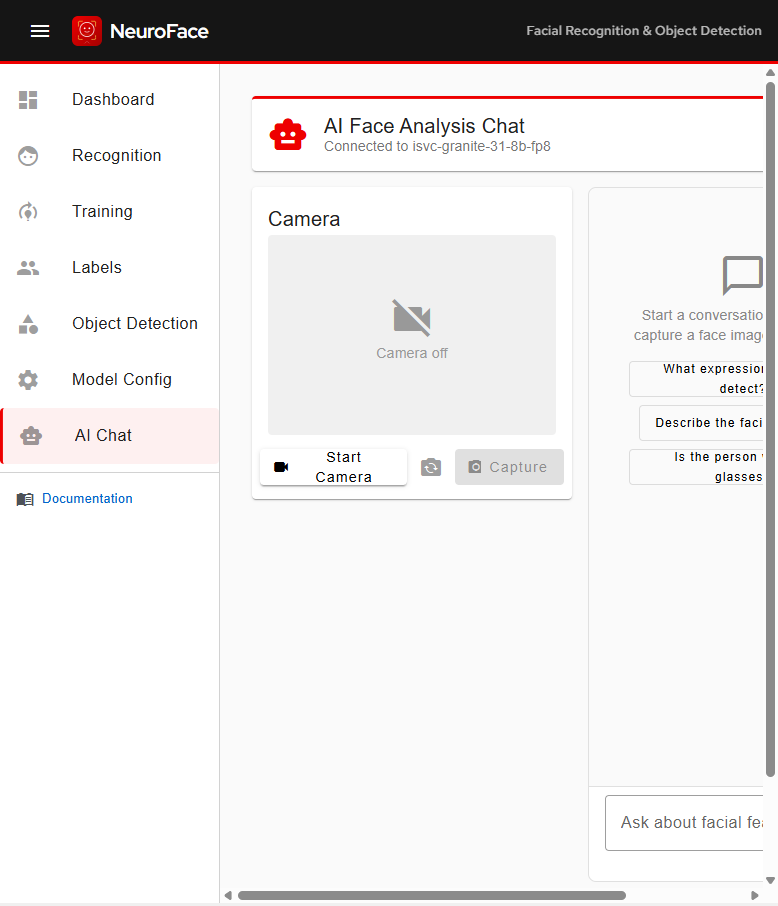
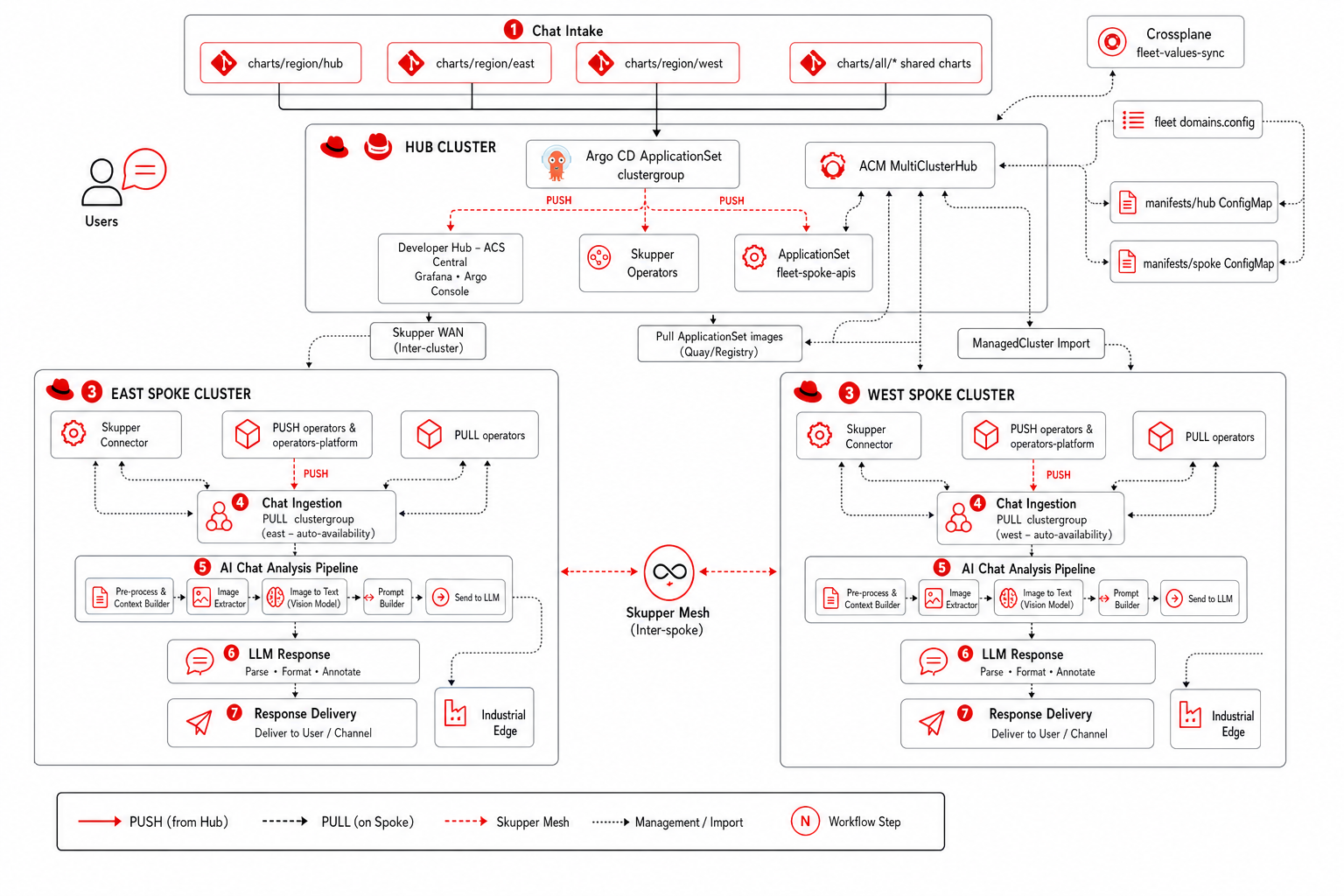
AI Face Analysis Chat
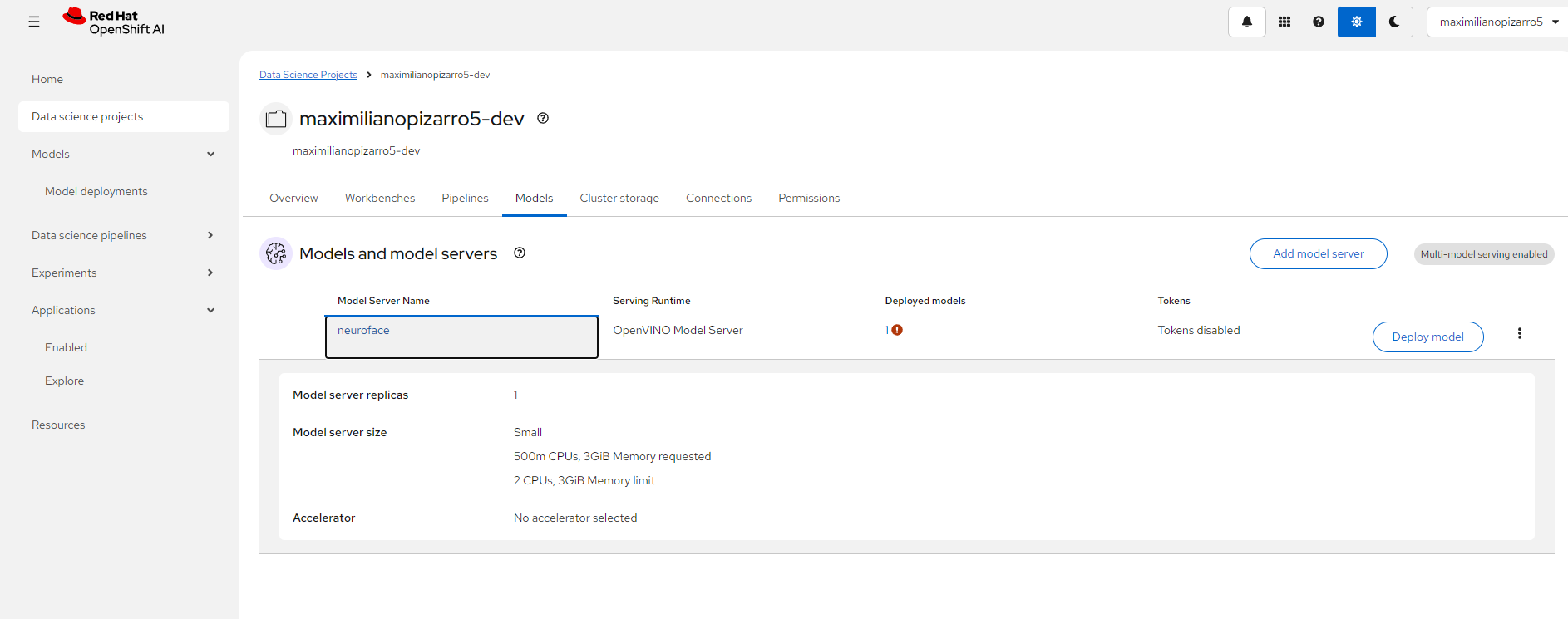
OpenShift AI — Model Server
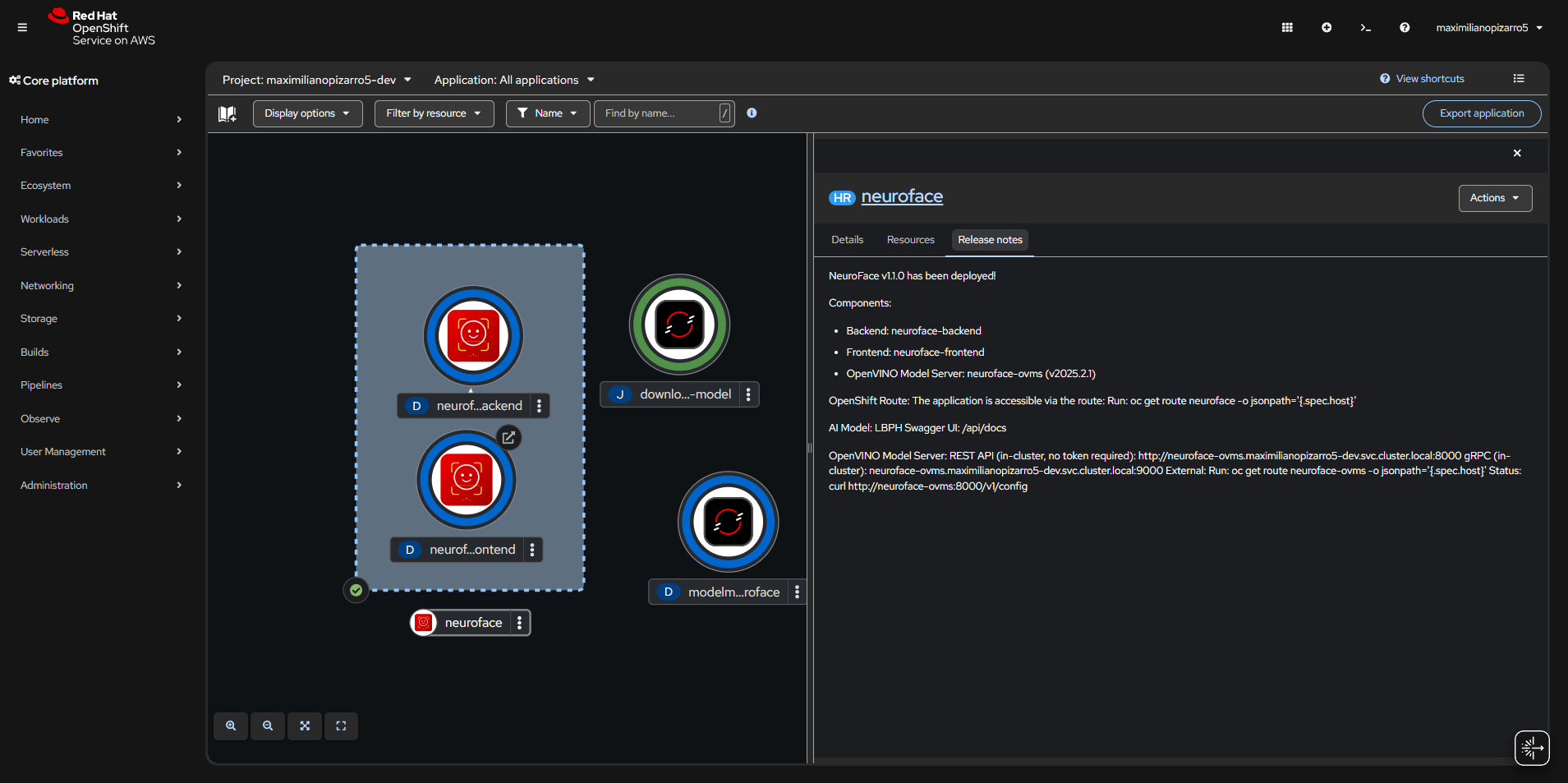
OpenShift Topology
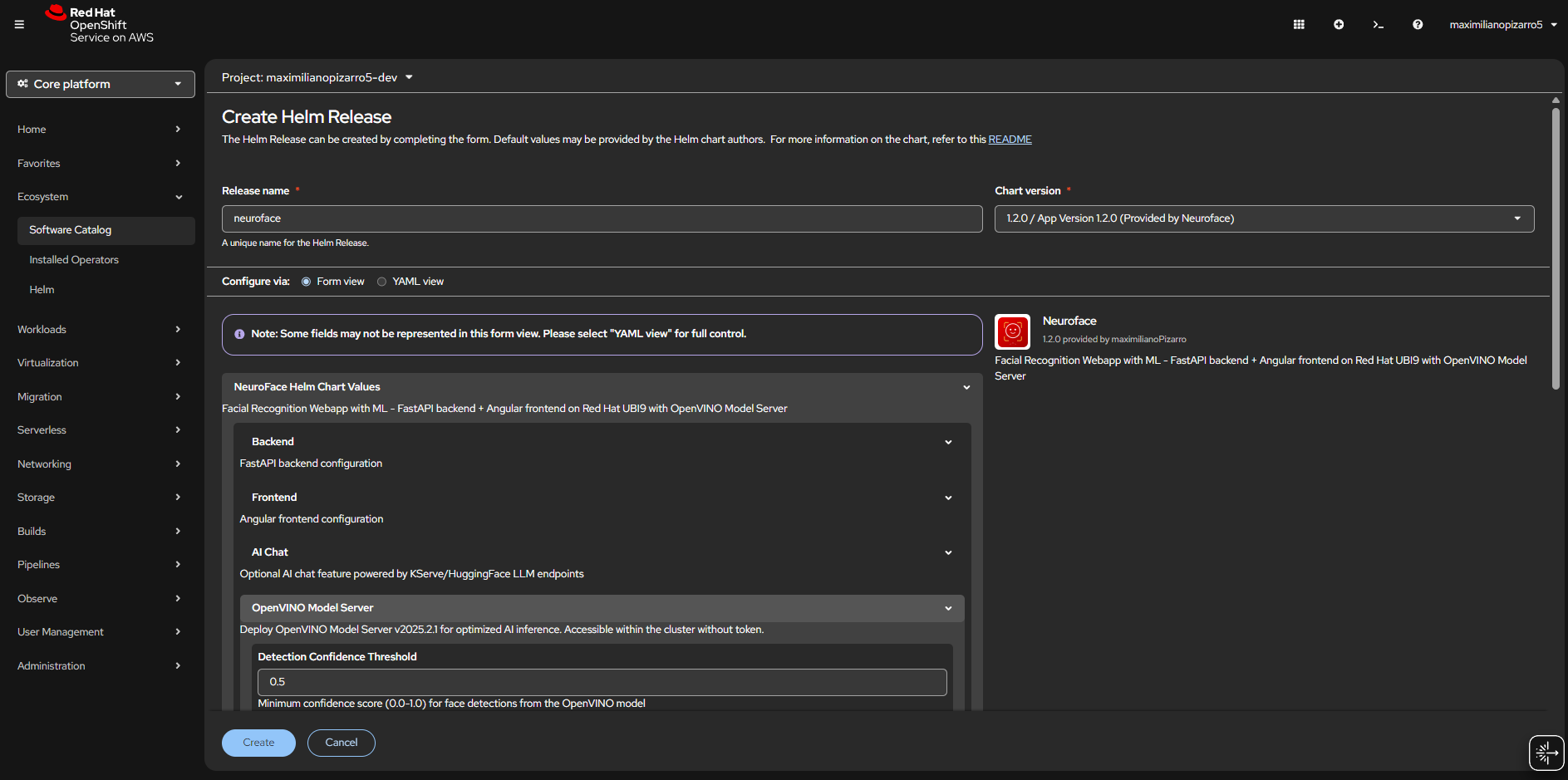
Helm Chart Install
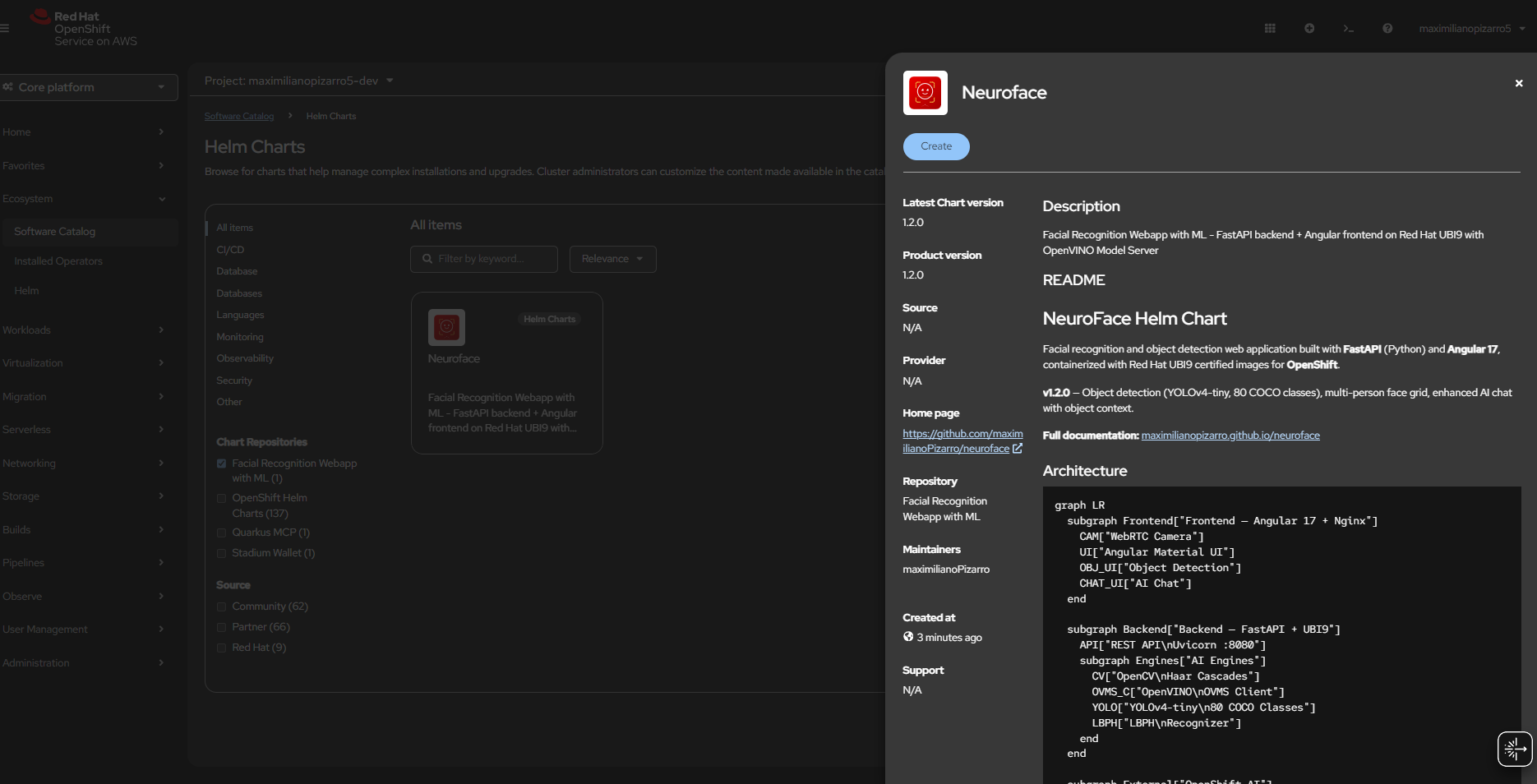
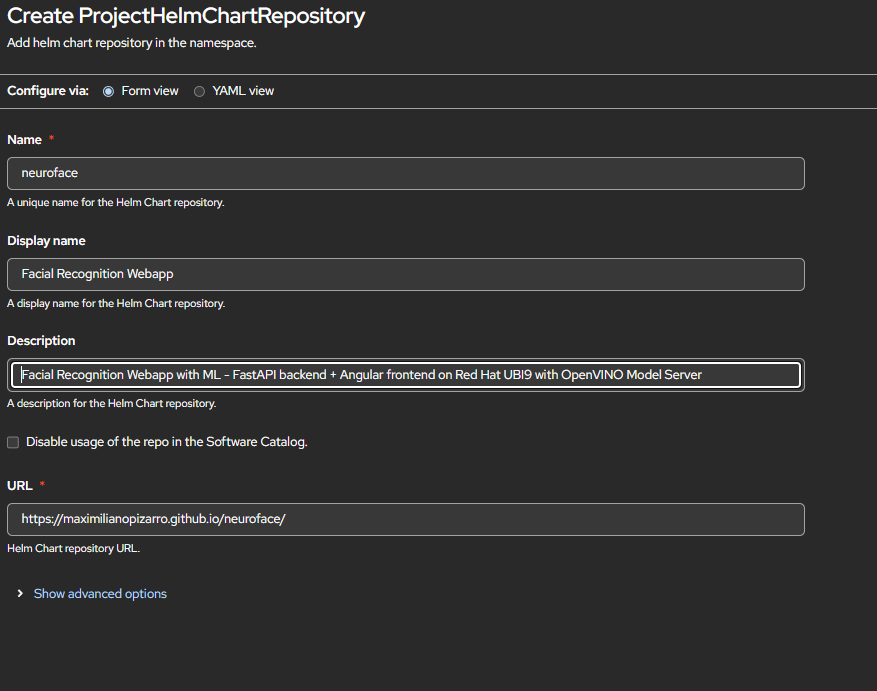
Helm Repository
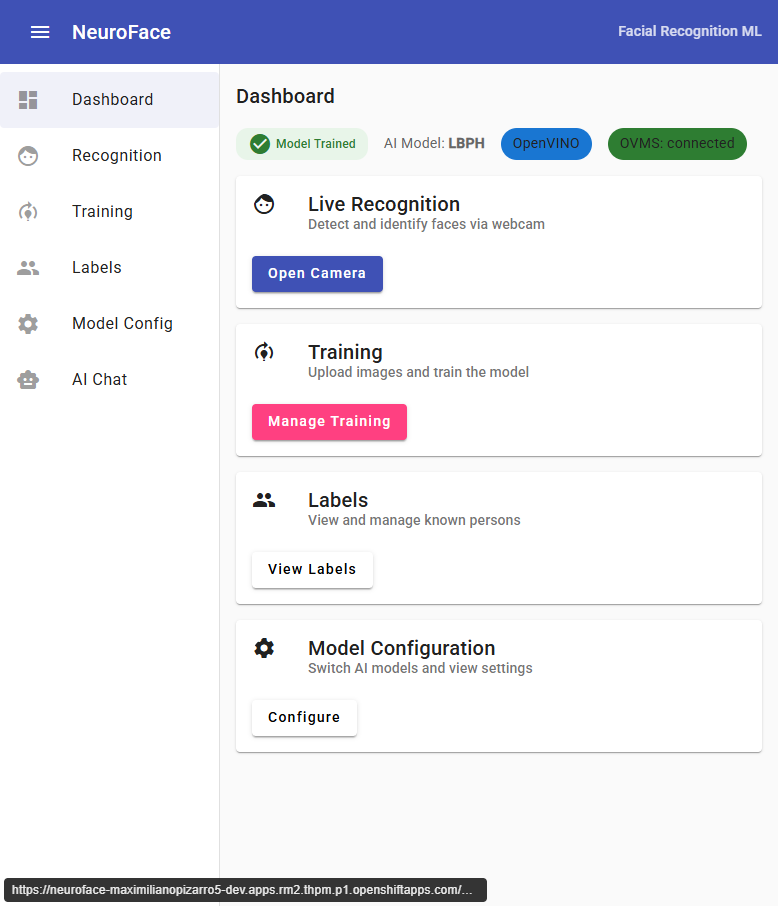
Dashboard v1.1.0
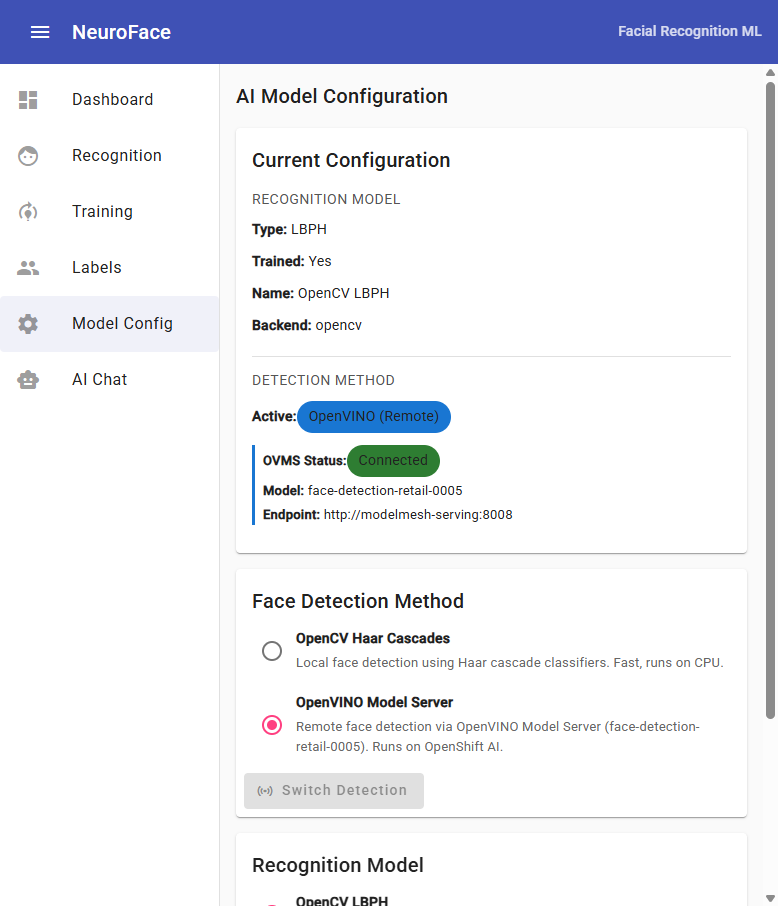
Model Config v1.1.0
Architecture
System Architecture Journey
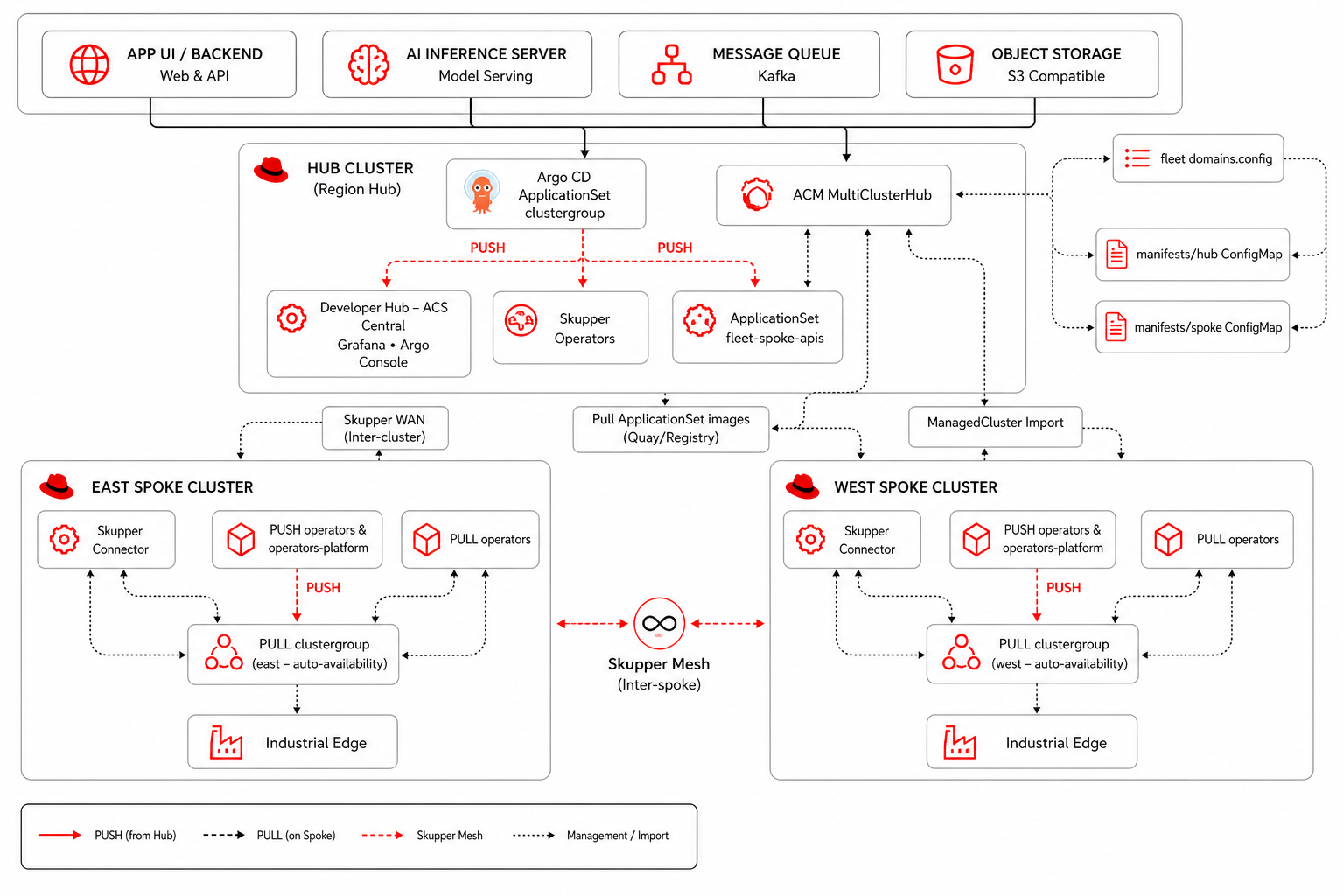
PPE Detection & Sequence Flow
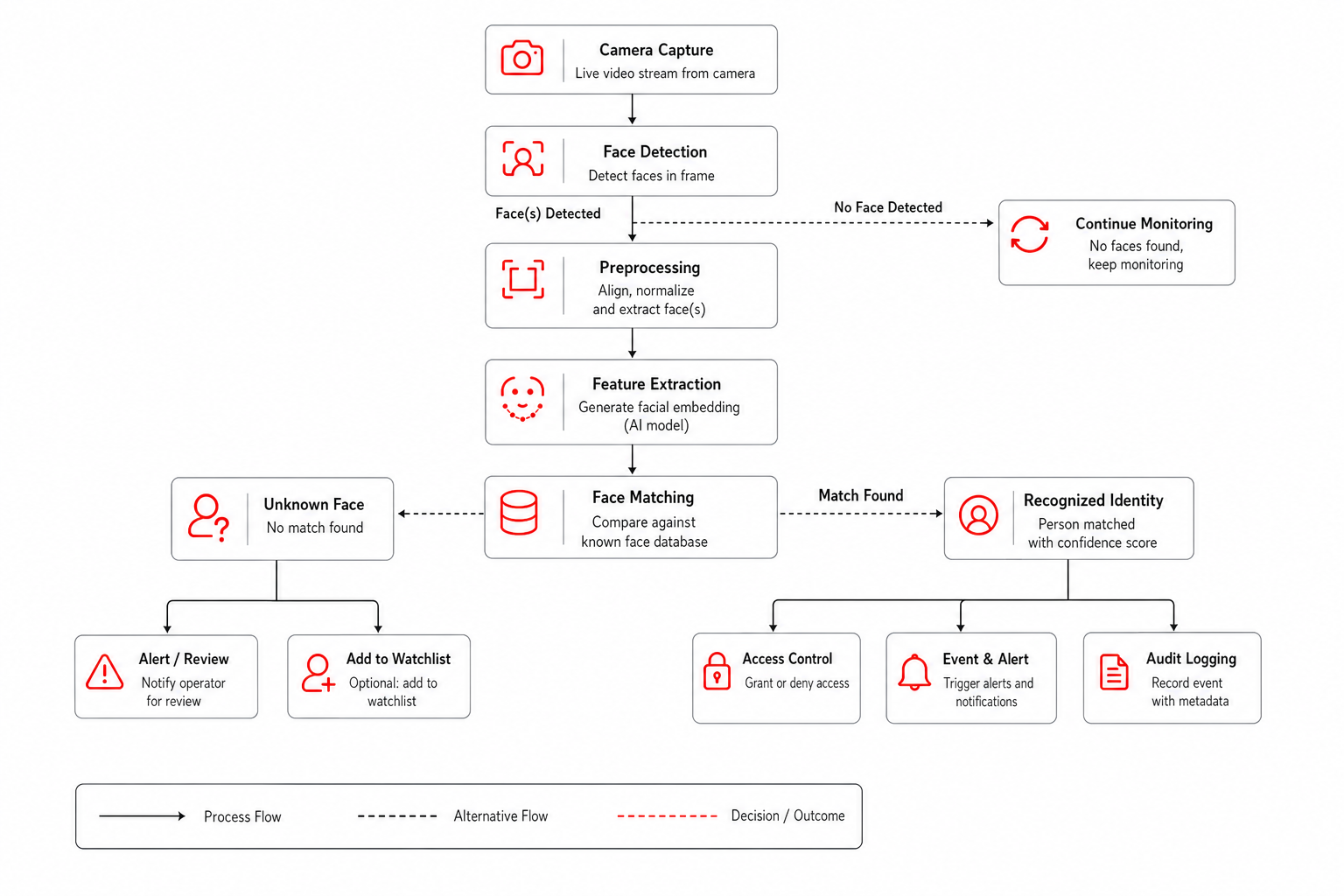
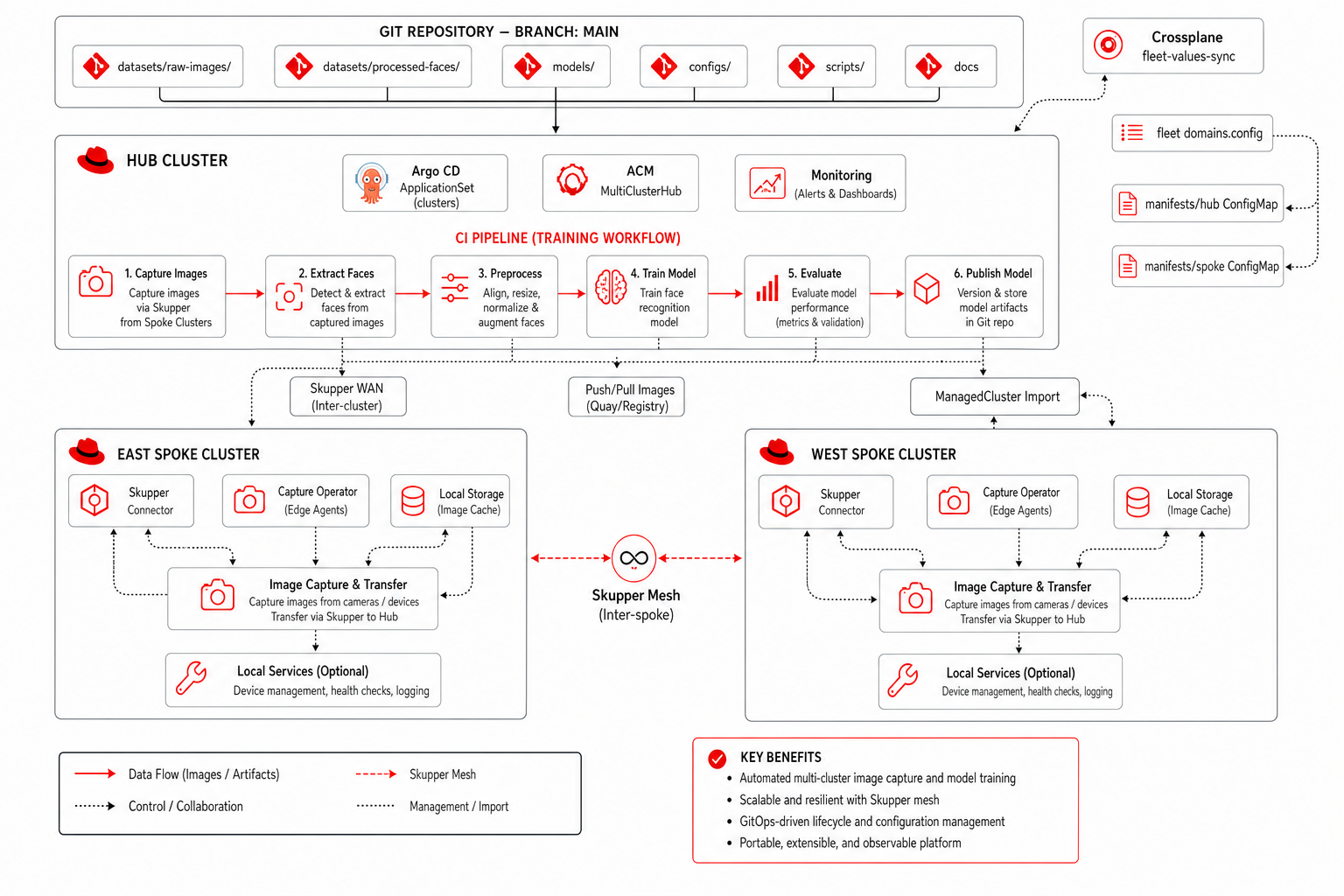
Face Recognition & MLOps Flow
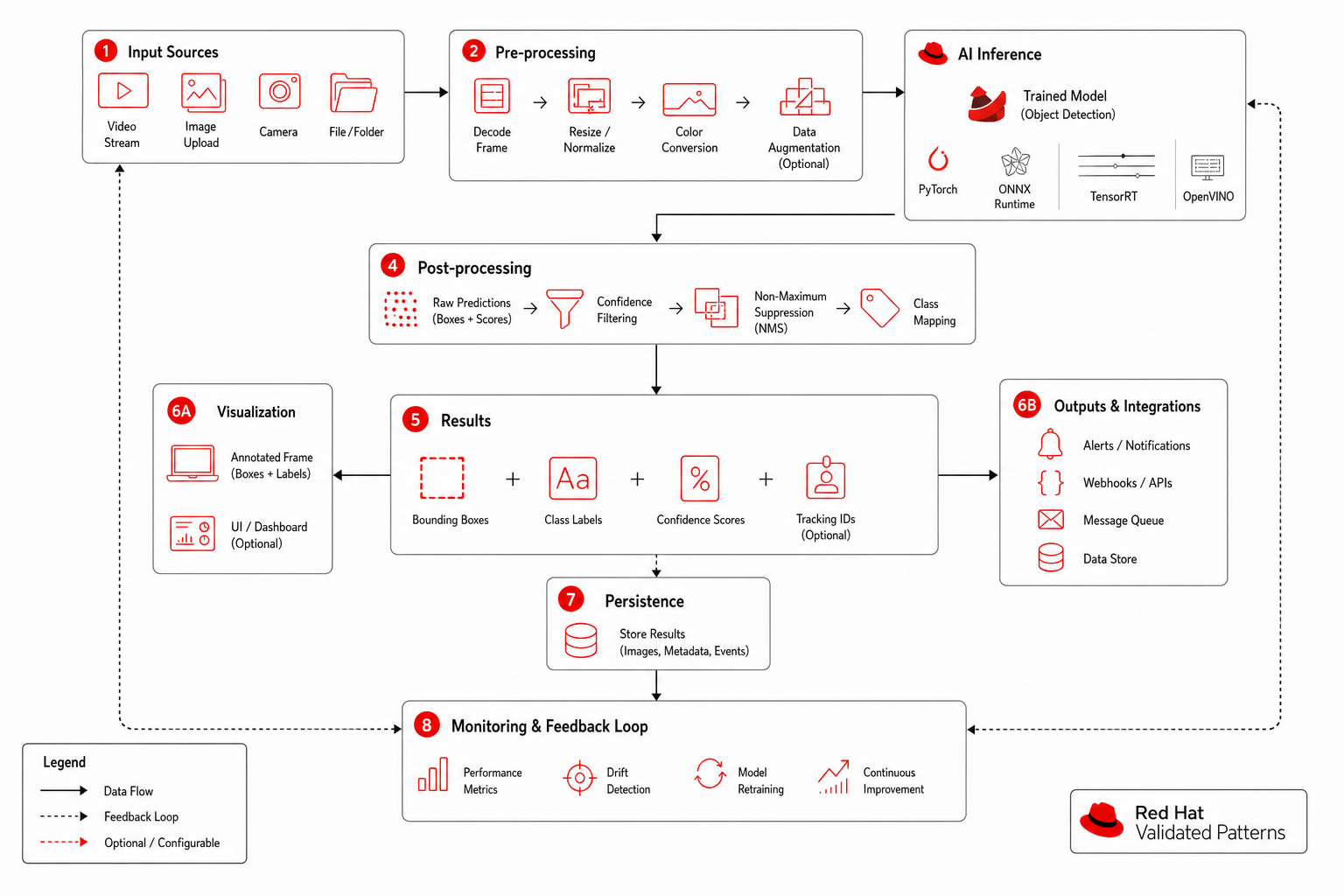
Object Detection Flow
Training Flow
AI Chat Analysis Flow
Helm Chart
Quick Start (without OpenVINO)
helm repo add neuroface https://maximilianopizarro.github.io/neuroface/
helm install neuroface neuroface/neuroface
Quick Start (with OpenVINO on OpenShift AI)
helm install neuroface neuroface/neuroface \
  --set ovms.externalUrl=http://modelmesh-serving:8008 \
  --set ovms.modelName=face-detection-retail-0005
Configuration
| Value | Default | Description |
|---|---|---|
backend.aiModel |
lbph |
Recognition model: lbph or dlib |
backend.image.tag |
v1.4.1 |
Backend container image tag |
frontend.image.tag |
v1.4.1 |
Frontend container image tag |
ppe.serving.image.tag |
v1.4.1 |
PPE YOLOv8 KServe serving image tag |
ovms.enabled |
true |
Enable OpenVINO face detection |
ovms.externalUrl |
"" |
External OVMS/ModelMesh URL. When set, no standalone OVMS is deployed |
ovms.modelName |
face-detection-retail-0005 |
Face detection model name on OVMS |
ovms.confidenceThreshold |
0.5 |
Minimum detection confidence (0.0-1.0) |
ovms.defaultDetectionMethod |
opencv |
Initial detection method: opencv or openvino |
Deploying OpenVINO on Red Hat Developer Sandbox
This guide explains how to deploy face-detection-retail-0005 on OpenShift AI (RHOAI) in a Red Hat Developer Sandbox so that NeuroFace can use it for remote face detection.
The Helm chart includes all ModelMesh resources (ServingRuntime, PVC, Secret, download Job, InferenceService) as templates. Enable them with
--set ovms.modelmesh.enabled=truefor a single-command deployment.
Option A: Automated (Helm chart deploys everything)
helm repo add neuroface https://maximilianopizarro.github.io/neuroface/
helm install neuroface neuroface/neuroface \
  --set ovms.externalUrl=http://modelmesh-serving:8008 \
  --set ovms.modelName=face-detection-retail-0005 \
  --set ovms.modelmesh.enabled=true
This single command deploys:
- Frontend + Backend + PVC (training data)
- ServingRuntime — OpenVINO adapter for ModelMesh
- PVC (2Gi) — Model storage
- storage-config Secret — Tells ModelMesh to use the PVC
- Job (post-install hook) — Downloads
face-detection-retail-0005(FP16) from Intel Open Model Zoo - InferenceService (post-install hook) — Registers the model on ModelMesh
Wait for the model download job and verify:
oc wait --for=condition=complete job/neuroface-download-model --timeout=300s
oc logs job/neuroface-download-model
oc wait --for=condition=Ready inferenceservice/face-detection-retail-0005 --timeout=300s
Option B: Manual steps (for custom setups)
If you prefer to deploy ModelMesh resources manually or your cluster needs specific configuration:
Step 1: Create the ServingRuntime
oc apply -f - <<'EOF'
apiVersion: serving.kserve.io/v1alpha1
kind: ServingRuntime
metadata:
  name: neuroface
  annotations:
    openshift.io/display-name: "NeuroFace OpenVINO Runtime"
  labels:
    opendatahub.io/dashboard: "true"
spec:
  supportedModelFormats:
    - name: openvino_ir
      version: opset1
      autoSelect: true
    - name: onnx
      version: "1"
    - name: tensorflow
      version: "2"
  multiModel: true
  grpcDataEndpoint: port:8001
  grpcEndpoint: port:8085
  containers:
    - name: ovms
      image: quay.io/modelmesh-serving/ovms-adapter:latest
      args:
        - --port=8001
        - --rest_port=8888
        - --model_store=/models
        - --grpc_bind_address=127.0.0.1
        - --rest_bind_address=127.0.0.1
      resources:
        requests:
          cpu: 500m
          memory: 3Gi
        limits:
          cpu: "2"
          memory: 3Gi
  builtInAdapter:
    serverType: ovms
    runtimeManagementPort: 8888
    memBufferBytes: 134217728
    modelLoadingTimeoutMillis: 90000
EOF
Step 2: Create PVC + Storage Secret
oc apply -f - <<'EOF'
apiVersion: v1
kind: PersistentVolumeClaim
metadata:
  name: neuroface-models
spec:
  accessModes: [ReadWriteOnce]
  resources:
    requests:
      storage: 2Gi
---
apiVersion: v1
kind: Secret
metadata:
  name: storage-config
stringData:
  neuroface-models: |
    { "type": "pvc", "name": "neuroface-models" }
EOF
Step 3: Download the Model
oc apply -f - <<'EOF'
apiVersion: batch/v1
kind: Job
metadata:
  name: download-face-model
spec:
  backoffLimit: 2
  template:
    spec:
      containers:
        - name: downloader
          image: registry.access.redhat.com/ubi9/python-311:latest
          command: ["bash", "-c"]
          args:
            - |
              pip install openvino-dev[onnx,tensorflow] > /dev/null 2>&1
              omz_downloader --name face-detection-retail-0005 --precision FP16 -o /tmp/models
              mkdir -p /models/face-detection-retail-0005/1
              cp /tmp/models/intel/face-detection-retail-0005/FP16/* /models/face-detection-retail-0005/1/
              ls -la /models/face-detection-retail-0005/1/
          volumeMounts:
            - { name: model-storage, mountPath: /models }
      volumes:
        - name: model-storage
          persistentVolumeClaim: { claimName: neuroface-models }
      restartPolicy: Never
EOF
oc wait --for=condition=complete job/download-face-model --timeout=300s
Step 4: Deploy InferenceService
oc apply -f - <<'EOF'
apiVersion: serving.kserve.io/v1beta1
kind: InferenceService
metadata:
  name: face-detection-retail-0005
  annotations:
    serving.kserve.io/deploymentMode: ModelMesh
spec:
  predictor:
    model:
      modelFormat:
        name: openvino_ir
      runtime: neuroface
      storage:
        key: neuroface-models
        path: face-detection-retail-0005
EOF
oc wait --for=condition=Ready inferenceservice/face-detection-retail-0005 --timeout=300s
Step 5: Deploy NeuroFace (without modelmesh templates)
helm install neuroface neuroface/neuroface \
  --set ovms.externalUrl=http://modelmesh-serving:8008 \
  --set ovms.modelName=face-detection-retail-0005
Verify
oc exec deployment/neuroface-backend -- \
  curl -s http://modelmesh-serving:8008/v2/models/face-detection-retail-0005
Expected:
{
  "name": "face-detection-retail-0005__isvc-...",
  "platform": "OpenVINO",
  "inputs": [{"name": "input.1", "datatype": "FP32", "shape": ["1","3","300","300"]}],
  "outputs": [{"name": "527", "datatype": "FP32", "shape": ["1","1","200","7"]}]
}
Using the UI
Dashboard
The dashboard shows the current system status:
- Model Trained badge indicates if the LBPH recognizer is trained
- OpenVINO / OpenCV chip shows the active detection method
- OVMS: connected confirms connectivity to ModelMesh
- YOLO: ready confirms the object detector is loaded
Object Detection
- Go to Object Detection from the sidebar
- Start the camera and enable Auto-detect to continuously detect objects
-
The module uses YOLOv4-tiny pre-trained on 80 COCO classes:
person, bicycle, car, motorbike, aeroplane, bus, train, truck, boat, traffic light, fire hydrant, stop sign, parking meter, bench, bird, cat, dog, horse, sheep, cow, elephant, bear, zebra, giraffe, backpack, umbrella, handbag, tie, suitcase, frisbee, skis, snowboard, sports ball, kite, baseball bat, baseball glove, skateboard, surfboard, tennis racket, bottle, wine glass, cup, fork, knife, spoon, bowl, banana, apple, sandwich, orange, broccoli, carrot, hot dog, pizza, donut, cake, chair, sofa, pottedplant, bed, diningtable, toilet, tvmonitor, laptop, mouse, remote, keyboard, cell phone, microwave, oven, toaster, sink, refrigerator, book, clock, vase, scissors, teddy bear, hair drier, toothbrush
- Detected objects are shown with bounding boxes and confidence scores
- A summary panel shows object counts grouped by class
Live Recognition (Multi-Person)
- Go to Recognition and start the camera
- Enable Auto-detect for continuous detection
- When 3+ faces are detected, individual face crops are shown in a grid below the camera
- Each face card shows: cropped face image, identity label, confidence %, and dimensions
AI Face Analysis Chat
- Go to AI Chat — requires LLM endpoint configuration
- Capture an image and ask questions about faces or objects
- The chat now includes object detection data alongside face analysis data when an image is attached
- OpenVINO detection method info is included in the context
Training
- Go to Training and use the fullscreen icon for distraction-free capture
- On mobile, use the flash/torch button if you need more light
- Enter a person name, then capture multiple images
- Click Start Training to train the recognition model
Model Configuration
Switch between detection methods at runtime:
- Face Detection Method — switch between OpenCV (local) and OpenVINO (remote)
- Recognition Model — select LBPH or dlib
Container Images
| Image | Tag | Description |
|---|---|---|
quay.io/maximilianopizarro/neuroface-backend |
latest / v1.0.1 |
Stable release without OpenVINO |
quay.io/maximilianopizarro/neuroface-backend |
v1.1.0 |
With OpenVINO integration |
quay.io/maximilianopizarro/neuroface-backend |
v1.1.1 |
Red Hat UI + mobile flash |
quay.io/maximilianopizarro/neuroface-backend |
v1.4.1 |
PPE persistence, Kafka, object detection |
quay.io/maximilianopizarro/neuroface-frontend |
v1.4.1 |
PPE UI, object detection, enhanced chat |
quay.io/maximilianopizarro/neuroface-ppe-serving |
v1.4.1 |
YOLOv8 PPE KServe v1+v2 inference |
API Endpoints (v1.4.1)
| Endpoint | Method | Description |
|---|---|---|
/api/health |
GET | Liveness probe |
/api/ready |
GET | Readiness probe (includes ovms_status, object_detection) |
/api/recognize |
POST | Detect + recognize faces |
/api/train |
POST | Train model using active detection method |
/api/images |
POST | Upload training image for a label |
/api/images/{label} |
GET/DELETE | List or delete images for a label |
/api/labels |
GET | List known persons/labels |
/api/models/config |
GET/PUT | View or change AI recognition model |
/api/models/detection |
PUT | Switch detection method: opencv or openvino |
/api/models/available |
GET | List models and detection methods with availability |
/api/objects/detect |
POST | Detect objects in image (YOLOv4-tiny, 80 COCO classes) |
/api/objects/classes |
GET | List all detectable object classes |
/api/objects/status |
GET | Object detector status and info |
/api/chat |
POST | AI chat with face + object analysis context |
/api/chat/status |
GET | Chat feature status |
Links
- Source: github.com/maximilianoPizarro/neuroface
- Helm Chart: Artifact Hub
- Author: maximilianoPizarro
- Based on: reconocimiento-facial